Performance Max runs your ads across every Google property — Search, Shopping, YouTube, Display, Gmail, Discover, and Maps — from a single campaign. Google’s AI handles bidding, placement, and audience targeting automatically. Your job is feeding it the right inputs: conversion goals, creative assets, product data, audience signals, and budget.
That’s the pitch. The reality is more nuanced. PMax works well when you give the algorithm enough data, clear goals, and strategic guardrails. It falls apart when advertisers treat it as a set-and-forget solution. And in 2026, the campaign type has evolved significantly from the black box it was at launch — with campaign-level negative keywords, search term visibility, channel performance reporting, and new customer acquisition goals now available.
This guide covers how to set up, structure, optimize, and scale Performance Max campaigns based on how the system actually works in 2026, not how it worked in 2022.
What Performance Max Does (and What Changed in 2025-2026)
Performance Max replaced Smart Shopping and Local campaigns in 2022. From day one, its design philosophy was simple: give Google’s AI a budget, a goal, and creative assets, and let machine learning figure out where to show your ads and how much to bid.
The system works by analyzing real-time auction signals — user device, location, time of day, search history, browsing behavior — and deciding, for each individual auction, whether to bid and how much. It does this across all Google networks simultaneously, which is something no manual campaign management can replicate at scale.
But the early versions had serious control gaps. No negative keywords. No visibility into which channels drove conversions. No way to tell if PMax was cannibalizing your branded search traffic. Advertisers were essentially handing Google their budget and hoping for the best.
The 2025-2026 updates changed this meaningfully. Here’s what you can now control that you couldn’t before:
Campaign-level negative keywords — You can now add up to 10,000 negative keywords per PMax campaign, applying to both Search and Shopping inventory. This was the single most requested feature since PMax launched. You can filter out low-intent queries (“free,” “DIY,” “cheap”) and prevent brand cannibalization without needing to go through a Google rep.
Search themes — Expanded from 25 to 50 per asset group. Search themes are PMax’s version of keyword guidance. They tell the algorithm which search query categories are relevant to your business. Google now shows a “usefulness” indicator that reveals whether your search themes generate extra traffic beyond what the algorithm would have found on its own.
Channel performance reporting — You can now see which Google networks (Search, Shopping, YouTube, Display, etc.) drive your conversions. This makes budget allocation decisions data-driven instead of speculative.
New Customer Acquisition goal — You can set higher conversion values for first-time customers versus returning buyers. This directs the algorithm to prioritize growth rather than just optimizing for the easiest conversions (which are often remarketing to existing customers).
Ad Rank priority model — Before late 2024, PMax automatically won auctions over Standard Shopping when targeting the same products. Google replaced this with an Ad Rank model where the better ad — based on bid, quality, and expected asset impact — wins, regardless of campaign type. This change made running PMax alongside Standard Shopping a viable strategy for the first time.
Setting Up a Performance Max Campaign: The Decisions That Matter
Most setup guides walk through every screen in the Google Ads interface. That’s useful, but it buries the decisions that actually affect performance under procedural steps. Here are the choices that make or break your campaign.
Conversion Goals: Fewer Is Better
PMax optimizes toward whatever conversion actions you tell it to. If you have three primary conversion goals — purchases, form submissions, and newsletter signups — the algorithm will chase whichever ones are cheapest to acquire. That usually means newsletter signups dominate, not purchases.
In 2026, Google recommends streamlined conversion setups: fewer, higher-value goals lead to better optimization. For ecommerce, your primary conversion should be purchases with revenue values attached. For lead generation, it should be qualified form submissions or phone calls — not page views, not PDF downloads.
Remove conversion actions that don’t represent actual business value before launching your campaign. You can keep them as observation-only secondary conversions, but don’t let the algorithm optimize toward them.
Budget: The Minimum That Actually Works
Google suggests a daily budget of at least three times your target cost per acquisition. If your target CPA is $50, start with at least $150/day. Campaigns with insufficient conversion volume — fewer than 30 conversions per month — struggle to exit the learning phase and deliver inconsistent results.
PMax runs across multiple channels simultaneously. A $30/day budget spread across Search, Shopping, YouTube, Display, Gmail, and Discover doesn’t give the algorithm enough data in any single channel to learn effectively. Underfunding is the most common reason PMax campaigns underperform.
If your budget is limited, concentrate the campaign on fewer goals and consider narrower geographic targeting to accumulate conversions faster in a smaller pool.
Bidding Strategy: Start Broad, Then Constrain
PMax offers two bidding strategies:
Maximize Conversions — Drives the highest volume of conversions within your budget. Best for lead generation campaigns or accounts that need to build conversion data quickly.
Maximize Conversion Value — Drives the highest total conversion value (revenue) within your budget. Best for ecommerce accounts where not all conversions are worth the same amount.
Both strategies support optional targets. Maximize Conversions can include a target CPA; Maximize Conversion Value can include a target ROAS.
The proven approach: launch without a target constraint first. Let the algorithm spend freely for 2-4 weeks and accumulate 30-50 conversions. Then set a target based on your actual achieved performance — not your aspirational goal. Adjust targets gradually, no more than 15-20% every two weeks. Aggressive target changes reset the learning phase and cause performance swings.
Campaign Structure: The Hybrid Strategy That’s Working in 2026
The biggest structural decision for ecommerce advertisers is whether to run PMax alone or alongside Standard Shopping. In 2026, the hybrid approach — PMax plus Standard Shopping — is producing the most consistent results across serious ecommerce accounts.
Why Hybrid Works Now
The Ad Rank priority change made this viable. Before late 2024, PMax automatically outbid Standard Shopping for the same products, making it pointless to run both. Now, the stronger ad wins based on quality and bid, regardless of campaign type. This means Standard Shopping can compete fairly for specific product segments where you want tighter control.
The hybrid logic is straightforward. Standard Shopping acts as a scalpel: granular control over bids, full search term visibility, Shopping-only placements. PMax acts as a discovery engine: broad reach across all Google networks, automated audience finding, cross-channel optimization. Together, they cover both precision and scale.
A Practical Hybrid Structure
Standard Shopping campaign — Your highest-performing, highest-margin products. Manual bidding or Target ROAS. Full control over search terms and bids. This campaign protects your core revenue drivers with predictable performance.
Branded Search campaign — A separate Search campaign targeting your brand keywords. This prevents PMax from cannibalizing branded traffic and inflating its reported ROAS. Apply brand exclusions in PMax to keep it out of branded auctions.
PMax campaign (hero products) — Your proven bestsellers with strong conversion data. Set a specific ROAS target. Full asset groups with headlines, descriptions, images, and video. Audience signals using customer lists and high-intent custom segments.
PMax campaign (catalog/discovery) — The rest of your product catalog. Moderate ROAS target. This campaign’s job is finding new products that could become heroes and reaching new audiences across all Google networks.
Accounts with lower conversion volume should simplify: one Standard Shopping campaign for core products and one PMax campaign for everything else. The goal is enough conversions per campaign for the algorithm to optimize effectively — splitting too thin starves both campaigns of data.
The Feed-Only Question
“Feed-only” PMax — uploading your product feed but skipping text, image, and video assets — used to be a workaround for advertisers who wanted PMax to behave like a Shopping-only campaign. In 2026, this workaround is increasingly unreliable. Multiple advertisers report that feed-only PMax campaigns now leak budget into YouTube, Display, and Search placements even without uploaded assets.
If you need guaranteed Shopping-only ad spend, use Standard Shopping. If you run PMax, commit to full asset groups. Internal testing shows manually created videos outperform auto-generated ones by 25-40%, and brands that provide at least one real video see up to 12% more total conversions compared to text-and-image-only asset groups.
Product Segmentation: The Hero/Villain Framework
Not every product in your catalog deserves the same ad spend. The Hero/Villain/Sidekick/Zombie framework, popularized by ProductHero’s Labelizer tool, gives ecommerce advertisers a structured way to allocate budget based on actual product performance.
Heroes — Your best performers. High ROAS, strong conversion rates, consistent volume. These products get the majority of your budget and the most aggressive ROAS targets.
Sidekicks — Products showing potential but not yet hitting targets. Maybe they have a high ROAS but low click volume, or good conversion rates on limited traffic. These get a moderate budget allocation. The goal is giving them enough exposure to either graduate to Hero status or reveal themselves as Villains.
Villains — Products that consistently spend budget without converting profitably. These get the tightest budget constraints or are excluded from paid campaigns entirely.
Zombies — Products that get almost no impressions or clicks at all. The algorithm ignores them because they lack data. These need dedicated attention — often in a separate campaign with broader targeting — to get initial traction.
Implement this framework using custom labels in your Google Merchant Center feed (custom_label_0 through custom_label_4). Assign each product a performance label, then create separate PMax campaigns or asset groups with different ROAS targets for each segment.
Some advertisers are moving beyond this static framework. Dynamic segmentation tools now shift products between categories automatically based on real-time signals — stock levels, competitor pricing, margin changes, conversion trends. The principle is the same (treat different products differently), but the execution adapts continuously.
Asset Groups: What Actually Moves Performance
Asset groups are collections of creative elements that PMax combines into ads across all placements. Each asset group should revolve around a specific product category, audience segment, or business objective — not your internal organizational structure.
Fill Every Slot
PMax has creative slots for a reason. The algorithm tests different combinations of headlines, descriptions, images, and videos across placements. The more variety you provide, the more combinations it can test, and the faster it finds winners.
Provide at least 11 of the 15 available headlines (30-character limit each). Mix keyword-focused headlines with feature highlights, offers, and social proof. Make at least one headline very short (under 15 characters) for mobile placements where space is tight.
Write 4-5 descriptions (90-character limit). Each description should highlight a different angle: price advantage, product quality, shipping speed, customer reviews, brand credibility.
Upload images in all three required aspect ratios (1.91:1 landscape, 1:1 square, 4:5 portrait). Use high-quality product photography and lifestyle images. Avoid text overlays — they reduce ad approval rates and compete with Google’s own headline overlays.
Upload at least one real video per asset group. If you don’t upload video, Google auto-generates one from your static assets. These auto-generated videos consistently underperform custom content.
Audience Signals: Guidance, Not Targeting
Audience signals tell PMax who your ideal customers look like. They’re suggestions to the algorithm, not hard targeting constraints. Google will show your ads to people outside your specified signals if it predicts they’re likely to convert.
Start with your strongest first-party data: customer email lists (especially high-value repeat buyers), website visitors (especially cart abandoners and converters), and CRM data if you can integrate it. Layer in custom segments built from your top 25-50 converting search terms.
For competitor conquesting, add custom segments based on competitor brand names and URLs. This works well when competitors serve a similar audience at a similar price point.
Create separate asset groups for different audience signals when you want to test which signals drive the best results. PMax’s standard reporting doesn’t break down performance by individual signal — isolating signals into separate asset groups is the workaround.
Search Themes: PMax’s Keyword Layer
Search themes tell the algorithm which search query categories are relevant to your asset group. You now have 50 slots per asset group. Don’t waste them on broad, vague terms like “clothing” or “marketing software.” Use specific, high-intent phrases that mirror your top-performing search terms from other campaigns.
Google’s “usefulness” indicator shows whether each search theme generates incremental traffic. If a theme shows low usefulness, the algorithm was already finding those queries without the hint. Replace low-usefulness themes with more specific alternatives.
Optimizing the Product Feed
For ecommerce PMax, the product feed is your most important optimization lever. PMax pulls product titles, descriptions, images, prices, and availability directly from Google Merchant Center. Weak feed data limits what the algorithm can do, regardless of campaign structure or bid strategy.
Titles
Product titles are the single most influential feed attribute for search relevance. Structure them as: Brand + Product Name + Product Type + Key Attributes (color, size, material). Front-load the most important details because some ad formats truncate titles.
A title like “Nike Air Max 270 Men’s Running Shoe – Black/White, Size 10” gives the algorithm far more to work with than “Men’s Shoes.”
Images
Use multiple high-resolution images (minimum 1000×1000 pixels). Show the product from multiple angles on clean backgrounds. No watermarks, no promotional text, no collages — these violate Google’s image policies and lead to disapprovals. Google Merchant Center rejects approximately 7% of products due to data errors, and image violations are among the most common.
Custom Labels for Strategic Control
Custom labels (custom_label_0 through custom_label_4) don’t affect ad display but give you powerful internal segmentation capabilities:
custom_label_3: Inventory status (InStock, LowStock, Clearance)
custom_label_4: Business priority (NewLaunch, CoreRange, Discontinued)
These labels let you create product groups within PMax campaigns, set different ROAS targets by segment, and exclude products strategically. Each label can hold only one value per product, and new or edited labels take 24-48 hours to propagate to Google Ads.
The Incrementality Problem
PMax’s biggest blind spot isn’t its automation — it’s attribution. The campaign will happily bid on your branded search queries, convert people who were already coming to your site, and report that result as PMax-driven revenue. Your ROAS looks amazing. Your actual incremental revenue might be flat or declining.
This is why brand exclusions matter. Exclude your own brand name in PMax settings so the campaign stops bidding on branded queries that your branded Search campaign should handle. Compare PMax performance before and after applying brand exclusions. If ROAS drops significantly, a large portion of your “PMax revenue” was branded traffic you would have captured anyway.
For more rigorous incrementality testing: split your product catalog into two comparable segments (similar margin mix, similar demand). Run one segment in PMax and the other in Standard Shopping. Don’t overlap products, or you’re just measuring which campaign bid more aggressively, not which campaign type performs better.
Google also offers conversion lift studies for larger accounts — controlled experiments that measure the true incremental impact of PMax by comparing exposed and holdout groups. If your account is large enough to qualify, these studies provide the cleanest incrementality data available.
Performance Max for Lead Generation
PMax isn’t just for ecommerce. Lead generation accounts can use it effectively, but the setup requires different thinking.
The Junk Lead Problem
PMax optimizes for whatever conversion action you tell it to. If your conversion goal is “form submission” and 60% of your form fills are spam or unqualified, the algorithm is learning to find more spam. It’s doing exactly what you asked — just not what you wanted.
The fix: connect your CRM to Google Ads through enhanced conversions for leads or offline conversion imports. Feed back which leads actually became opportunities or customers. This gives the algorithm a signal for lead quality, not just lead volume. Accounts that implement CRM-to-Ads feedback loops consistently see lower cost per qualified lead, even if their total lead volume drops initially.
Budget and Conversion Volume
Lead generation campaigns typically have higher CPAs than ecommerce purchases, which means you need more budget to reach the 30-50 conversion threshold for effective optimization. If your target CPA is $100, you need at least $300/day to give the algorithm enough data.
If budget is tight, start with Maximize Conversions (no target constraint) to accumulate conversion data. After reaching 50 conversions, add a target CPA based on actual results.
Audience Signals for Lead Gen
Your strongest signals are high-quality leads from your CRM (not all leads — specifically the ones that converted to customers or opportunities). Upload these as Customer Match lists. Build custom segments from the search terms that historically produce qualified leads, not just any leads.
In-market audiences and detailed demographics help for top-of-funnel awareness, but first-party data from qualified leads drives the most efficient performance.
Performance Max for Local and Store Visits
PMax for store goals promotes physical business locations across Google Maps, Search, YouTube, and Display. Ads appear as promoted pins on Google Maps and Waze, showing business information — reviews, hours, photos — along with action buttons like “Call Now” and “Get Directions.”
Radius targeting adjusts dynamically based on user proximity to your store. Users closer to your location see your ads more frequently and with higher bid multipliers.
For local campaigns, make sure your Google Business Profile is verified, complete, and consistent with your website’s contact information. Link your Google Business Profile to your Google Ads account before launching. Location assets (formerly location extensions) are required for store visit tracking.
Tracking and Improving Performance
The Insights Tab
The Insights tab in Google Ads is your primary diagnostic dashboard for PMax. It shows search category breakdowns, audience insights, trending search queries, and asset performance. Check it weekly — it surfaces optimization opportunities that raw metrics don’t reveal.
Asset Performance Ratings
PMax rates each creative asset as “Low,” “Good,” or “Best” based on relative performance within its asset type. Review these ratings after at least 14 days of data collection. Replace “Low”-rated assets, but don’t delete them without having replacements ready — removing assets without adding new ones reduces the algorithm’s creative options.
The new “Ads Using Video” reporting segment (available in 2026) lets you compare conversions from ads that included video versus those that didn’t. Use this to quantify whether your video investment is paying off.
Search Term Insights
Search term reports for PMax now show queries grouped by theme and intent, with performance metrics for each group. You can identify which query categories drive conversions, which waste budget, and which represent new opportunities. The report also distinguishes between queries that matched your search themes and those the AI selected independently.
High-converting query themes should inform your search theme settings and headline copy. Low-performing or irrelevant query themes should be added as negative keywords — you can now do this directly from the report with a single click.
Frequently Asked Questions
Should I replace my Search campaigns with Performance Max?
No. Google designed PMax to complement Search campaigns, not replace them. Search campaigns with exact match keywords take priority (via Ad Rank) when a query matches your keyword. Run PMax alongside Search to capture broader queries and cross-channel opportunities that Search campaigns miss. Most successful accounts maintain separate branded Search, non-branded Search, and PMax campaigns.
How long does Performance Max take to optimize?
Plan for at least 4-6 weeks before evaluating performance. The algorithm needs time to test creative combinations, identify responsive audiences, and learn from conversion data. Making significant changes (budget, bidding targets, asset groups) during the learning phase resets the process. After the initial learning period, optimize incrementally — adjustments of no more than 15-20% every two weeks.
Is feed-only PMax still a viable strategy in 2026?
Increasingly not. Feed-only PMax campaigns — where you upload a product feed but skip text, image, and video assets — were designed to force Shopping-only placements. In 2026, multiple advertisers report that feed-only campaigns now leak budget into YouTube, Display, and Search placements even without uploaded assets. If you need guaranteed Shopping-only ad spend, use Standard Shopping instead.
How do I prevent PMax from cannibalizing my branded search traffic?
Apply brand exclusions in your PMax campaign settings. Create a separate branded Search campaign to capture brand-intent queries. Compare your overall account performance before and after implementing brand exclusions — a significant drop in PMax ROAS after exclusion typically means the campaign was claiming credit for branded conversions it didn’t generate.
What’s the minimum budget for Performance Max?
Google recommends at least three times your target CPA per day. For ecommerce accounts targeting a $30 CPA, that’s $90/day minimum. For lead generation with a $100 CPA target, that’s $300/day. Campaigns with fewer than 30 conversions per month typically struggle to exit the learning phase and deliver inconsistent results. If budget is limited, consider narrower geographic targeting to concentrate conversions.
Can I use Performance Max without a product feed?
Yes. Service businesses, SaaS companies, and lead generation accounts run PMax without a Merchant Center feed. The campaign will deliver ads across Search, Display, YouTube, Gmail, and Discover using your text, image, and video assets. You lose Shopping placements without a feed, but all other networks remain active.
A Google Merchant Center suspension can cut off one of the most important product discovery channels for an ecommerce business.
When your Merchant Center account is suspended, your products may stop showing across Google Shopping surfaces, free listings, Shopping ads, and feed-dependent campaigns such as Performance Max. For stores that rely heavily on Google Shopping traffic, the impact is immediate: fewer impressions, fewer clicks, less product visibility, and a sudden drop in revenue.
The difficult part is that suspension messages are often broad. You may see a policy label such as Misrepresentation, Unacceptable business practices, Website needs improvement, Inaccurate pricing, Missing contact information, or Restricted products without a detailed line-by-line explanation of what triggered the issue.
That does not mean the issue is random. In most cases, Google is evaluating a combination of your product data, website content, business information, checkout experience, policy pages, account history, and product eligibility.
This guide explains why Google Merchant Center accounts get suspended, how to diagnose the actual issue, what to fix before requesting a review, how to prepare a stronger appeal, and how to reduce the risk of future suspensions.
What Is a Google Merchant Center Suspension?
A Google Merchant Center suspension happens when Google determines that your account, website, product data, or business practices do not meet Merchant Center or Shopping ads policies.
A suspension is more serious than a product disapproval.
A product disapproval affects specific products. Those products stop showing, but the rest of your account may continue running.
An account-level suspension affects the entire Merchant Center account. Your product listings may stop serving across Google surfaces until the issue is resolved and Google approves your review request.
Google’s own documentation says that for misrepresentation violations, Google accounts may be suspended upon detection and without prior warning, and accounts are reinstated only in compelling circumstances when there is good reason.
That is why the first response should be careful and methodical. A rushed appeal can waste review opportunities before the real issue is fixed.
Product Disapproval vs Account Suspension
Before making changes, identify what type of issue you are dealing with.
Product-Level Disapproval
A product-level disapproval means certain items are not eligible to serve.
Google’s Needs attention tab shows product issues and highlights high-impact issues that may affect account performance.
Product-level issues are usually fixed by correcting the product data, landing page, feed attributes, structured data, or website content, then requesting a review where available.
Account-Level Warning
An account-level warning means Google has detected a broader issue, but your products may still be showing during the warning period.
This is the time to fix everything, not just the one example Google shows.
Warnings can become suspensions if unresolved.
Account-Level Suspension
An account-level suspension means the issue affects the account as a whole.
Possible triggers include:
· Misrepresentation · Unacceptable business practices · Missing or inconsistent business information · Website trust issues · Unsafe checkout · Restricted products · Circumventing systems · Linked account issues · Repeated product data quality failures
Google’s documentation notes that account-level issues can appear in a banner at the top of Merchant Center, in summary cards on the Needs attention page, or in the Diagnostics tab.
Why Google Suspends Merchant Center Accounts
Google suspends Merchant Center accounts to protect users from misleading offers, unsafe checkout experiences, unclear business practices, restricted products, and inaccurate product information.
The most common causes fall into seven categories.
1. Misrepresentation
Misrepresentation is one of the most serious Merchant Center issues.
Google’s Misrepresentation policy covers problems such as unacceptable business practices, misleading or unrealistic offers, omission of relevant information, and unavailable offers.
In practice, misrepresentation can be triggered by many trust-related issues, including:
· Product claims that are exaggerated or unsupported · Prices that do not match between feed, landing page, and checkout · Promotions that are expired, misleading, or unclear · Products shown as available when they are not actually available · Missing business identity information · Missing or vague return policy · Missing shipping details · Hidden fees at checkout · Generic or incomplete contact information · Website content that does not match Merchant Center business information · Product pages that look thin, unfinished, or copied from suppliers · Checkout flows that create friction or confusion
Misrepresentation is often not caused by one isolated issue. It is usually a trust problem across the store experience.
2. Missing or Inconsistent Contact Information
Google expects shoppers to understand who they are buying from and how to contact the business.
Google’s documentation on missing contact information recommends consistent business name, address, and phone number across the website footer, contact page, and Merchant Center settings. It also recommends detailed shipping and return policies, no placeholder content, no broken links, and a secure checkout process.
A compliant ecommerce website should clearly show:
· Business name · Customer support email · Phone number where possible · Physical business address where applicable · Contact form · Customer service hours · Expected response time · Footer links to key policy pages
A contact form alone may not be enough. Add direct contact methods in visible locations.
3. Missing or Vague Policy Pages
A store needs clear policies before users buy.
At minimum, your website should include:
· Shipping policy · Return and refund policy · Privacy policy · Terms and conditions · Contact page · Payment information · Warranty or guarantee policy if relevant
A strong return and refund policy should explain:
· Whether returns are accepted · Return window · Return eligibility · Who pays return shipping · How to start a return · Refund method · Refund timeline · What happens if an item arrives damaged · What happens if the wrong item is sent · What happens if the package never arrives
A vague policy such as contact us if you have a problem is usually too weak.
4. Pricing, Availability, or Shipping Mismatches
Google compares your feed, structured data, landing page, and checkout.
Mismatches can happen when:
· The feed says in stock, but the page says out of stock · The product page price differs from the feed price · Sale prices are outdated · Currency differs by page, user location, or checkout · Shipping costs appear only at checkout · Product variants show different prices without updating structured data · Schema markup contains stale price or availability values · Cached pages show old product data
Google’s product data specification says accurate and correctly formatted product data is essential for ads and free listings and for preventing product disapprovals or display issues.
For suspension recovery, price and availability must match across:
· Product feed · Product landing page · Structured data · Cart · Checkout · Merchant Center shipping settings · Promotions feed if used
5. Checkout and Website Experience Problems
A website can trigger Merchant Center issues even if the product feed looks clean.
Google’s checkout requirements say shoppers should easily access relevant information throughout checkout, including refund and return policy, terms and conditions, and contact options.
Common website problems include:
· No HTTPS or broken SSL certificate · Checkout does not work · Unexpected fees appear late in checkout · Required account creation before purchase · Broken links · Placeholder content · Empty category pages · Aggressive pop-ups · Disabled browser back button · Password-protected product pages · Blocked countries or IPs that prevent Google from crawling · Payment methods shown only after checkout starts
Your checkout should feel predictable, transparent, and secure.
6. Restricted or Prohibited Products
Some products are restricted. Some are prohibited.
Sensitive categories include:
· Healthcare and medicines · Supplements · Adult products · Weapons and weapon accessories · Tobacco and nicotine-related products · Recreational drugs and drug-related items · Dangerous products · Counterfeit goods · Financial products · Political content in certain markets
Healthcare is especially strict. Google’s Healthcare and medicines policy explains that online pharmacies promoting prescription drugs in the United States and Canada need specific accreditation and Google certification, and requirements differ by product and country.
For restricted categories, do not rely on generic ecommerce compliance. Check the exact Google policy for the product type and target country.
7. Account Relationship and Circumvention Issues
Google may also look at connected accounts and patterns across Google properties.
Risk factors include:
· Creating a new Merchant Center account after suspension · Linking to a suspended Google Ads account · Reusing business information from a suspended account without resolving the issue · Using multiple accounts to promote the same store · Changing domains to avoid review · Using different business identities across Google Ads, Merchant Center, website, and payment records
Google’s Merchant Center announcements mention Linked account suspension as a status related to prohibited practices for Free Listings, which indicates that account relationships can matter in enforcement.
Do not try to outrun the suspension with a new account. Fix the underlying issue.
Where to Find the Suspension Reason
Start inside Merchant Center.
Check these places:
· Account-level banner at the top of Merchant Center · Products section · Needs attention tab · Account issues · Diagnostics if available in your interface · Email notifications from Google · Product details pages for item-level issues · Linked Google Ads account alerts · Business info and verification pages
The Needs attention tab shows product issues and high-impact account or product problems. Google also says account-level issues may appear in the account banner, summary cards, or Diagnostics tab.
Do not stop at the first example Google provides. Google may show one affected product, but the real problem can exist across many products or across the website.
What to Do Immediately After a Suspension
Your first 24 hours should be about containment and diagnosis.
Step 1: Pause Major Changes
Do not rebuild the site, change the domain, create a new Merchant Center account, or submit an appeal immediately.
First, document the current state:
· Suspension email · Merchant Center issue screenshots · Affected products · Feed source · Website policy pages · Checkout flow · Business info settings · Linked Google Ads accounts · Recent site changes · Recent feed changes · Recent product uploads
This gives you a baseline.
Step 2: Identify the Issue Type
Ask:
· Is this product-level or account-level? · Is there a warning period? · Is it a suspension with no warning? · Is the issue policy-related or data-quality-related? · Is the issue tied to a specific product category? · Is Google asking for business verification? · Is there a linked account issue?
The fix depends on this distinction.
Step 3: Stop Rushing the Appeal
A review request should come after the fixes.
A weak appeal often fails because the account is still non-compliant at the time of review. Some recent practitioner guides also warn that repeated failed review attempts can create cooldown periods or reduce future options, so it is better to submit one complete review request after a full audit.
Step 4: Build a Fix List
Create a working document with columns for:
· Issue · Where it appears · Evidence · Fix needed · Person responsible · Status · Screenshot after fix · Notes for appeal
This turns a vague suspension into an actionable recovery workflow.
Google Merchant Center Suspension Fix Checklist
Use this checklist before requesting review.
1. Business Identity
Check:
· Business name matches website, Merchant Center, Google Ads, payment processor, and legal pages · Business address is visible and consistent · Phone number is visible and working · Support email uses the store domain where possible · Contact page is easy to find · Footer includes business contact details · About page explains who operates the store · Customer service hours and response time are stated
Avoid:
· Generic Gmail-only support for a serious ecommerce store · Different company names across pages · Missing physical address where one is expected · Contact page with only a blank form
2. Policy Pages
Check:
· Shipping policy is detailed and realistic · Return policy includes timelines and process · Refund policy explains method and timing · Privacy policy explains data collection and use · Terms and conditions match your business model · Payment methods are visible before checkout · Policy pages are linked in the footer · Policies are not copied blindly from templates with irrelevant clauses
Avoid:
· Placeholder text · Contradictory policy statements · Policies that mention another brand or domain · No clear answer for damaged, lost, or incorrect items
3. Product Pages
Check:
· Product title is accurate · Product description is specific · Product images match the product · Price matches feed and checkout · Availability matches feed and checkout · Variant prices update correctly · Sale prices and promotion dates are clear · Product claims are supported · Shipping cost or free shipping is visible before checkout · Return conditions are accessible
Avoid:
· Unrealistic claims · Medical or performance claims without support · Copied supplier descriptions across the full catalog · Product images with misleading overlays · Out-of-stock products submitted as in stock
4. Feed and Structured Data
Check:
· Required attributes are complete · Price attribute is accurate · Availability attribute is accurate · Condition attribute is accurate · Image links work · Product URLs resolve correctly · GTIN, MPN, and brand are correct where available · Google product category is appropriate · Shipping and tax settings match the site · Structured data matches visible page content
Google’s structured data documentation states that price, priceCurrency, availability, and condition are required schema.org values for automatic item updates.
Avoid:
· Old cached prices · Variant mismatch · Different currency by region · Shipping rates that differ from checkout · Feed rules that overwrite correct product data incorrectly
5. Checkout
Check:
· HTTPS works across the full checkout · Checkout loads correctly on desktop and mobile · Customers can complete a purchase · Payment methods are conventional and visible · No hidden fees appear late · Taxes and shipping are explained · Return and contact information remain accessible · Account creation is optional unless clearly justified
Google’s checkout requirements emphasize accessible refund, return, terms, and contact information throughout the checkout process.
6. Restricted Product Review
Check each product category against Google policy.
Pay extra attention to:
· Supplements · Medical devices · OTC medicines · Prescription products · Adult products · Weapons or accessories · Products making health, body, weight loss, pain relief, or sexual performance claims · Products that may require certification
For healthcare and medicines, country-specific rules matter. Do not assume approval in one market means approval in another.
7. Technical Crawlability
Check:
· Google can access product pages · No country blocking blocks Google review · No login wall blocks product information · No robots.txt issue blocks important pages · No broken canonical setup · No redirect loops · No malware warnings · No empty collection pages · No JavaScript issue hides price or availability from crawlers
If Google cannot verify the experience, the account may remain at risk.
How to Fix a Misrepresentation Suspension
Misrepresentation is usually a full-store trust problem. Treat it as a sitewide audit.
Fix Business Transparency
Add or improve:
· About page · Contact page · Business name · Physical address where applicable · Support email · Phone number · Customer service hours · Footer contact details
Make sure these match Merchant Center settings.
Fix Policy Transparency
Update:
· Shipping policy · Return and refund policy · Privacy policy · Terms and conditions · Payment information · Warranty information if relevant
Be specific. Google and shoppers should not have to guess how your business works.
The price shown in Google, on the product page, in the cart, and at checkout should match.
Fix Product Claims
Remove or rewrite:
· Guaranteed results · Cure claims · Before-and-after claims without context · Fake scarcity · Countdown timers that reset · Claims that imply official approval without proof · Unauthorized brand references · Misleading comparisons
For sensitive categories, use conservative language and verify the relevant policy.
Fix Trust Signals
Improve:
· Product descriptions · Original product photos where possible · Review authenticity · Store footer · Payment method visibility · Social proof · Customer service information · Order tracking information · Shipping timelines
A new or dropshipping-style store needs extra transparency because thin product pages and generic supplier content can look untrustworthy.
How to Fix Pricing and Availability Mismatches
Price and availability issues are usually caused by sync delays, variant handling, feed rules, structured data, or app conflicts.
Fix in this order:
· Check the exact examples in Merchant Center · Open the product page in an incognito browser · Select each variant · Compare feed price, visible price, cart price, and checkout price · Check sale price and sale price effective date · Check structured data with Google testing tools · Review feed rules and supplemental feeds · Check ecommerce platform sync settings · Update the product data source · Request review after the data is consistent
Google also provides automatic item updates that can update price, availability, condition, and image improvements to better match the website, but this should support accurate product data rather than replace it.
Use automatic item updates as a safety net. Keep the source feed accurate.
How to Prepare a Strong Appeal
A strong appeal should show that you understand the issue, fixed the underlying causes, and have evidence.
Before You Appeal
Do not appeal until:
· All policy pages are complete · Contact information is consistent · Product data matches landing pages · Checkout is secure and working · Restricted products are removed or corrected · Promotions are accurate · Feed errors are fixed · Structured data is updated · Business verification is complete if required · You have screenshots and notes
What to Include in the Appeal
Keep the appeal professional and specific.
Include:
· The policy issue shown in Merchant Center · The date you received the suspension · A short explanation of what you found · A clear list of fixes completed · Links to updated pages · Examples of corrected products · Confirmation that feed and website data now match · Confirmation that checkout is secure and functional · A request for review
Avoid emotional language, blame, legal threats, or vague claims such as everything has been fixed.
Appeal Template
Use this structure.
Subject: Request for review after Merchant Center suspension fixes
Hello Google Merchant Center Team,
Our Merchant Center account was suspended for the issue shown in our account. We completed a full review of our website, product data, checkout flow, and Merchant Center settings.
The following changes have been made:
· Updated our contact page with business name, customer support email, phone number, address, support hours, and response time · Updated our shipping policy with delivery zones, handling time, transit time, carriers, and shipping costs · Updated our return and refund policy with return eligibility, return window, refund method, refund timing, and instructions for damaged, missing, or incorrect orders · Verified that product prices, availability, and shipping costs match across the product feed, landing pages, cart, and checkout · Reviewed product descriptions and removed unsupported or misleading claims · Verified that checkout is secure and working on desktop and mobile · Removed or corrected any products that may not comply with Google Shopping policies · Updated Merchant Center business information to match the website · Reviewed the Needs attention tab and fixed the listed product and account issues
We respectfully request a review of the account. We are committed to following Merchant Center policies and maintaining accurate product data and a transparent shopping experience.
Thank you.
Evidence to Prepare Before Review
Save evidence internally even if the review flow does not let you upload everything.
Prepare:
· Screenshots of updated contact page · Screenshots of shipping policy · Screenshots of return and refund policy · Screenshots of checkout payment methods · Screenshots of product page, cart, and checkout price match · Feed export after corrections · List of removed or corrected products · Structured data test results · Change log with dates · Business verification records if relevant
If you contact support, this evidence helps you explain the case clearly.
Special Case: Dropshipping Stores
Dropshipping is not automatically banned, but dropshipping stores often trigger trust issues.
Common problems include:
· Long shipping times hidden from users · Supplier product descriptions copied without edits · Generic About page · No clear business identity · Unclear return responsibility · No physical business presence · Low-quality product images · Unrealistic discounts · Fake scarcity timers · Weak customer support information
To reduce risk:
· Explain realistic delivery timelines · Make return terms clear · Write original product descriptions · Add brand-level trust content · Use consistent business information · Show real customer support channels · Remove exaggerated claims · Avoid pretending to be the manufacturer if you are not
The goal is transparency. The customer should understand who is selling the product, when it will arrive, what happens if something goes wrong, and how to contact support.
Special Case: Healthcare, Supplements, and Medical Products
Healthcare-related products need a stricter review.
Google’s Healthcare and medicines policy includes different rules for prescription drugs, non-prescription medicines, online pharmacies, pet pharmacies, and country-specific certification.
Before submitting healthcare products, review:
· Product ingredients · Medical claims · Disease claims · Weight loss claims · Pain relief claims · Sexual performance claims · Certification requirements · Target country rules · Landing page wording · Customer reviews that imply medical results
Avoid claims that imply a product will diagnose, treat, cure, or prevent a disease unless explicitly allowed and properly supported.
Special Case: Adult Products
Adult products require extra care because policies vary by market and ad surface.
Check:
· Product category · Landing page imagery · Product titles · Product descriptions · Explicit wording · Target country · Age-sensitive content handling · Whether the product is eligible for Shopping ads or free listings
Do not assume adult products that are legal to sell are automatically eligible on Google Shopping.
How to Prevent Future Merchant Center Suspensions
Recovery is only half the job. You need a compliance routine.
Weekly Checks
Review:
· Needs attention tab · Account issues · Product disapprovals · Feed upload errors · Price and availability mismatches · Top product pages · Checkout test order · Broken links · Policy page accessibility
Google’s Needs attention tab lets merchants see product issues, high-impact issues, and priority fixes.
Monthly Checks
Review:
· Shipping rates · Return policy · Contact information · Business information in Merchant Center · Product category changes · New restricted products · Structured data · Promotions · Feed rules · Supplemental feeds · App integrations
Many suspensions happen after a site change breaks data consistency.
Use Automations Carefully
Merchant Center automations can help reduce mismatch risk. Google says automatic updates can update price, availability, condition, and image improvements to match your website.
Use them, but do not depend on them as the main source of truth.
Your product data source should still be accurate, complete, and updated frequently.
This helps with future appeals and internal accountability.
Final Recovery Workflow
Use this order:
· Read the suspension message · Identify whether the issue is product-level, warning-level, or account-level · Check Needs attention, account issues, emails, and linked Google Ads alerts · Freeze risky changes · Audit business identity, policies, product pages, feed, checkout, structured data, and restricted products · Fix every sitewide trust issue, not just one example · Verify product data consistency across feed, page, cart, checkout, and structured data · Save screenshots and a change log · Complete business verification if required · Request review only after the account is ready · Monitor Merchant Center daily after submission · Build weekly and monthly compliance checks after reinstatement
Conclusion
A Google Merchant Center suspension is painful, but most recoverable cases follow the same pattern: diagnose carefully, fix the full store experience, document the changes, and request review only when the account is genuinely compliant.
The biggest mistake is treating suspension recovery as a quick appeal task. It is a trust and data-quality audit.
Your website, product feed, checkout, policy pages, business information, and restricted product handling all need to tell the same story. When Google can verify that story clearly, your account has a stronger chance of recovery and a much lower risk of repeat suspension.
FAQs
Why was my Google Merchant Center account suspended?
Common reasons include misrepresentation, missing contact information, unclear policies, price or availability mismatches, unsafe checkout, restricted products, linked account problems, or repeated product data quality issues.
How do I fix a Merchant Center misrepresentation suspension?
Audit the entire store. Fix business identity, contact information, shipping policy, return policy, product claims, price consistency, checkout transparency, feed data, structured data, and restricted products. Then request review with a clear explanation of what changed.
Should I appeal immediately?
No. Appeal only after the underlying issues are fixed. A rushed review request can fail because Google may still detect the same website, feed, or policy problems.
Can I create a new Merchant Center account after suspension?
Do not create a new account to avoid a suspension. That can be treated as circumvention and may create larger account-level problems.
Where do I find Merchant Center issues?
Check the account banner, Needs attention tab, account issues, product details pages, Merchant Center emails, and linked Google Ads alerts. Google says account-level issues may appear in the account banner, summary cards, or Diagnostics tab.
How long does Google take to review a Merchant Center appeal?
Review time varies by issue, account status, verification needs, and review queue. Avoid writing a fixed promise such as 3 to 5 business days unless you have current evidence for that exact issue type.
Can automatic item updates prevent suspension?
Automatic item updates can help reduce temporary mismatches for price, availability, condition, and images, but they do not replace accurate feed management.
Do healthcare products need certification?
Some healthcare and medicine products require certification depending on product type and target country. Online pharmacies promoting prescription drugs in the United States and Canada need specific accreditation and Google certification.
How to Write High-Converting Google Ads: The Complete Guide
Google controls roughly 90% of the global search engine market. For most businesses running paid search, the difference between profitable campaigns and wasted spend comes down to what you write in your ads.
Not your budget. Not your bidding strategy. Your words.
The average search ad CTR across industries sits between 3.5% and 6.1%, with top performers hitting double digits. A Quality Score of 10 can cut your cost per click in half compared to an account-level average of 5. And with Google now showing per-asset click and conversion data for RSA headlines — replacing the vague “Good” and “Best” labels — advertisers finally have the granular data to know exactly which headlines pull their weight and which ones drag performance down.
This guide covers every layer of writing Google Ads that convert, from headline mechanics and RSA asset strategy to description copy, testing frameworks, and the AI-driven features reshaping how ads get assembled. Whether you’re launching your first campaign or managing six figures in monthly spend, the principles here will help you write ads that do more than show up — they earn clicks from the right people and turn those clicks into revenue.
Why Your Headlines Carry More Weight Than You Think
Your headline is the first — and often the only — thing a searcher reads before deciding whether to click. In a Google search results page crowded with organic listings, AI Overviews, Shopping ads, and competing text ads, your headline has to earn attention in under two seconds.
Headlines Drive Your Most Important Metrics
CTR is the clearest signal of whether your headline is doing its job. A strong headline can double or triple your click-through rate on the same keyword, at the same bid, in the same position. And because CTR directly feeds into Expected CTR — one of the three pillars of Quality Score — your headline quality ripples through your entire cost structure.
A higher Quality Score means a lower CPC for the same ad position. Google’s own data confirms that advertisers who improve their Ad Strength from “Poor” to “Excellent” see an average 15% increase in clicks and conversions. Ad Strength isn’t a perfect proxy for performance, but it’s a useful signal for whether your headline set has enough variety, relevance, and keyword coverage.
The three Quality Score components and how headlines affect each:
Expected CTR — Google predicts how likely users are to click your ad based on historical performance. Headlines that match search intent and include relevant keywords tend to lift this score.
Ad Relevance — How closely your ad matches the meaning behind the search query. A headline that addresses the user’s specific need (“Emergency Plumber in Denver”) beats a generic one (“Professional Plumbing Services”) every time.
Landing Page Experience — Your headline sets an expectation. If your ad promises “Free 14-Day Trial” but the landing page leads with a pricing table, bounce rates climb and Quality Score drops.
A Quality Score of 8 can mean paying half the CPC of a competitor with a Quality Score of 4 — for the exact same keyword. That’s not a marginal advantage. Over thousands of clicks, it fundamentally changes your unit economics.
The Headline-to-Landing-Page Chain
Your headline creates a promise. Your landing page has to keep it.
This alignment — often called “message matching” — is one of the most underappreciated factors in conversion rate optimization. When someone searches “emergency plumber near me” and clicks an ad that says “Same-Day Emergency Plumbing in Denver,” they expect to land on a page about emergency plumbing in Denver. If the page opens with “Welcome to Johnson Plumbing — Serving Colorado Since 1998,” you’ve already lost them. They’re back on Google clicking your competitor’s ad.
Mobile makes this even more critical. Studies consistently show that a one-second delay in mobile page load time can reduce conversions by 20%. The faster and more seamless the transition from headline promise to landing page delivery, the more conversions you’ll capture.
For every major ad group or campaign theme, audit the connection between your headline, your description, and the H1 of your landing page. They should feel like one continuous conversation, not three separate messages written by three different people.
How Responsive Search Ads Actually Work (and Why It Changes How You Write)
If you’re still thinking about Google Ads copy the way you did with Expanded Text Ads, you’re writing for a format that no longer exists. Since Google fully retired ETAs, Responsive Search Ads are the only standard search ad format. Understanding how RSAs assemble your copy is the foundation of writing ads that perform.
The Assembly System
Each RSA holds up to 15 headlines (30 characters each) and 4 descriptions (90 characters each). At auction time, Google’s system selects up to three headlines and up to two descriptions from your pool, assembles them into a single ad, and serves the combination it predicts will perform best for that specific query and user context.
The order of headlines can also vary unless you pin them. This means a user searching “emergency electrician Sydney” and another searching “licensed electrician near me” may see two entirely different headline combinations from the same RSA — each tailored to match their intent signal.
This has a major implication for how you write: every headline must make sense when paired with any other headline. You’re not writing a single ad. You’re writing a pool of modular assets that Google recombines dynamically.
The Five Headline Categories
The best RSA practitioners don’t write 15 variations of the same message. They write headlines across distinct categories so Google’s system has genuinely different angles to test. Here’s the framework used by top-performing accounts:
Keyword headlines (3–4): Include variations of your target keyword to ensure relevance signals. Google bolds search terms that match your headlines, which improves visual relevance and CTR. Include your primary keyword in at least 3 of your 15 headlines.
Benefit headlines (3–4): Highlight your top value propositions — speed, savings, quality, convenience, results. Focus on what the customer gains, not what your product does.
Proof headlines (2–3): Social proof, awards, ratings, years in business, number of customers served. “Trusted by 10,000+ Businesses” or “4.9-Star Rating on Google” are the kind of proof that earns trust in a scan.
CTA headlines (2–3): Direct calls to action with varying urgency levels. “Get Your Free Quote,” “Start Your Trial Today,” “Book a Demo.”
Offer headlines (2–3): Specific promotions, discounts, free trials, guarantees. “20% Off First Order” or “Free Shipping Over $50.”
If all 15 headlines make the same basic claim in slightly different words, you’re not giving Google anything to test. Variation across distinct value propositions is what gives the algorithm real data to optimize against.
How Pinning Works (and When to Use It)
Pinning locks a specific headline or description to a specific position. Pin your primary keyword headline to Position 1 to ensure search relevance is always visible. Pin your strongest CTA to Position 3 if you want it to always appear last. Leave Position 2 and other slots unpinned to give Google room to test.
The trade-off: every pin you add cuts the number of combinations Google can test. Pin one headline and you’ve halved your test surface. Pin all three positions and you’ve essentially turned your RSA back into an ETA with none of the optimization benefit. Unless you have a specific, defensible reason — legal compliance, regulated industry disclaimers — keep pinning to a minimum.
RSA Headlines Can Now Serve as Sitelinks
Google now allows up to two unused RSA headlines to appear in the sitelink space when Google’s system predicts it will improve performance. These headline-based sitelinks point to your ad’s final URL.
This changes how you think about all 15 headlines. Even headlines that don’t make the top three for a given impression can still show up below your ad as clickable links. Every headline in your pool needs to be compelling enough to work as a standalone element — because it might.
Pinned headlines are excluded from this sitelink treatment, and the feature only triggers for unpinned, unused headlines. One more reason to keep your pinning strategy lean.
Per-Asset Click and Conversion Data
Google now shows actual click and conversion data for individual RSA headline and description assets. This replaced the frustratingly vague “Good,” “Best,” and “Low” performance labels that previously left advertisers guessing.
You can go to Campaigns → Assets, add the relevant columns, and see which specific headlines are driving clicks, conversions, conversion rates, and cost per conversion. This is one of the most significant RSA updates in years.
Google Ads now reports click and conversion metrics for each RSA asset. Source: Practical Ecommerce
How to use this data:
Cut or rewrite low-performing assets. Filter for any headline with 100+ clicks and zero conversions. That’s a headline attracting attention but not the right attention.
Build clearer asset categories. Now that you can see which types of headlines (offers, brand, social proof, CTA) actually convert, lean into what works and replace what doesn’t.
Don’t over-react to small samples. A headline that performed poorly might have been tested in less favorable combinations. Give assets enough impressions before making changes.
Review monthly. Set a recurring schedule. Replace “Low”-rated assets continuously to keep your RSA set fresh and competitive.
Multiple RSAs Per Ad Group
Google’s data shows that advertisers with two RSAs in an ad group see an average 6.6% increase in conversions at similar cost per conversion compared to running a single RSA. Adding a third RSA brings another 3.7% lift.
Create 2–3 RSAs per ad group, each with a distinct messaging theme. Let each accumulate at least 5,000 impressions before evaluating. Check asset-level performance reports to identify which individual headlines and descriptions are pulling their weight.
8 Headline Techniques That Actually Move the Needle
Tactics without context are just tricks. Here are eight techniques with the reasoning behind why they work, when to use each one, and how to execute them within 30 characters.
1. Lead with Your Unique Selling Point
Your USP answers the question every searcher is silently asking: “Why should I click you instead of the other three ads on this page?”
If you offer same-day delivery and your competitors don’t, that goes in the headline. If your product has a lifetime warranty and the category norm is 12 months, say so. “Lifetime Warranty Included” beats “High-Quality Products” because it gives the searcher a concrete reason to choose you.
The key: your USP has to be something your competitors genuinely can’t claim. “Quality Service” is not a USP. “24/7 Live Support — No Bots” might be.
2. Use Action Verbs That Match the User’s Stage
Action verbs push readers toward movement. But the right verb depends on where the user is in their buying journey.
High intent (ready to buy): Get, Buy, Order, Claim, Start
Mid intent (comparing options): Compare, Try, Explore, See
Low intent (just learning): Discover, Learn, Find Out
“Get Your Free Quote Today” works for someone searching “web design agency pricing.” “Discover How SEO Works” is a waste of a headline for someone searching “hire SEO consultant.”
Match the verb to the intent behind the keyword you’re targeting, not to some generic list of recommended verbs.
3. Create Real Urgency (Not Fake Urgency)
Time-sensitive language works because of loss aversion — people feel the pain of missing out more intensely than the pleasure of gaining something. “Sale Ends Tonight” or “Only 3 Spots Left” can significantly boost CTR and conversion rate.
But the urgency has to be real. If your “limited time offer” runs every month, your audience learns to ignore it. Google’s countdown customizer lets you add dynamic countdowns to headlines (e.g., “Sale Ends in {=COUNTDOWN}”) that update automatically as a deadline approaches. This is far more effective than static urgency because it changes with each impression.
The rule: if the urgency isn’t genuine, don’t use it. It erodes trust, and trust is what turns clicks into customers.
4. Name the Pain Before You Offer the Solution
Speaking directly to a problem creates an instant connection. The searcher sees their frustration reflected back at them and feels understood.
“Tired of Overpaying for Software?” works because it validates a real pain point before asking for a click. “Struggling with Slow Shipping?” names the exact frustration that drives someone to search for alternatives.
This technique is especially powerful for lead generation campaigns, where you need to build trust before asking someone to share their contact information. Naming the pain signals that you understand their problem — which makes them more likely to believe you can solve it.
5. Ask a Question That Hits a Nerve
Questions create a cognitive open loop. The reader’s brain wants to resolve the question, which pulls them toward clicking.
The question has to be relevant and specific, not generic. “Want Better Results?” is forgettable. “Spending $5K/Month on Ads with Nothing to Show?” is a punch in the gut for the right audience. “Still Using Spreadsheets for Payroll?” calls out a specific behavior that signals a need for the product you’re selling.
Question headlines tend to work better for awareness and consideration stages. For high-intent transactional queries, a direct benefit or offer headline usually outperforms a question.
6. Put Numbers in Your Headlines
Numbers make claims concrete. “Save Up to 40%” is more believable than “Save Big.” “Trusted by 20,000+ Businesses” is more persuasive than “Trusted by Many.” “Cut Reporting Time by 50%” gives the reader a specific outcome they can visualize.
Odd numbers tend to outperform round numbers in engagement because they feel less manufactured. And specific numbers (“Save 37%”) outperform ranges (“Save 30–40%”) because specificity signals precision.
In a sea of vague headline promises, a number is an anchor. Use it.
7. Tap Into Emotion Without Losing Credibility
Emotional headlines connect because buying decisions are emotional, then rationalized. A headline like “Stop Worrying About Tax Season” touches a real anxiety. “Protect Your Family’s Future” appeals to a deep motivational driver.
The best-performing headlines often combine emotional appeal with a practical benefit. “Sleep Better Tonight — Mattresses Delivered Free” works on both levels. Pure emotional headlines (“Transform Your Life Today!”) without a tangible benefit feel hollow.
For B2B and high-consideration purchases, credibility-forward headlines with an emotional undercurrent outperform pure emotional plays. “Reduce Churn by 30% — Proven Framework” gives the emotional benefit (reduced stress from churn) with the rational justification (30%, proven) in the same line.
8. Choose Clarity Over Cleverness
Inside 30 characters, there’s no room for ambiguity. A headline that clearly states what you offer and why it matters will almost always outperform a clever one that requires the reader to think.
“Easy Online Tax Filing” tells you exactly what happens when you click. “Tax Made Simple” is vague. “Affordable SEO Audits — From $99” is clear. “We Make SEO Work” is not.
Google recommends providing 8–10 unique headlines for each RSA. The more distinct and clear your headlines, the more combinations Google can test and the more queries you can match.
Clarity isn’t boring. Clarity is respect for the reader’s time and attention. In paid search, that respect converts.
Writing Descriptions That Earn the Click
Headlines get the attention. Descriptions close the deal. You get two description fields of 90 characters each — and every character has to pull its weight.
Lead with Benefits, Not Features
Features describe what your product does. Benefits describe what the customer gets. There’s a meaningful difference, and it shows up directly in CTR.
“Cloud-based CRM with API integration” is a feature. “Close More Deals — Manage Every Lead in One Place” is a benefit. The feature tells the reader what the tool is. The benefit tells them why they should care.
Use the “so what” test. For every feature you want to mention, ask: “So what does this mean for the customer?” Keep asking until you hit a meaningful outcome. That outcome is your description copy.
Research from Nielsen Norman Group shows that benefit-focused content generates roughly 30% higher engagement than feature-focused content. In Google Ads, where space is scarce, that gap gets even wider.
Match Your Description to the Headline’s Promise
Your description should extend and support your headline, not repeat it. If your headline says “Free 14-Day Trial — No Credit Card,” your description should reinforce what they’ll experience during those 14 days: “Set up in under 5 minutes. Full access to all features. Cancel anytime.”
If your headline addresses a pain point (“Tired of Slow Shipping?”), your description should deliver the solution: “Most orders arrive in 2 days. Free returns. Real-time tracking included.”
The headline-description pair should feel like one continuous thought, split across two lines for emphasis.
Write Different Descriptions for Different Business Models
Ecommerce and lead generation ads require fundamentally different description strategies.
Ecommerce descriptions lead with price, promotion, and product specifics. Shoppers on Google are comparing. Give them the data they need: “Free Shipping Over $50. 30-Day Returns. 4.8★ Rating.”
Lead gen descriptions do more trust-building. You’re asking someone to share their information before they get anything tangible. Outcome-focused and credibility-forward descriptions work best here: “500+ Companies Scaled Their Revenue. See How We Can Help.”
This distinction matters because the underlying psychology is different. An ecommerce buyer is evaluating a transaction. A lead gen prospect is evaluating a relationship.
Craft CTAs That Tell the User Exactly What Happens Next
A strong call to action removes ambiguity. The user should know precisely what clicking will lead to.
Weak: “Click Here” or “Learn More” Stronger: “Get Your Free Quote in 60 Seconds” Strongest: “Book Your Strategy Call — Pick a Time Now”
Match your CTA to the user’s stage. Top-of-funnel? “See How It Works.” Mid-funnel? “Compare Plans.” Bottom-of-funnel? “Start Your Free Trial — No Card Needed.”
Adding urgency or exclusivity when genuine — “Limited Spots This Month” or “Offer Ends Friday” — can increase conversion rates. But don’t use urgency tactics if they don’t reflect reality. Misleading CTAs get clicks but kill conversions and damage trust.
Aligning Headlines with Keywords and Search Intent
Relevance is the foundation of everything in Google Ads. Your headlines, descriptions, keywords, and landing pages all need to tell the same story. When they do, Quality Score improves, CPC drops, and conversion rates climb. When they don’t, you’re paying more for worse results.
Keyword Placement That Feels Natural
Include your target keyword in at least 3 of your 15 RSA headlines. Google bolds matching terms in the SERP, which increases visual prominence and CTR. But cramming keywords into every headline makes your ad look spammy and reduces the messaging variety Google needs to optimize.
The balance: 3–4 keyword-focused headlines, 11–12 headlines covering benefits, proof, CTAs, and offers. This gives you relevance where it counts and diversity everywhere else.
Dynamic keyword insertion (DKI) is a useful tool for high-volume ad groups with many closely related keywords. The syntax {KeyWord:Default Text} automatically swaps in the user’s actual search term. But DKI has pitfalls — it can produce awkward phrasing (“Need Fix Leaky Faucet Myself?”) or accidentally insert competitor names. Always write a strong default text that works even when the dynamic replacement fails.
Match Headline to Intent Type
Every search query carries an intent signal. Matching your headline to that intent is one of the highest-leverage things you can do.
Informational intent (“how to reduce ad spend”): The user is learning. They’re not ready to buy. Lead with educational value: “5 Ways to Cut Your Ad Spend.”
Commercial intent (“best CRM for small business”): The user is comparing options. Position your product against alternatives: “Top-Rated CRM — Free 14-Day Trial.”
Transactional intent (“buy standing desk online”): The user is ready to purchase. Match that energy: “Standing Desks — Free Shipping Today.”
Navigational intent (“HubSpot login”): The user wants a specific brand or page. If it’s your brand, make sure your ad is present. If it’s a competitor’s, this is a more advanced play with different copy considerations.
When your headline matches the intent behind the query, your Expected CTR goes up, your ad relevance goes up, and your CPC comes down. It’s one of the clearest cause-and-effect relationships in the entire Google Ads system.
Avoid Keyword Stuffing
Stuffing multiple keywords into a single headline — “Buy Cheap Web Design Cheap Website Cheap” — does more harm than good. Google’s system penalizes ads that look spammy, and users won’t click something that reads like it was written by a bot.
One keyword per headline, placed naturally. The rest of your headline real estate should communicate value, not repeat search terms. Google’s AI capabilities and responsive ad format make excessive keyword repetition unnecessary. Write for humans. The algorithm will follow.
Ad Assets (Extensions) That Amplify Your Copy
Your headline and description are the core of your ad, but they’re not the only real estate available to you. Ad assets — formerly called extensions — add extra information, links, and functionality that expand your ad’s footprint on the results page and provide more reasons to click.
Google’s data shows that advertisers using 3 or more ad assets see an average 20% lift in CTR compared to ads without extensions.
The most impactful assets for most advertisers:
Sitelinks: Add 4–6 links to specific pages on your site (pricing, case studies, contact, specific product categories). Each sitelink can have its own description.
Structured Snippets: Header-plus-list format to showcase service categories, product types, or brands you carry.
Call Assets: Add a phone number that appears with your ad. Especially valuable for local service businesses.
Price Assets: Show pricing for your products or services directly in the ad. Helps pre-qualify clicks.
Lead Form Assets: Let users submit their information directly from the ad without visiting your landing page. Reduces friction for lead gen campaigns.
The key principle: assets should add new information, not repeat what’s already in your headline or description. If your headline says “Free Shipping,” don’t put “Free Shipping” in a callout. Use the callout to say “30-Day Returns” or “No Minimum Order.”
Don’t Forget the Display Path
The display URL path — those two customizable fields of 15 characters each that appear after your domain — is one of the most underused pieces of ad real estate.
Your display path doesn’t have to match your actual URL path. It’s purely cosmetic. Use it to reinforce your keyword and value proposition:
yoursite.com/standing-desks/free-shipping
yoursite.com/seo-audit/free
yoursite.com/crm/small-business
These paths give the searcher one more relevance signal before they click. They also give Google one more signal that your ad matches the query. It’s a small thing, but in a competitive auction, small things compound.
Testing and Optimization: The System, Not the Event
The best ad copy in the world is the ad copy you’ve tested and proven works. Intuition gets you a starting point. Data gets you results.
A/B Testing with Campaign Experiments
Google’s Experiments tab lets you create a true A/B test: duplicate a campaign, change only the RSA copy (keep keywords, bids, and audiences identical), and split traffic 50/50. This is the cleanest way to measure headline impact because it isolates the variable.
Rules for clean tests:
Change one variable at a time. If you’re testing headlines, don’t also change descriptions.
Track when tests start and end.
Let tests run for at least 7–10 days to accumulate meaningful data.
Require statistical significance before declaring a winner. A few hundred impressions isn’t enough.
Look at all metrics together — impressions, clicks, CTR, conversions, and cost per conversion. A headline that boosts CTR but tanks conversion rate is not a winner.
What to Test
Beyond obvious copy variations, test structural and strategic differences:
Short vs. long headlines (using all 30 characters vs. keeping it tight)
Direct benefit vs. question-format headlines
Urgency-driven vs. evergreen messaging
Specific numbers vs. general claims (“Save 37%” vs. “Save Big”)
Feature-forward vs. outcome-forward descriptions
Different CTA phrasing (“Get a Quote” vs. “See Pricing” vs. “Book a Call”)
Refresh Headlines Before Ad Fatigue Sets In
Headlines lose effectiveness over time. Audiences develop “ad blindness” to messages they’ve seen repeatedly. Plan to refresh your RSA headlines every 2–3 months, even if they’re performing adequately.
Set aside 10–20% of your ad budget for testing new approaches. Each test needs 7–10 days of data. Monitor performance during refresh periods — a temporary dip is normal as Google’s system relearns which combinations work with the new asset pool.
AI in Google Ads Copy: What’s Changed and What It Means
Google’s AI capabilities for ad copy have evolved significantly. Understanding these changes is essential for any advertiser writing Google Ads today.
AI Max and Text Customization
Google’s “automatically created assets” feature has migrated into AI Max for Search campaigns under the name “text customization.” This is a campaign-level setting that generates additional headlines and descriptions using a combination of extractive techniques and generative AI, pulling from your landing page content, existing ad copy, and keyword themes.
Campaigns using text customization, Dynamic Search Ads, and campaign-level broad match will automatically be upgraded to AI Max. This is no longer optional for most advertisers.
AI Max’s automatic headlines and descriptions can become a source for new or existing RSAs. Source: Practical Ecommerce
What text customization does well: it creates headlines for queries you couldn’t have predicted, filling in coverage gaps in your RSA asset pool. Google’s system checks generated assets for accuracy — it won’t create makeup headlines when your landing page only shows shampoos.
What it doesn’t do: replace strategic, human-written copy. A study analyzing AI-generated vs. human-written RSA performance across a 90-day, $15,000/month campaign found that while AI-generated ads often attracted more impressions at lower CPC, human-written ads significantly outperformed on conversion rate and ROAS. The AI ads brought more clicks, but from users less likely to convert.
The practical approach: use text customization to extend your coverage, but always write your core headlines and descriptions by hand. Human copy provides the strategic foundation. AI fills in the edges.
Text Guidelines: Controlling What AI Writes
Text guidelines let you steer AI-generated copy by defining specific terms to exclude and concepts to avoid.
You can set up to 25 term exclusions and 40 messaging restrictions per campaign. For example: “Don’t use the word ‘cheap'” or “Never reference competitor brands” or “Always include ‘licensed and insured’ in generated text.”
For advertisers in regulated industries — healthcare, financial services, legal — text guidelines are essential. But even for standard ecommerce or SaaS campaigns, setting basic guardrails prevents the AI from generating off-brand messaging.
If you’re using text customization (and soon most advertisers will be), configuring text guidelines is not optional. Without them, the AI operates without brand constraints.
Dynamic Keyword Insertion and Countdown Customizers
DKI ({KeyWord:Default Text}) remains a useful tool for automatically matching ad copy to search queries. The recommended approach:
Choose proper capitalization (Title Case is standard for headlines)
Write a strong default that works when the keyword doesn’t fit
Don’t combine DKI with broad match keywords — the inserted terms can be irrelevant
Never insert competitor brand names through DKI
Countdown customizers add real-time urgency that updates with each impression. They’re more effective than static “Sale Ends Soon” copy because the specificity makes the urgency tangible.
First-Party Data and Personalization
First-party data — information collected directly from your customers with their consent — has become increasingly valuable as third-party cookies phase out. About 90% of consumers are willing to share personal information in exchange for better experiences, and marketers who use first-party data effectively can double incremental revenue from single ad placements.
In Google Ads, you can upload customer lists, email lists, CRM data, and past purchase behavior for audience targeting in Performance Max and other campaign types. This allows you to write ads tailored to specific audience segments:
Existing customers: Cross-sell with product-specific messaging
Lapsed leads: Re-engage with updated offers or new features
Website visitors who didn’t convert: Address likely objections in your ad copy
High-value customer lookalikes: Lead with the messaging that converted your best customers
The more granular your audience segmentation, the more precisely you can tailor your headlines and descriptions to match what each group actually cares about.
Common Mistakes That Kill Ad Performance
Knowing what to do matters. Knowing what to stop doing matters just as much.
Writing 15 headlines that all say the same thing. If your headlines are “Quality Web Design,” “Professional Web Design,” “Expert Web Design,” and “Best Web Design” — Google has nothing to test. Diversify across the five headline categories: keyword, benefit, proof, CTA, and offer.
Ignoring the landing page. A high CTR with a low conversion rate almost always points to a disconnect between what the ad promises and what the landing page delivers. Audit this connection regularly.
Over-pinning RSA headlines. Every pin reduces Google’s optimization space. Pin only when you have a legally or strategically necessary reason.
Using generic CTAs. “Click Here” tells the user nothing. “Get Your Custom Quote in 60 Seconds” tells them exactly what to expect.
Stuffing keywords. One keyword per headline, placed naturally. Let the rest of your headlines do different jobs.
Never refreshing ad copy. Even winning headlines lose effectiveness after 2–3 months. Schedule regular refreshes.
Treating AI-generated copy as final copy. Google’s text customization is a starting point, not a strategy. Human-written copy consistently outperforms on conversion rate and audience quality.
Ignoring ad assets. Running ads without sitelinks, callouts, and structured snippets is leaving CTR on the table. Ads with 3+ extensions average 20% higher CTR.
Writing the same copy for ecommerce and lead gen. Ecommerce copy leads with price, shipping, and product details. Lead gen copy leads with outcomes, credibility, and trust signals. They require different approaches.
Not using per-asset performance data. Now that Google shows click and conversion metrics for individual headlines, there’s no excuse for running underperforming assets indefinitely. Review monthly. Cut what doesn’t convert. Test new angles.
Putting It All Together
Writing high-converting Google Ads is a system, not a one-time creative exercise. Here’s the workflow that top advertisers follow:
1. Start with intent. Before writing a single headline, understand the search intent behind your target keywords. Informational, commercial, or transactional intent each demand different messaging approaches.
2. Write across all five headline categories. Keyword, benefit, proof, CTA, and offer. Fill all 15 headline slots. Fill all 4 description slots. Give Google enough variety to optimize.
3. Pin sparingly. Pin your primary keyword headline to Position 1. Leave the rest open.
4. Set up ad assets. Sitelinks, callouts, structured snippets, and any other relevant assets. Each one expands your ad’s footprint and improves CTR.
5. Align your landing page. The headline promise, description details, and landing page H1 should feel like one continuous conversation.
6. Configure text guidelines. If text customization is active, set your term exclusions and messaging restrictions.
7. Launch and wait for data. Give each RSA at least 5,000 impressions before evaluating.
8. Review per-asset data monthly. Cut low-performing headlines. Replace them with new variations that test different angles.
9. Run structured A/B tests. Use Campaign Experiments with a 50/50 split to isolate headline impact from other variables.
10. Refresh every 2–3 months. Even strong performers develop ad fatigue. Keep your copy fresh to stay ahead of declining engagement.
The Google Ads landscape changes constantly — new AI features, new RSA behaviors, evolving auction dynamics. But the fundamentals of great ad copy remain stable: match intent, communicate value clearly, give the reader a specific reason to click you instead of anyone else, and deliver on the promise when they land on your page. Everything else is optimization at the margin.
The advertisers who win are the ones who treat ad copy as a discipline, not an afterthought.
Finding accounting keywords is easy. Finding accounting keywords that bring qualified clients is much harder.
A keyword like accounting may have broad search demand, but it can attract students, job seekers, software buyers, business owners, and people looking for definitions. A keyword like small business tax accountant in Miami may have far fewer searches, but the person typing it is much closer to hiring.
That is the difference between traffic and pipeline.
For accounting firms, CPA practices, bookkeeping services, tax advisors, and outsourced CFO firms, keyword research should not start with the biggest search volumes. It should start with buyer intent, service fit, location, industry specialization, and the problems your ideal clients are trying to solve.
This guide explains how to choose the right SEO keywords for accounting services, which keyword types matter most, where to use them, and how to turn keyword research into service pages, blog content, local landing pages, and lead-generating resources.
Why SEO Keywords Matter for Accounting Firms
Most potential clients do not search like accountants.
They may not know whether they need bookkeeping, tax planning, payroll support, cash flow forecasting, audit support, or outsourced CFO services. They search with the language of their problem.
They type phrases like:
· accountant near me · small business accountant · tax help for freelancers · bookkeeping cleanup service · CPA for ecommerce business · payroll tax help · QuickBooks setup for small business · how to reduce business taxes legally · outsourced CFO for startup · tax accountant for real estate investors
SEO keywords help your firm match that demand.
The goal is not to rank for every accounting term. The goal is to appear when a high-fit prospect has a problem your firm can solve.
For accounting firms, strong keywords can support:
· More qualified consultation requests · Better local visibility · Higher trust before the first call · More traffic to service pages · More leads from educational content · Stronger authority in a niche market · Better performance from Google Business Profile and local search
SEO also matters because accounting is a high-trust service. People rarely choose a firm from one page alone. They search, compare, read reviews, check the team, scan service pages, and look for proof that the firm understands their situation.
Your keyword strategy should support that full decision journey.
The Biggest Mistake: Chasing Accounting Keywords With High Search Volume
Many keyword lists for accountants include broad terms such as:
Some of these terms have large search volume. That does not automatically make them good keywords for an accounting firm.
Broad accounting terms often attract mixed audiences:
· Students learning accounting concepts · Job seekers researching accounting careers · Business owners looking for definitions · People comparing accounting software · DIY users looking for templates · Searchers with no intent to hire
A local CPA firm can spend months writing content around accounting definitions and still generate few qualified leads.
Search volume can be useful, but it should never be the only filter.
A better question is:
Would someone searching this keyword realistically become a client for this firm?
If the answer is unclear, the keyword probably belongs in an educational content plan, not on a core service page.
The 6 Types of Accounting Keywords That Matter
A strong accounting SEO strategy should include six keyword types.
1. Service-Based Accounting Keywords
These are the most important keywords for most firms because they connect directly to revenue.
These keywords should usually map to service pages.
For example:
· Bookkeeping services should have a dedicated bookkeeping service page · Tax planning services should have a dedicated tax planning page · Outsourced CFO services should have a dedicated outsourced CFO page
Do not bury all services on one generic services page. Google and users need a clear page for each major service.
2. Local Accounting Keywords
Local keywords are essential for firms that serve a specific city, region, or state.
Examples:
· accountant in Austin · CPA firm in Chicago · tax accountant near me · small business accountant in Denver · bookkeeping services in Phoenix · payroll services in San Diego · CPA near me · tax preparation near me
Local search is especially important because many prospects want a trusted nearby advisor, even if the work can happen online.
Google says local results are mainly based on relevance, distance, and prominence. That means your website, Google Business Profile, reviews, business categories, service descriptions, and local citations should all reinforce what you do and where you do it.
For local SEO, build:
· Main city service pages · Location pages for priority markets · Google Business Profile service descriptions · Local review strategy · Local business citations · Local FAQ content · Internal links from blogs to city service pages
Avoid creating thin city pages that only swap the city name. Each location page should include useful local context, services, proof, FAQs, and a clear CTA.
3. Industry-Specific Accounting Keywords
Industry-specific keywords are often more valuable than generic keywords.
Examples:
· accountant for restaurants · CPA for dental practices · bookkeeping for ecommerce business · tax planning for real estate investors · accounting for law firms · nonprofit accounting services · construction accounting services · accounting for medical practices · outsourced CFO for SaaS startups · bookkeeping for consultants · CPA for therapists · tax accountant for freelancers
These keywords work because the searcher is not looking for any accountant. They want someone who understands their business model.
Industry keywords usually attract better-fit leads because they imply:
· Higher trust requirement · More specific compliance needs · Higher willingness to pay · Stronger advisory potential · Better client retention
Build industry pages only when your firm has real expertise. A page for accounting for restaurants should discuss restaurant-specific issues such as payroll, tips, food cost, sales tax, POS integrations, cash flow, inventory, and margins.
Generic copy with the word restaurant added a few times will not be enough.
4. Problem-Aware Accounting Keywords
Many clients do not know the service name. They know the problem.
Examples:
· behind on bookkeeping · clean up messy books · fix payroll tax mistakes · help with IRS notice · business cash flow problems · how to prepare for tax season · how to reduce taxable income for small business · what to do if I missed payroll tax filing · QuickBooks reconciliation problems · business expenses not categorized · sales tax compliance help · how to pay myself from an S corp
Problem-aware keywords are excellent for blog posts, guides, FAQs, videos, and lead magnets.
These searches often reveal urgency. Someone searching help with IRS notice or catch up bookkeeping before tax filing may be much closer to contacting a firm than someone searching what is accounting.
White Peak’s 2026 update makes this same point: long-tail accounting keywords become valuable when they reveal a service, audience, geography, business problem, or comparison cue.
5. Comparison and Decision Keywords
These keywords target prospects who are comparing options.
Examples:
· CPA vs accountant · bookkeeper vs accountant · QuickBooks vs Xero for small business · outsourced CFO vs controller · tax preparer vs CPA · how to choose a CPA firm · when to hire a bookkeeper · do I need a CPA for my small business · best accounting software for contractors · in-house accountant vs outsourced accounting
These topics are powerful because they reach prospects during the evaluation stage.
A good comparison article should be fair, specific, and practical. It should help the reader make a decision, not force every answer toward your service.
6. Software and Tool Keywords
Many business owners search for accounting help through software-related problems.
Examples:
· QuickBooks setup services · Xero bookkeeping help · QuickBooks cleanup service · QuickBooks reconciliation help · migrate from QuickBooks Desktop to Online · best accounting software for ecommerce · Xero vs QuickBooks for small business · QuickBooks payroll setup · Shopify QuickBooks integration · Stripe accounting reconciliation
These keywords can convert well if your firm offers software setup, bookkeeping, cleanup, migration, training, or advisory services.
LPagery’s 2026 keyword article also highlights bookkeeping and accounting software as a key keyword group because software questions can lead to setup, training, advisory, and ongoing bookkeeping opportunities.
Accounting Keyword Examples by Intent
Use keyword intent to decide which page should target each phrase.
Informational Keywords
The searcher wants to learn.
Examples:
· what is bookkeeping · how does tax planning work · what is cash flow forecasting · how to read a profit and loss statement · what is the difference between CPA and accountant
Best content type:
· Blog post · Glossary page · Beginner guide · FAQ answer · Short video
Goal:
· Build trust · Educate the prospect · Capture early-stage demand · Internally link to a relevant service page
Commercial Keywords
The searcher is comparing options.
Examples:
· best accountant for small business · how to choose a CPA firm · CPA vs bookkeeper · outsourced accounting services for startups · QuickBooks vs Xero for small business
Best content type:
· Comparison guide · Buyer guide · Service page with FAQs · Case study · Industry landing page
Goal:
· Help the prospect evaluate · Show expertise · Move them toward a consultation
Transactional Keywords
The searcher is ready to take action.
Examples:
· hire small business accountant · tax accountant near me · bookkeeping services near me · CPA for real estate investors · outsourced CFO services · tax preparation services in Dallas
Best content type:
· Service page · Location page · Google Business Profile · Landing page · Contact page
Goal:
· Convert the visitor into a call, form submission, booking, or consultation request
Local Keywords
The searcher wants a nearby or location-relevant provider.
Examples:
· CPA in Boston · accounting firm in Seattle · bookkeeper near me · tax preparation in Tampa · small business accountant in Atlanta
Best content type:
· City service page · Google Business Profile · Location page · Local case study · Local FAQ page
Goal:
· Improve local relevance · Build trust with nearby prospects · Support map pack and organic local visibility
How to Choose the Right Accounting Keywords
Use this process.
Step 1: Define Your Most Profitable Services
Start with revenue, not search volume.
List the services you actually want more clients for:
· Profit margin · Client lifetime value · Repeat revenue · Capacity · Team expertise · Ease of delivery · Strategic importance
A high-volume keyword for a low-margin service may be less valuable than a low-volume keyword for a premium advisory service.
Step 2: Define Your Ideal Client
Your keywords should reflect who you want to attract.
Examples:
· Small business owners · Ecommerce businesses · Real estate investors · Restaurants · Dental practices · Medical practices · SaaS startups · Nonprofits · Freelancers · Contractors · Law firms · High-net-worth individuals
The more specific your ideal client, the stronger your keyword strategy becomes.
For example:
· bookkeeping services is broad · bookkeeping services for ecommerce businesses is more specific · Shopify bookkeeping services for ecommerce businesses is even sharper
Specific keywords often bring fewer visits but better leads.
· small business · startup · freelancer · contractor · ecommerce · nonprofit · restaurant · real estate investor · law firm · dental practice
Local modifiers:
· near me · in city name · local · nearby · state name · county name
Urgency modifiers:
· help · fix · cleanup · late · overdue · behind · deadline · notice · penalty
Comparison modifiers:
· vs · best · cost · pricing · how to choose · when to hire · alternative
Combine them to create more realistic search phrases.
Examples:
· bookkeeping cleanup for small business · CPA for real estate investors in Austin · tax planning services for dentists · QuickBooks cleanup service near me · outsourced CFO for SaaS startup · payroll tax help for small business
Step 4: Check Real Search Data
Use tools to validate your ideas.
Useful tools include:
· Google Search Console · Google Keyword Planner · Ahrefs · Semrush · Moz · Google Business Profile insights · Google autocomplete · People Also Ask · Competitor service pages · Client call notes · CRM lead sources
Google Search Console is especially important after your site has data. It shows the queries that already bring impressions and clicks, which helps you update pages based on real search behavior.
Step 5: Prioritize by Intent and Value
Score each keyword by:
· Relevance to your services · Buyer intent · Local fit · Industry fit · Search volume · Ranking difficulty · Client value · Content type needed · Conversion potential
A keyword with 50 searches per month can be better than a keyword with 5,000 searches per month if it attracts the right clients.
Where to Use Accounting Keywords on Your Website
Once you choose keywords, map them to pages.
Homepage
Use broad positioning keywords.
Examples:
· accounting firm · CPA firm · small business accounting · tax and accounting services · accounting firm in city name
Your homepage should explain:
· Who you serve · What services you provide · Where you operate · Why clients should trust you · What action visitors should take next
· Clear service definition · Who the service is for · Problems the service solves · What is included · Process · Proof or examples · FAQs · CTA
TaxDome’s 2026 SEO guide also emphasizes that firms should build dedicated pages around services people search for instead of relying on a single generic services page.
Location Pages
Use city and regional keywords.
Examples:
· CPA in Miami · tax accountant in Houston · bookkeeping services in Denver · small business accountant in Chicago
Each location page should include:
· Local service relevance · Service area · Local proof · Reviews · FAQs · Embedded map if appropriate · Clear contact options
Avoid thin duplicate location pages. Add useful content for each market.
Industry Pages
Use niche keywords.
Examples:
· accountant for restaurants · CPA for dentists · bookkeeping for ecommerce brands · accounting for law firms · tax planning for real estate investors
Industry pages can be very powerful because they communicate specialization quickly.
Blog Posts
Use informational, problem-aware, and comparison keywords.
Examples:
· how to clean up messy bookkeeping · CPA vs accountant · how to prepare for tax season · QuickBooks vs Xero · how to reduce taxable income for small business · what records do I need for business taxes
Each blog post should answer the query clearly and link to a relevant service page.
FAQ Pages
Use question keywords.
Examples:
· do I need a CPA for my small business · how much does a bookkeeper cost · when should I hire an accountant · can a CPA help with IRS notices · what is included in monthly bookkeeping
FAQ content works well for both traditional search and AI-driven search because it gives clear, extractable answers.
Google’s 2026 guidance on generative AI features says SEO remains relevant for AI search because generative features are rooted in Google’s core Search ranking and quality systems.
Google Business Profile
Use local and service keywords naturally in your business description, services, posts, and FAQs.
Focus on:
· Accurate primary category · Relevant secondary categories · Complete service list · Consistent name, address, and phone · Strong reviews · Service area · Photos · Regular updates
For local accounting firms, your Google Business Profile and website should reinforce each other.
Accounting Keyword Clusters to Build
Instead of building one giant keyword list, create clusters.
Tax Preparation Cluster
Primary page:
· Tax preparation services
Supporting keywords:
· individual tax preparation · business tax preparation · tax filing services · CPA for small business taxes · tax accountant near me · tax preparation in city name
Blog topics:
· how to prepare for tax season · what documents do I need for business taxes · tax preparer vs CPA · common tax filing mistakes · tax deductions for small business owners
Tax Planning Cluster
Primary page:
· Tax planning services
Supporting keywords:
· small business tax planning · tax strategy for business owners · S corp tax planning · tax planning for high-income earners · tax planning for real estate investors
Blog topics:
· tax planning vs tax preparation · how to reduce business taxes legally · when should small businesses start tax planning · S corp salary tax planning · tax planning checklist for business owners
Bookkeeping Cluster
Primary page:
· Bookkeeping services
Supporting keywords:
· monthly bookkeeping services · small business bookkeeping · bookkeeping cleanup service · catch-up bookkeeping · virtual bookkeeping services · QuickBooks bookkeeping services
Blog topics:
· what does a bookkeeper do · when to hire a bookkeeper · bookkeeping cleanup checklist · QuickBooks reconciliation problems · bookkeeping mistakes small businesses make
Payroll Cluster
Primary page:
· Payroll services
Supporting keywords:
· payroll services for small business · payroll tax help · payroll processing services · payroll setup · payroll compliance
Blog topics:
· common payroll tax mistakes · how to set up payroll for a small business · payroll for contractors vs employees · what happens if payroll taxes are late
· when to hire an outsourced CFO · controller vs CFO · outsourced CFO cost · cash flow forecasting for small business · financial KPIs for growing businesses
Industry Niche Cluster
Primary pages:
· Accounting for restaurants · Accounting for ecommerce businesses · Accounting for dental practices · Accounting for real estate investors · Accounting for nonprofits · Accounting for law firms
Supporting blog topics:
· restaurant bookkeeping checklist · ecommerce sales tax accounting · tax planning for dentists · real estate investor bookkeeping · nonprofit audit preparation · law firm trust accounting basics
How to Write SEO Content Around Accounting Keywords
Strong accounting SEO content should do more than include keywords.
It should prove expertise.
Use Plain Client Language
Prospects often do not know technical accounting terms. Use the language they use.
Instead of only writing:
· EBITDA improvement · entity optimization · working capital management
Also write:
· how to improve business profitability · should I change from LLC to S corp · why does my business run out of cash even when sales are up
Use professional terminology, but translate it into business outcomes.
Answer the Question Directly
For informational content, answer the main query early.
Example:
If the keyword is when should I hire a bookkeeper, give a direct answer before going into details.
Then expand with:
· Warning signs · Cost considerations · What a bookkeeper does · What a CPA does · When to outsource · How to choose a provider · CTA to bookkeeping services
Add Specific Examples
Generic advice is weak in accounting SEO.
Better content includes:
· Industry examples · Tax season scenarios · Before-and-after cleanup examples · Software workflow examples · Compliance examples · Client decision examples · Common mistakes
For example:
A restaurant owner with daily POS deposits, cash tips, third-party delivery payouts, and vendor invoices needs a different bookkeeping system than a freelance designer with a few monthly invoices.
That kind of specificity builds trust.
Add FAQs
FAQs help capture long-tail queries and reduce friction.
Good FAQ examples:
· How much do bookkeeping services cost? · Do I need a CPA or a bookkeeper? · Can you help if my books are behind? · Do you work with QuickBooks Online? · Do you serve clients outside city name? · What is included in monthly accounting? · How often should I meet with my accountant?
Add Strong CTAs
Every high-intent page should tell the visitor what to do next.
Examples:
· Book a consultation · Schedule a tax planning call · Request a bookkeeping cleanup review · Get a payroll compliance check · Ask about outsourced CFO support
Do not rely on a generic contact us button buried in the footer.
Avoid Keyword Stuffing
Do not repeat the same phrase unnaturally.
Google’s SEO Starter Guide explains that SEO is about helping search engines understand content and helping users decide whether to visit, not mechanically repeating keywords.
Use natural variations.
Instead of repeating small business accounting services ten times, mix:
· small business accounting · accounting support for small businesses · monthly bookkeeping and financial reporting · tax and accounting help for business owners · accounting services for growing companies
· CPA near me · accountant near me · tax accountant in city name · bookkeeping services in city name · small business accountant in city name · CPA firm in city name · payroll services in city name · tax preparation near me
Industry Keywords
· accountant for restaurants · CPA for dentists · bookkeeping for ecommerce business · accounting for nonprofits · tax planning for real estate investors · accounting for contractors · outsourced CFO for startups · bookkeeping for law firms · accounting for medical practices
Problem Keywords
· behind on bookkeeping · clean up messy books · help with IRS notice · fix payroll tax mistakes · business cash flow problems · QuickBooks reconciliation help · unpaid sales tax help · missed tax deadline help · how to organize business finances
Comparison Keywords
· CPA vs accountant · bookkeeper vs accountant · tax preparer vs CPA · QuickBooks vs Xero · outsourced CFO vs controller · in-house accountant vs outsourced accounting · when to hire a bookkeeper · how to choose a CPA firm
Software Keywords
· QuickBooks setup services · QuickBooks cleanup service · Xero bookkeeping help · QuickBooks Online accountant · Shopify bookkeeping QuickBooks · Stripe reconciliation accounting · payroll software setup · accounting software for small business
How to Track and Update Your Accounting Keyword Strategy
Keyword research is not a one-time task.
Review performance every month or quarter.
Track:
· Organic clicks · Impressions · Average position · Click-through rate · Leads from organic traffic · Calls from organic traffic · Form submissions · Consultation bookings · Google Business Profile calls and direction requests · Ranking changes for service pages · Search queries from Google Search Console
Search Console is especially useful because it shows which queries bring users to your site and how your search performance changes over time.
Use the data to decide:
· Which pages need better titles · Which pages need more FAQs · Which pages need internal links · Which keywords deserve new service pages · Which blog posts should link to revenue pages · Which high-impression queries have low CTR · Which local pages need stronger proof · Which low-intent pages attract traffic but no leads
What to Update Every Quarter
Review:
· Service pages · Location pages · Industry pages · Top blog posts · Internal links · Title tags · Meta descriptions · FAQs · Google Business Profile services · Reviews and testimonials · Calls to action · Search Console query data
Also review seasonal changes.
Accounting demand changes around:
· Tax season · Payroll filing deadlines · Year-end planning · Quarterly estimated tax deadlines · Business formation periods · Audit season · Budget planning cycles
Build content before the demand peak, not during the peak.
Accounting SEO in 2026: What Has Changed
Accounting SEO is no longer just keyword placement.
The strongest firms are building visibility systems.
That includes:
· Service pages that match high-intent searches · Local pages that support map and organic visibility · Industry pages that prove specialization · Blog content that answers real client questions · Google Business Profile optimization · Reviews and reputation signals · Internal linking · Technical SEO · Structured data · Conversion-focused website design · Content that can appear in AI-driven search experiences
Recent accounting marketing guidance also points in this direction. Winding River Consulting argues that accounting firm content now has to work across traditional search, AI systems, social media, podcasts, webinars, and video, not just organic rankings.
For accounting firms, that means one keyword can become many assets.
Example keyword:
· tax planning for dentists
Possible assets:
· Service page · Blog guide · FAQ section · YouTube short · LinkedIn post · Downloadable checklist · Case study · Google Business Profile update · Email newsletter topic
This is how SEO keywords become a marketing system rather than a spreadsheet.
Final Takeaway
The best accounting keywords are not always the biggest keywords.
They are the keywords that match your services, your location, your niche, your buyer’s problem, and your firm’s ability to convert the visitor into a client.
A strong accounting keyword strategy should include:
· Service-based keywords for revenue pages · Local keywords for city and Google Business Profile visibility · Industry-specific keywords for niche authority · Problem-aware keywords for urgent buyer needs · Comparison keywords for decision-stage prospects · Software keywords for practical client pain points · Search Console data to update your strategy over time
Do not build your SEO plan around generic accounting terms alone.
Build it around the moments when a real business owner, freelancer, nonprofit, restaurant, medical practice, ecommerce brand, or investor realizes they need professional accounting help.
That is where accounting keywords start turning into clients.
FAQs
What are the best SEO keywords for accountants?
The best keywords usually combine a service, audience, location, or problem. Examples include small business accountant in city name, bookkeeping cleanup service, tax planning for dentists, CPA for real estate investors, and outsourced CFO services.
Are high-volume accounting keywords worth targeting?
Some are useful, but many broad accounting keywords have mixed intent. Terms like accounting, capital, or liabilities may attract students, job seekers, and definition searches. Service-based and long-tail keywords often bring better leads.
Should accountants target local keywords?
Yes. Most accounting firms should target local keywords if they serve a city, region, or state. Google local results are shaped by relevance, distance, and prominence, so your website and Google Business Profile should clearly support your local positioning.
How many keywords should an accounting service page target?
A service page should usually target one primary keyword and a small set of closely related variations. For example, a bookkeeping page might target bookkeeping services, small business bookkeeping, monthly bookkeeping, and virtual bookkeeping services.
What keywords should a CPA firm use for blogs?
CPA firms should use problem-aware and informational keywords for blogs, such as how to prepare for tax season, CPA vs accountant, tax deductions for small business owners, how to fix messy bookkeeping, and when to hire a bookkeeper.
How often should accounting firms update keyword research?
Review keyword performance at least quarterly. Use Google Search Console to see which queries bring impressions and clicks, then update service pages, location pages, blog posts, FAQs, and internal links based on real performance data.
Does AI search change accounting SEO?
Yes, but it does not remove the need for SEO. Google says generative AI features in Search are rooted in its core Search ranking and quality systems, so helpful content, clear structure, technical accessibility, and user-focused pages still matter.
Google Ads is a pay-per-click advertising platform where businesses bid to show ads across Google Search, YouTube, Gmail, Google Maps, the Display Network, and Discover. You create campaigns, set budgets and goals, and pay only when someone clicks your ad. Google’s AI handles real-time auction decisions — who sees your ad, when, where, and how much you pay per click — based on your bid, ad quality, and dozens of contextual signals.
That’s the core mechanic, and it hasn’t changed since Google launched AdWords in 2000. What has changed — dramatically — is how much of the platform is now driven by AI, how search itself is evolving with AI Mode and AI Overviews, and how the role of the advertiser has shifted from manual keyword and bid management to strategic guidance of automated systems.
This guide explains how Google Ads actually works in 2026, including the auction system, the campaign types available, the AI features reshaping the platform, and the measurement infrastructure you need to get right before spending a dollar.
The Google Ads Auction: How Your Ad Gets Shown
Every time someone searches on Google, an auction runs in milliseconds to decide which ads appear, in what order, and how much each advertiser pays. Understanding this process is the foundation of everything else in Google Ads.
How the Auction Works
The sequence is straightforward. A user types a query (or speaks one, or taps a Shopping result, or scrolls through YouTube). Google identifies all advertisers whose keywords or targeting criteria match that query. Each qualifying ad enters the auction. Google calculates an Ad Rank for every ad, ranks them, and the winners appear on the page.
Only one ad per account can enter any given auction. If your ad doesn’t meet Google’s minimum quality thresholds, it won’t show at all — regardless of how high you bid.
Ad Rank: The Formula That Decides Everything
Ad Rank determines both whether your ad shows and where it appears relative to other ads. The calculation involves six factors:
Your maximum bid — the most you’re willing to pay per click.
Ad quality — a combination of expected click-through rate, ad relevance to the search query, and landing page experience. Google expresses this as Quality Score, rated 1-10.
Ad Rank thresholds — minimum quality standards an ad must meet to appear in a given position. Thresholds are higher for positions above organic search results than for positions below them.
Search context — the user’s location, device, time of day, the nature of the search query, other ads and organic results on the page, and other user signals.
Expected impact of ad assets — whether your ad extensions (sitelinks, callouts, structured snippets, image extensions) are likely to improve performance.
Auction competitiveness — how close the competing ads are in quality and bid.
Here’s why this matters practically: a well-optimized ad with a lower bid can consistently outrank a sloppy ad with a higher bid. If Advertiser A bids $2.00 with a Quality Score of 9, their Ad Rank (simplified: $2.00 x 9 = 18) beats Advertiser B bidding $3.00 with a Quality Score of 5 (Ad Rank: 15). Advertiser A pays less and appears higher.
What You Actually Pay Per Click
The actual cost per click is almost always less than your maximum bid. Google charges you just enough to beat the Ad Rank of the advertiser below you, plus one cent. The simplified formula:
Actual CPC = (Ad Rank of the ad below yours / Your Quality Score) + $0.01
When no competitor appears below you, you pay the reserve price — the minimum threshold for that position. Ads above organic results always cost more than ads below, even without direct competition, because of the position premium.
Quality Score: What It Is and Why It Matters
Quality Score is Google’s 1-10 diagnostic rating that estimates the quality of your ads, keywords, and landing pages relative to other advertisers. Three components determine it:
Expected click-through rate — how likely users are to click your ad based on historical performance data.
Ad relevance — how closely your ad matches the intent behind the user’s search query.
Landing page experience — whether your landing page is relevant, transparent, fast-loading, and easy to navigate.
Each component is rated “Below Average,” “Average,” or “Above Average” compared to other advertisers who’ve shown ads for the same keyword over the past 90 days.
Quality Score isn’t used directly in the auction formula — Ad Rank is. But Quality Score reflects the same underlying signals that Ad Rank uses, making it a useful diagnostic tool. Improving your Quality Score from 5 to 8 can cut your cost per click significantly while maintaining or improving your ad position.
Campaign Types Available in 2026
Google Ads offers eight distinct campaign types in 2026, each designed for different marketing objectives and audience-reaching strategies. The platform has evolved well beyond Search-only advertising — you can now run ads across every Google property from a single account.
Search Campaigns
Search ads appear when users actively search for products, services, or information. They’re text-based ads triggered by keywords you bid on. In 2026, Responsive Search Ads (RSAs) are the default format — you provide up to 15 headlines and 4 descriptions, and Google’s AI tests combinations to find the best performers.
The fundamental advantage of Search ads hasn’t changed: you’re reaching people with demonstrated intent. Someone searching “emergency plumber Sydney” is further along the buying journey than someone scrolling through Instagram. That intent makes Search ads consistently among the highest-converting ad formats.
What has changed is how keywords work. With AI Max for Search (covered below), Google can now expand your reach beyond your keyword list using AI to find relevant queries you didn’t explicitly bid on. Keywords are still the foundation, but they’re increasingly one input among many rather than the sole organizing principle.
Performance Max Campaigns
Performance Max runs your ads across all Google networks — Search, Shopping, YouTube, Display, Gmail, Discover, and Maps — from a single campaign. You provide creative assets, audience signals, conversion goals, and budget. Google’s AI handles bidding, placement, targeting, and creative combination.
PMax has matured significantly since launch. In 2025-2026, Google added campaign-level negative keywords (up to 10,000), expanded search themes to 50 per asset group, introduced channel performance reporting, and shifted to an Ad Rank priority model that lets PMax and Standard Shopping compete fairly for the same auctions.
PMax works best for advertisers who have strong conversion tracking, quality creative assets, and enough conversion volume (30+ per month) for the algorithm to optimize effectively.
Shopping Campaigns
Shopping ads display product images, prices, and business names directly in search results. They pull data from your Google Merchant Center product feed — titles, descriptions, images, prices, availability.
In 2026, Standard Shopping campaigns remain viable alongside Performance Max. The Ad Rank priority change in late 2024 means Standard Shopping can now compete fairly with PMax for the same products, which wasn’t the case before. Many ecommerce advertisers run a hybrid: PMax for scale and audience discovery, Standard Shopping for precise control over specific product segments.
YouTube / Video Campaigns
Video ads run across YouTube, Google TV, and video partner sites. Available formats include skippable in-stream ads, non-skippable in-stream ads, in-feed video ads, bumper ads (6 seconds max), and Shorts ads.
YouTube advertising has evolved from pure brand awareness into a performance-capable channel. Video action campaigns drive measurable conversions — product purchases, lead form submissions, app installs — not just views. Google now offers video experiments that let you test creative variations against each other and measure their impact on cost-per-view, cost-per-conversion, and brand lift.
Demand Gen Campaigns
Demand Gen replaced Discovery campaigns and is Google’s mid-funnel campaign type. Ads appear across YouTube (including Shorts and in-feed), Gmail, and Discover — the surfaces where users are browsing content, not actively searching.
Unlike Display campaigns, which are primarily placement-based, Demand Gen uses behavioral and intent signals to target users most likely to convert. The creative format emphasizes visual engagement: image carousels, video ads, and product feeds displayed in native-feeling placements. Demand Gen often delivers lower cost-per-click than Search ads, making it useful for building awareness and consideration before users enter the search funnel.
Display Campaigns
Display ads are visual advertisements (images, responsive display ads, or HTML5) shown across Google’s Display Network — over 2 million websites, apps, and Google-owned properties. They reach approximately 90% of internet users globally.
Display campaigns are best suited for brand awareness, retargeting, and top-of-funnel visibility. Click-through rates are typically lower than Search or Shopping ads because users aren’t actively searching — they’re browsing content. But for retargeting (showing ads to people who’ve already visited your website), Display remains highly effective and cost-efficient.
Local Services Ads
Local Services Ads (LSAs) are pay-per-lead ads designed for service businesses: plumbers, electricians, lawyers, locksmiths, cleaners, and similar categories. Unlike standard PPC ads, you pay per qualified lead (phone call or message), not per click.
LSAs appear at the very top of search results, above standard Search ads. They include your business name, reviews, hours, and a “Google Guaranteed” or “Google Screened” badge if you pass Google’s verification process. For eligible service businesses, LSAs often deliver the lowest cost per lead of any Google Ads format.
App Campaigns
App campaigns promote mobile apps across Search, Google Play, YouTube, Discover, and the Display Network. You provide text ideas, images, videos, and a starting bid — Google’s AI creates the ads and finds the right users automatically. Campaigns can optimize for app installs, in-app actions, or app pre-registrations.
AI Max for Search: The Biggest Change in 2026
AI Max for Search is the single most significant change to Google Ads in 2026. It’s not a new campaign type — it’s a feature suite you toggle on within existing Search campaigns. Three capabilities activate together:
Search term matching — Google’s AI expands your reach beyond your keyword list, using broad match and “keywordless” technology to find relevant queries you didn’t explicitly bid on. Your keywords still matter as foundational signals, but the AI uses them as a starting point rather than a hard boundary.
Text customization — Google’s Gemini AI generates and tests dynamic headline and description variations, adapting ad copy to match individual user queries more precisely than static RSAs can.
Final URL expansion — Google automatically selects the most relevant landing page from your website for each query, rather than always sending traffic to the URL you specified.
Google’s official data shows campaigns using AI Max see an average of 14% more conversions at a similar CPA/ROAS. For campaigns that were predominantly using exact and phrase match keywords, the uplift reaches 27%.
However, independent practitioner data paints a more nuanced picture. Approximately 84% of advertisers who tested AI Max report neutral or negative results. The 16% seeing strong improvements share specific characteristics: precise conversion tracking with Enhanced Conversions enabled, comprehensive negative keyword lists, adequate conversion volume (100+ monthly conversions), and prior experience with broad match.
AI Max rewards preparation. Without accurate conversion data, the algorithm optimizes toward the wrong signals. Without negative keywords, it expands into irrelevant queries. Without sufficient conversion volume, it doesn’t have enough data to learn.
Google has announced that Dynamic Search Ads will be auto-upgraded to AI Max starting September 2026 — making this transition inevitable for most advertisers.
AI Mode and AI Overviews: How Search Itself Is Changing
Beyond campaign mechanics, the search experience users interact with is fundamentally shifting. Google’s AI Overviews and AI Mode are changing how people search and how ads appear.
AI Overviews provide AI-generated summary responses at the top of search results for informational queries. Ads can appear within or alongside these summaries, but the user behavior pattern is different — users may get their answer without clicking through to any website.
AI Mode is a conversational search experience where users ask follow-up questions, compare options, and refine their needs through multi-turn dialogue — similar to chatting with an AI assistant. A January 2026 update lets users jump directly from AI Overviews into AI Mode conversations.
For advertisers, this means search queries are getting longer, more natural, and more complex. Users increasingly type full sentences and paragraphs rather than short keyword phrases. This shift makes traditional exact-match keyword strategies less effective and AI-driven features like AI Max and Performance Max more important.
The advertisers best positioned for this change are those with well-structured accounts, high-quality creative assets, strong landing pages, and accurate conversion tracking. These fundamentals determine how well Google’s AI can represent your business in the new search surfaces.
Conversion Tracking: The Foundation Everything Depends On
Every AI-powered feature in Google Ads — Smart Bidding, Performance Max, AI Max, Demand Gen — relies on accurate conversion data to function. If your conversion tracking is wrong, the algorithm optimizes toward the wrong outcomes. This makes conversion tracking the single most important technical setup in your account.
Enhanced Conversions
Enhanced Conversions improve measurement accuracy by sending hashed first-party data (email addresses, phone numbers) from your website to Google when a conversion happens. This helps Google match conversions to ad clicks even when cookies are blocked or users switch devices. Google reports that advertisers using Enhanced Conversions see an average 8% improvement in reported ROAS for Search campaigns.
In 2026, Enhanced Conversions are effectively required for accurate measurement. Browser privacy changes — Safari’s Intelligent Tracking Prevention, Chrome’s evolving privacy controls, regulatory requirements under GDPR and CCPA — have reduced the reliability of cookie-based tracking. Enhanced Conversions fill the gap.
Consent Mode
Google’s Consent Mode adjusts how Google tags behave based on user consent status. When a user declines cookies, Consent Mode models the conversion data that would have been collected, providing directional accuracy without violating privacy preferences. This is legally required in the EU and increasingly expected globally.
Offline Conversion Imports
For businesses where the final conversion happens offline — phone calls that become sales, form submissions that become qualified leads, in-store purchases — importing offline conversion data back into Google Ads gives the algorithm feedback on which clicks actually generate revenue. This is critical for lead generation businesses where not all leads are equal in quality.
Server-Side Tracking
Server-side tagging routes conversion data through your own server rather than relying on browser-based cookies. This improves data accuracy, reduces the impact of ad blockers, and gives you more control over what data is shared with Google. Google Tag Manager’s server-side container is the standard implementation method.
Bidding Strategies: How You Control What You Pay
Google Ads offers several bidding strategies that determine how aggressively the platform bids in auctions on your behalf.
Manual CPC — You set bid amounts for each keyword or ad group manually. This gives maximum control but requires constant monitoring and adjustment. Few advertisers use manual bidding as their primary strategy in 2026 because Google’s automated bidding consistently outperforms manual management at scale.
Maximize Clicks — Google automatically sets bids to get the most clicks within your daily budget. Useful for driving traffic to a new website or building an audience, but doesn’t optimize for conversion quality.
Maximize Conversions — Google bids to generate the highest number of conversions within your budget. You can optionally set a Target CPA (cost per acquisition) to constrain how much you’re willing to pay per conversion.
Maximize Conversion Value — Google bids to generate the highest total conversion value (revenue) within your budget. You can optionally set a Target ROAS (return on ad spend). This is the standard strategy for ecommerce accounts where different conversions have different values.
Target Impression Share — Google bids to show your ad at the top of the page, anywhere on the page, or on a specific percentage of eligible auctions. This is a visibility-focused strategy, useful for brand campaigns where you want to appear for every branded search.
For most advertisers in 2026, the recommended approach is to start with Maximize Conversions (no target constraint) to accumulate conversion data, then add a Target CPA or Target ROAS after 30-50 conversions. Adjusting targets gradually — no more than 15-20% every two weeks — prevents the learning phase from resetting.
Targeting: How You Reach the Right People
Google Ads targeting has evolved from pure keyword matching to a multi-signal system that combines keywords, audiences, demographics, and AI-driven intent prediction.
Keywords
Keywords remain the foundation of Search campaigns. You choose keywords that match what your potential customers search for, and your ads show up when queries match those keywords. Match types control how closely the query must match:
Exact match — your ad shows only for searches with the same meaning as your keyword. Most precise, lowest volume.
Phrase match — your ad shows for searches that include the meaning of your keyword. Moderate precision and volume.
Broad match — your ad shows for searches related to your keyword, even if the query doesn’t contain any of the keyword’s terms. Highest volume, relies heavily on Smart Bidding to filter for quality.
In 2026, broad match paired with Smart Bidding is Google’s recommended approach for most campaigns. The AI uses your conversion data, landing page content, and other campaign signals to determine which broad queries are worth bidding on.
Audience Targeting
Audiences let you reach people based on who they are and what they’re interested in, regardless of what they’re currently searching for. Key audience types include:
In-market audiences — users actively researching or comparing products in your category. These are high-intent audiences defined by Google based on browsing behavior.
Affinity audiences — users with long-term interests relevant to your business (e.g., “fitness enthusiasts,” “luxury travelers”).
Customer Match — upload your own customer email lists and reach those users (or similar users) across Google’s networks. This is one of the most powerful targeting options available because it’s based on your own first-party data.
Remarketing — show ads to people who’ve previously visited your website, used your app, or interacted with your YouTube channel. Remarketing audiences typically convert at significantly higher rates than cold audiences.
Location and Device Targeting
You can target (or exclude) specific countries, regions, cities, or radius areas around a location. Device targeting lets you adjust bids for mobile, desktop, or tablet users. For local businesses, location targeting combined with device bid adjustments (bidding higher on mobile users near your store) is particularly effective.
What Google Ads Costs in 2026
Google Ads costs vary widely by industry, competition level, and campaign type. There’s no minimum spend requirement — you set your own daily budget and can adjust or pause at any time.
Across industries, most businesses pay between $1 and $5 per click on Search ads. Highly competitive industries pay more: legal services average $6-9 per click, insurance averages $5-8, and home services average $3-6. Less competitive industries like ecommerce apparel or food and beverage may see average CPCs under $1.
Shopping ads and Display ads typically cost less per click than Search ads. YouTube ads charge per view or per impression, with average costs between $0.01 and $0.10 per view depending on targeting and competition.
The metric that matters more than cost-per-click is cost-per-conversion — what you actually pay to acquire a customer or lead. A $5 click that converts into a $500 sale is far more valuable than a $0.50 click that bounces immediately. Google’s own estimates suggest businesses typically earn $2 in revenue for every $1 spent on Google Ads, though this varies significantly based on industry, campaign quality, and landing page conversion rates.
How to Get Better Results from Google Ads
Get Conversion Tracking Right First
Before optimizing anything else, verify your conversion tracking is accurate. Set up Enhanced Conversions. Implement Consent Mode if you serve EU users. If your business converts offline (phone calls, in-person sales), set up offline conversion imports. The single most common reason Google Ads campaigns underperform is that the algorithm is optimizing toward the wrong conversion action or working with incomplete data.
Use Negative Keywords Consistently
Negative keywords prevent your ads from showing for irrelevant searches. Review your search terms report weekly (for Search campaigns) and add terms that generate clicks but not conversions. Build negative keyword lists at the account level so they apply across all campaigns. Common universal negatives include “free,” “jobs,” “salary,” “DIY,” and “how to” — unless those terms are relevant to your business.
Test Ad Copy Systematically
Pin at least one headline to Position 1 that includes your primary keyword or value proposition, then let Google test the remaining headline and description combinations. Review asset performance ratings after 14+ days. Replace “Low” rated assets with new variations. Don’t just rewrite the same message — test fundamentally different angles: price focus vs. quality focus, feature-driven vs. benefit-driven, urgency-based vs. trust-based.
Align Landing Pages with Ad Copy
When your ad promises “20% off running shoes,” the landing page should show running shoes with the 20% discount visible immediately. Misalignment between ad promise and landing page experience hurts Quality Score, increases bounce rates, and wastes your ad spend. Mobile optimization is non-negotiable — over 60% of Google searches happen on mobile devices.
Start with Observation, Then Narrow
Add audiences to your campaigns in Observation mode first. This doesn’t restrict who sees your ads — it just collects performance data by audience segment. After 2-4 weeks, you’ll see which audiences convert best. Then you can add bid adjustments or switch to Targeting mode to focus spending on the highest-performing segments.
Frequently Asked Questions
Does Google Ads actually work for small businesses?
Yes, with caveats. Google Ads works for small businesses when the business has a clear conversion goal, a decent website, and enough budget to generate meaningful data. The pay-per-click model means you only pay when someone clicks, so there’s no wasted spend on impressions. The challenge for small businesses is competition — in industries with high CPCs, a limited budget may not generate enough clicks to learn what works. Small businesses typically see the best results starting with tightly targeted Search campaigns or Local Services Ads rather than broad awareness campaigns.
How long does it take for Google Ads to start working?
Most campaigns need 2-4 weeks to exit the initial learning phase, during which Google’s algorithms are testing different bids, audiences, and ad combinations. Performance typically stabilizes around weeks 4-6. Making significant changes (budget, bidding strategy, targeting) during the learning phase resets the process. Expect to optimize continuously for 2-3 months before reaching steady-state performance.
What’s the difference between Google Ads and SEO?
Google Ads delivers immediate visibility — your ad can appear within hours of launching a campaign. SEO builds organic visibility over months or years through content, technical optimization, and link building. Ads stop appearing the moment you stop paying. Organic rankings persist without ongoing spend (though they require ongoing maintenance). Most businesses benefit from both: Google Ads for immediate results and testing, SEO for long-term sustainable traffic.
Should I use Performance Max or Search campaigns?
For most businesses in 2026, the answer is both. Search campaigns give you control over specific keywords and search intent. Performance Max extends your reach across all Google networks and finds audiences you might miss with Search alone. Running them together is the recommended approach. If you can only choose one and you’re a beginner, start with Search campaigns — they’re simpler to understand, easier to troubleshoot, and provide clearer data about what’s working.
What is a good click-through rate for Google Ads?
Average CTR across industries for Search ads is approximately 3-5%. Branded keywords (people searching your company name) typically see 8-15% CTR. Non-branded keywords in competitive industries may see 2-4%. Display ads average well below 1% CTR because users aren’t actively searching. CTR matters primarily as a component of Quality Score — a higher CTR generally leads to lower costs per click and better ad positions.
How do I know if my Google Ads are profitable?
Track cost-per-conversion and compare it to your profit margin per sale or customer lifetime value. If you spend $50 in Google Ads to acquire a customer worth $200 in profit, your campaign is profitable. Google Ads provides conversion tracking and ROAS reporting, but for complete profitability analysis, you need to connect your Ads data to your own revenue data — through CRM integration, offline conversion imports, or manual calculation. Don’t rely on Google’s estimated conversion value alone.
Tupa helps international e-commerce and B2B companies grow profitably through data-driven Google Ads and SEO – with the execution speed of a China-based team and the transparency you expect from a Western agency.
Tupa is a certified partner in Google Ads
Kiara Foster
Head of Content
Kiara
Edit this chat template from WP Admin > Templates > Floating Elements




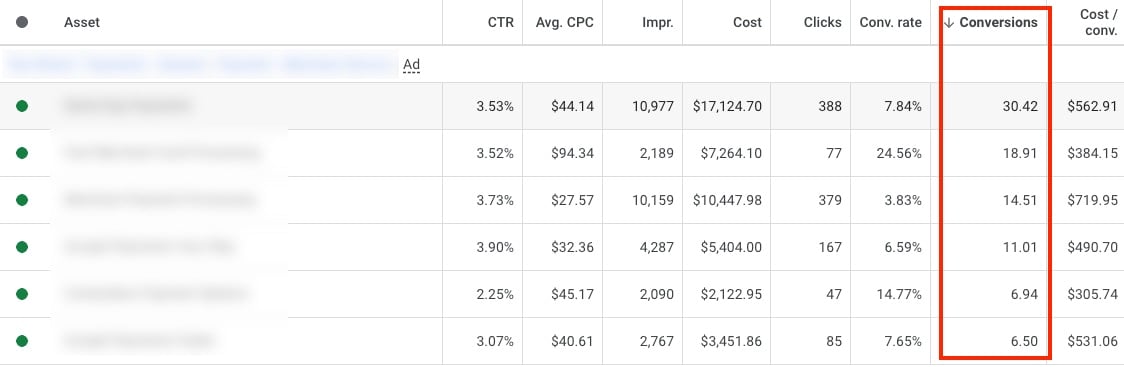 Google Ads now reports click and conversion metrics for each RSA asset. Source: Practical Ecommerce
 AI Max’s automatic headlines and descriptions can become a source for new or existing RSAs. Source: Practical Ecommerce