PPC (pay-per-click) marketing is the practice of buying traffic through auction-based advertising platforms — Google Ads, Meta Ads, Microsoft Ads, LinkedIn Ads, Amazon Ads, and others — where you pay only when someone clicks your ad. The fundamental appeal hasn’t changed: immediate, measurable visibility with precise audience targeting and controllable budgets.
What has changed is how the platforms work. AI-driven automation now handles bidding, targeting, and even creative generation. Privacy regulations and browser restrictions have reduced third-party data availability, making first-party data your most valuable targeting asset. And the PPC marketer’s role has shifted from manual keyword and bid management to strategic guidance of automated systems — defining the right goals, feeding the right data, and setting the right constraints.
This guide covers the complete PPC strategy: platform selection and budget allocation, campaign architecture, conversion tracking infrastructure, audience targeting, creative strategy, bidding and automation, testing methodology, and the measurement framework that connects ad spend to business outcomes.
Platform Selection: Where to Spend
Each PPC platform serves a different role in the buyer’s journey. Allocating your budget across platforms based on your business model and audience behavior is the first strategic decision.
Google Ads
Captures existing demand. When someone searches for your product, service, or solution category, Google Ads puts you in front of them at the moment of highest intent. The core strength is intent-based targeting — you’re reaching people who are actively looking for what you sell.
Campaign types: Search (text ads triggered by keywords), Shopping (product listings from your feed), Performance Max (AI-driven across all Google networks), Video (YouTube), Display (banner ads across 2 million+ sites), and Demand Gen (visual ads across YouTube, Gmail, Discover).
Best for: lead generation, ecommerce, local services, B2B demand capture, any business where customers search for solutions actively.
Meta Ads (Facebook + Instagram)
Creates demand. Most users aren’t searching for your product — they’re scrolling. Meta’s strength is reaching people based on interests, behaviors, and lookalike modeling before they enter a search funnel. Meta consistently delivers the lowest cost per thousand impressions of any major platform.
Campaign types: Awareness, Traffic, Engagement, Leads, App Promotion, Sales. Formats include image, video, carousel, collection, Reels, Stories, and Instant Experience.
Best for: ecommerce, DTC brands, visual products, brand building, and any business where creating demand matters more than capturing existing demand. Advantage+ Shopping Campaigns deliver 15-25% lower CPAs for ecommerce advertisers compared to manual setups.
Microsoft Ads (Bing)
Lower competition, lower CPCs, and an older, higher-income demographic. Microsoft Ads reach approximately 40% of the US desktop search market through Bing, Yahoo, and AOL. You can import Google Ads campaigns directly.
Best for: B2B (LinkedIn audience integration provides job title, company, and industry targeting on search), reaching older professionals, and supplementing Google Ads at lower cost.
LinkedIn Ads
The only platform offering professional targeting by job title, company size, industry, seniority, and skills. CPCs are the highest of any major platform ($5-$15+), but for B2B companies targeting specific decision-makers, the audience quality justifies the premium.
Best for: B2B lead generation, account-based marketing, recruiting, and any business where the buyer’s job title and company are the primary qualifying criteria.
Amazon Ads
Product-level advertising within the Amazon ecosystem. If you sell on Amazon, Sponsored Products and Sponsored Brands ads are essential. Amazon shoppers have the highest purchase intent of any platform — they’re already on a shopping site.
Best for: ecommerce brands selling through Amazon.
Cross-Platform Budget Allocation
There’s no universal split. But a common starting framework:
Ecommerce: 50-60% Google (Search + Shopping + PMax), 30-40% Meta (Demand Gen + Advantage+), 5-10% Microsoft, plus Amazon if applicable.
B2B / SaaS: 40-50% Google Search, 20-30% LinkedIn, 15-20% Meta (retargeting + lookalike), 5-10% Microsoft (LinkedIn integration).
Local services: 60-70% Google (Search + Local Services Ads), 20-30% Meta (local targeting), 5-10% Microsoft.
Adjust based on where your conversions are most efficient. The right allocation is the one that produces the lowest blended cost per qualified acquisition — not the one that looks best on any single platform.
Conversion Tracking: Build This Before Spending
Every dollar of PPC spend is wasted without accurate conversion tracking. AI-powered bidding systems (Smart Bidding, Advantage+, etc.) optimize toward whatever conversion signal you give them. If that signal is wrong — counting page views as conversions, or missing half your actual conversions due to tracking gaps — the AI optimizes for the wrong outcome.
The Tracking Stack
Platform pixels — Google Ads tag, Meta Pixel, LinkedIn Insight Tag. Install on every page. These fire when conversions happen on your website and report back to each platform.
Enhanced Conversions — sends hashed first-party data (email, phone) alongside the conversion event. Improves match rates by 8-15% as cookie-based tracking becomes less reliable. Available on Google and Meta.
Consent Mode — adjusts how tags behave based on user consent status. Required for GDPR compliance. Models conversion data when users decline cookies, maintaining directional accuracy.
Server-side tracking — routes conversion data through your own server rather than relying on browser-based cookies. Reduces the impact of ad blockers and browser restrictions. Google Tag Manager Server Container is the standard implementation.
Offline conversion imports — for businesses where conversions happen offline (phone calls that become sales, form fills that become qualified leads). Import CRM data back to Google Ads using GCLID or hashed email matching. This teaches the algorithm which clicks actually generate revenue.
Conversion Volume Thresholds
Smart Bidding on Google needs at least 30-50 conversions per month per campaign to optimize effectively. Meta’s Advantage+ needs approximately 50 conversion events per week per ad set. Below these thresholds, the algorithms can’t learn — they oscillate between overspending on bad traffic and underspending on good traffic.
If you don’t have enough conversion volume, start with manual bidding or Maximize Clicks, accumulate data, then switch to conversion-based bidding once you’ve crossed the threshold.
Campaign Architecture
The Funnel-Aligned Structure
Separate campaigns by funnel stage so each one has its own budget, bidding strategy, and performance benchmarks.
Bottom-funnel campaigns (40-50% of budget) — capture high-intent traffic. Google Search on transactional keywords, Shopping ads, branded search, RLSA. These convert at the highest rates and should get the largest budget share.
Mid-funnel campaigns (25-35% of budget) — build consideration. Google Search on commercial keywords, Demand Gen, Meta prospecting with interest-based targeting. These feed your remarketing pools.
Top-funnel campaigns (15-25% of budget) — generate awareness. Google Video Reach, Meta awareness campaigns, Display. These build the audience that your mid and bottom-funnel campaigns convert later.
Retargeting (10-20% of budget) — convert warm audiences. Google Display remarketing, RLSA, Meta retargeting, dynamic product ads. These consistently deliver the lowest CPA because the audience has already shown interest.
Campaign-Level Decisions
One conversion action per campaign. If you have three conversion actions (purchase, form fill, newsletter signup) and optimize for all simultaneously, the algorithm chases the cheapest one — usually newsletter signups. Use one primary conversion per campaign. Secondary actions can be tracked as observation-only conversions.
Geographic targeting by performance. Don’t run one campaign for an entire country if conversion rates vary significantly by region. Split campaigns by geography when performance data justifies it.
Device-level monitoring. Check performance by device (mobile, desktop, tablet). Apply device bid adjustments if conversion rates differ significantly across devices.
Audience Strategy: First-Party Data First
Third-party cookie targeting is declining. Privacy regulations (GDPR, CCPA) and browser restrictions (Safari ITP, Firefox ETP) have reduced the reliability of third-party audience data. First-party data — information you collect directly from your customers and prospects — is now the most valuable targeting asset in PPC.
First-Party Data Sources
Customer email lists — upload through Customer Match (Google) or Custom Audiences (Meta). Target existing customers for upsell/cross-sell, build lookalike audiences to find similar prospects, and exclude converters from prospecting campaigns.
Website behavior data — remarketing audiences segmented by behavior (product page viewers, cart abandoners, pricing page visitors, blog readers). These segments define your retargeting strategy.
CRM pipeline data — import conversion stage data (MQL, SQL, Opportunity, Closed-Won) back to platforms for value-based bidding. This teaches the algorithm which leads actually generate revenue.
App and offline interaction data — store visit data, call tracking data, in-app behavior. Every customer touchpoint you can connect back to ad clicks improves optimization.
Platform Targeting Layers
Google: Keywords (intent-based) + audiences (behavioral overlay) + demographics. Start with keywords, layer audiences in observation mode, then adjust bids based on audience performance data.
Meta: Interest-based, behavioral, lookalike, and Custom Audiences. Broad targeting with Advantage+ optimization increasingly outperforms narrow manual targeting because Meta’s AI finds converters more efficiently than manual audience selection.
LinkedIn: Job title, company, industry, seniority, skills. The most precise B2B targeting available. Layer firmographic filters to reach specific buying committees.
Creative Strategy
Creative quality is the most controllable cost lever across all PPC platforms. Better creative earns higher engagement, which reduces cost per result through auction quality mechanics on both Google and Meta.
Google Ads: RSA-First
Provide 10-15 diverse headlines across distinct messaging angles (keyword, benefit, social proof, urgency, CTA, differentiator). Write 4 descriptions that each add unique information. Pin 2-3 strong headlines to Position 1 for consistency. Let Google test the rest.
Meta Ads: Volume and Variety
Test multiple creative variants simultaneously. Mix formats: static images, video (under 15 seconds), UGC-style content, carousels, and Reels. Meta’s algorithm tests combinations and concentrates spend on winners. Creative diversity gives the algorithm more options to optimize.
Refresh creative every 2-4 weeks. When ad frequency exceeds 2.5-3.0 for the same creative, performance degrades and costs rise.
Cross-Platform Principles
Lead with the customer’s problem, not your product name. Include specific proof (numbers, results, reviews) rather than vague claims. Match ad messaging to landing page content exactly. Use platform-native formats (vertical video for Reels, professional imagery for LinkedIn).
Bidding and Automation
Smart Bidding: The Default in Most Accounts
Google’s Smart Bidding (Target CPA, Target ROAS, Maximize Conversions, Maximize Conversion Value) and Meta’s Advantage+ bidding consistently outperform manual bidding in accounts with sufficient conversion data. The data threshold matters: Smart Bidding needs 30-50+ monthly conversions per campaign on Google, 50+ weekly conversions per ad set on Meta.
The Bidding Progression
Phase 1: Manual CPC or Maximize Clicks. Accumulate conversion data. Run for 2-4 weeks or until you have 30-50 conversions.
Phase 2: Maximize Conversions (no target). Let the algorithm spend freely to learn which audiences and placements convert. Monitor CPA — it may be high initially.
Phase 3: Target CPA or Target ROAS. Set targets based on actual achieved performance, not aspirational goals. Adjust gradually — no more than 15-20% every two weeks.
Phase 4: Value-based bidding. Assign different values to different conversion actions. A closed-won deal is worth more than a form fill. Import these values so the algorithm optimizes for revenue, not just conversion count.
Structured Testing Methodology
The campaigns that outperform benchmarks share one characteristic: they test systematically and iterate fast.
What to Test
Test one variable at a time: ad copy (headline angles, offers, CTAs), landing pages (layout, form length, social proof), audiences (interest-based vs lookalike vs broad), bidding strategies (tCPA vs tROAS vs maximize conversions), and creative formats (video vs image vs carousel).
How to Test
Use Google Ads Experiments: duplicate a campaign, change one variable, run a 50/50 traffic split, measure for 2-4 weeks until statistical significance. On Meta, use A/B Testing in Ads Manager with a minimum budget that generates 50+ conversions per variation.
Testing Cadence
Run one test per campaign per two-week cycle. Document results. Apply winners. Start the next test. Continuous testing produces compounding efficiency gains — a 5% CPA improvement per month compounds to 46% over a year.
Measurement: Connecting Spend to Revenue
The Metrics That Matter
Cost per acquisition (CPA) — what you pay per conversion. Compare against your profit margin to determine viability.
Return on ad spend (ROAS) — revenue generated per dollar spent. For ecommerce, track at the campaign level. For lead gen, calculate against customer lifetime value.
Conversion rate — percentage of clicks that convert. Low conversion rate with good traffic volume usually indicates a landing page problem, not a targeting problem.
Cost per qualified lead — for B2B, distinguish between any lead and a qualified lead. A $50 CPA producing junk leads is worse than a $150 CPA producing qualified opportunities.
Attribution
No single platform sees the full customer journey. A prospect might click a Google ad, visit your site from organic, see a Meta retargeting ad, and convert through a branded search. Each platform will claim credit.
Use Google Analytics 4 with data-driven attribution as your source of truth. Compare platform-reported conversions to GA4-reported conversions to understand how much each platform is over-claiming. Accept that attribution will never be perfect — use it directionally rather than as absolute truth.
Reporting Cadence
Weekly: Check spend pacing, CPA trends, conversion volume, and any anomalies requiring immediate action.
Monthly: Full performance review by campaign, platform, audience, and creative. Identify optimization opportunities. Reallocate budget between campaigns and platforms based on efficiency.
Quarterly: Strategic review. Are you on the right platforms? Is your funnel structure working? Are your conversion tracking and first-party data strategy adequate? Adjust the overall strategy based on three months of data.
Frequently Asked Questions
How much should I spend on PPC?
Start with enough budget to exit the learning phase on your primary platform. On Google, that means at least 3x your target CPA per day per campaign. On Meta, budget enough for 50 conversions per week per ad set. For most small to mid-size businesses, $2,000-$10,000/month across platforms is a reasonable starting range. Scale based on ROAS — increase budget on campaigns that produce profitable returns, reduce on campaigns that don’t.
Should I use Google Ads, Meta Ads, or both?
Both serve different purposes. Google captures existing demand (people searching for solutions). Meta creates demand (reaching people before they search). Most businesses that run both outperform those running only one because the platforms complement each other: Meta builds awareness and remarketing pools that Google converts. Start with the platform closest to your revenue (Google for search-intent businesses, Meta for visual/impulse products), then expand.
Is PPC or SEO better?
They serve different functions and work best together. PPC delivers immediate traffic with predictable costs. SEO builds long-term organic traffic that doesn’t require per-click spending. PPC data (which keywords convert, what ad copy resonates) informs SEO strategy. SEO data (which content ranks, what topics attract traffic) informs PPC keyword selection. Most mature marketing programs invest in both simultaneously.
How do I reduce wasted PPC spend?
Five levers: implement negative keywords aggressively (review Search Terms reports weekly), improve conversion tracking so bidding algorithms optimize for the right outcomes, test landing pages (a 1% conversion rate improvement across 10,000 clicks saves significant spend), exclude audiences that click but don’t convert (existing customers, job seekers, irrelevant demographics), and pause campaigns or keywords that consistently produce unprofitable CPA.
How important is landing page quality for PPC?
Critical. Your PPC campaign’s job is to generate the click. Your landing page’s job is to convert it. The highest-performing campaigns send traffic to dedicated landing pages (not generic homepages) that match the ad’s promise exactly, have a single clear CTA, load in under 2.5 seconds, and include trust signals relevant to the audience. A 2x improvement in landing page conversion rate has the same effect as cutting your CPC in half — but is often easier to achieve.
What’s the biggest mistake in PPC strategy?
Optimizing for the wrong conversion action. If you tell the algorithm to maximize form fills, it finds the cheapest people willing to fill out a form — regardless of whether they ever become customers. The highest-performing PPC programs optimize for the deepest, highest-value conversion they have enough volume to support: qualified leads for B2B, purchases for ecommerce, booked appointments for services. Getting the conversion signal right matters more than any individual campaign tactic.
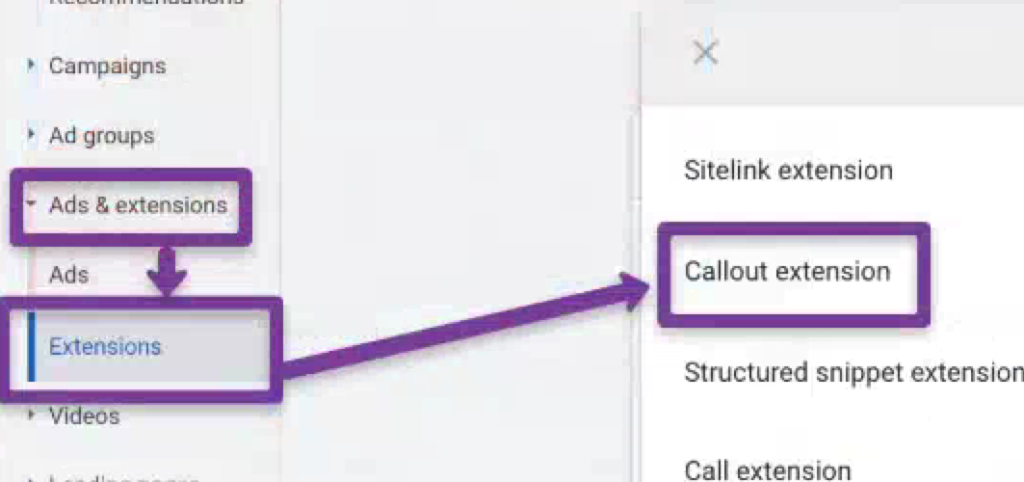
Callout assets are short, non-clickable text snippets that appear below your Google Search ads, highlighting key selling points — “Free Shipping,” “24/7 Support,” “No Contract Required,” “Price Match Guarantee.” They cost nothing to add, take two minutes to set up, and consistently improve click-through rates by giving searchers more reasons to click your ad over a competitor’s.
Google displays between two and ten callouts alongside your ad, depending on screen size, device, and available space. Each callout can be up to 25 characters (including spaces), though keeping them under 15 characters is the practical sweet spot — shorter callouts mean more can display at once. Google decides which callouts to show, when to show them, and in what combination based on predicted performance.
This guide covers how callouts work, how they differ from sitelinks and structured snippets, the three-level application strategy, dynamic callouts, scheduling, and the performance analysis process that turns good callouts into great ones.
How Callouts Differ from Sitelinks and Structured Snippets
These three asset types appear in similar positions below your ad, and most advertisers confuse them. Each serves a different purpose:
Callout assets sell the value. Non-clickable text highlighting USPs and benefits. “Free Returns,” “Same-Day Dispatch,” “5-Year Warranty.” They don’t link anywhere — they add persuasive information to your ad.
Sitelink assets navigate to pages. Clickable links to specific landing pages: “Shop Sale Items,” “View Pricing,” “Contact Us,” “Download App.” Each sitelink points to a distinct URL.
Structured snippet assets organize the offering. Non-clickable lists under predefined headers like “Types,” “Services,” “Brands,” or “Destinations.” Example: “Services: Installation, Repair, Maintenance, Inspection.”
Use all three together. Callouts highlight why to choose you. Sitelinks show where to go next. Structured snippets show what you offer. They complement each other and together create a more complete, compelling ad presence that takes up more space on the results page.
Apply callouts that are universally true across your entire business. These should appear with every ad in every campaign.
Examples: “Free Shipping Over $50,” “24/7 Customer Support,” “Established Since 1998,” “Hassle-Free Returns,” “BBB A+ Rated.”
Start here. Account-level callouts give you immediate coverage across all campaigns before you’ve set up more specific callouts at lower levels.
Campaign Level
Apply callouts specific to each campaign’s product category or service line. A campaign promoting winter jackets gets different callouts than a campaign promoting summer dresses.
Apply callouts tailored to the specific product or service within an ad group. This is the most granular level and where callout messaging should be most specific.
The layering logic: Google combines callouts from all three levels. A searcher might see your account-level “Free Returns” alongside your ad-group-level “Waterproof Upper.” The more relevant callouts you provide at each level, the more combinations Google can test.
How Many Callouts Should You Create?
The original Google Ads documentation suggests a minimum of four. In practice, provide at least eight — ideally twelve to twenty. More callouts give Google more combinations to test. The system selects the best performers automatically, but it can only select from what you provide.
With only four callouts, Google has limited testing options. With fifteen, it can test dozens of combinations across different queries, devices, and competitor contexts to find what drives the highest engagement.
Don’t pad with weak filler to hit a number. Each callout should communicate a distinct, genuine benefit. “High Quality” and “Premium Quality” aren’t two callouts — they’re the same vague claim phrased twice.
Writing Callouts That Perform
Keep Them Under 15 Characters
The technical limit is 25 characters. The practical recommendation is under 15. Why? Google shows more callouts simultaneously when each one is shorter. Four callouts at 12 characters each take less space than two callouts at 24 characters — and four selling points are more persuasive than two.
“Free Shipping” (13 characters) outperforms “We Offer Free Shipping On All Orders” (which exceeds the limit anyway). Strip every word that doesn’t add information.
Be Specific, Not Vague
Quantified claims outperform generic ones:
“5-Year Warranty” beats “Long Warranty”
“4.9★ Rating” beats “Highly Rated”
“Same-Day Dispatch” beats “Fast Shipping”
“No Setup Fees” beats “Affordable”
“Over 10,000 Sold” beats “Popular Product”
Specificity builds credibility. Vague callouts (“Best Quality,” “Great Service”) are invisible because every competitor claims the same thing.
Local intent (searching nearby): “Walk-Ins Welcome,” “Free Parking,” “Open Weekends,” “Serving Since 2005.”
Don’t Duplicate Your Ad Copy
Callouts should add new information, not repeat what your headlines and descriptions already say. If your headline says “Free Shipping on All Orders,” don’t create a callout that says “Free Shipping.” Use that callout slot for a different benefit the searcher hasn’t seen yet.
Dynamic Callout Assets
Google now automatically generates callout text from your landing pages using AI. These dynamic callouts supplement your manually created ones and can surface selling points you might have missed.
Dynamic callouts are enabled by default in most accounts. You can view which dynamic callouts Google has created and how they’re performing in the Assets section of your Google Ads account — filter by “Source” to see which callouts are “Automatically created” versus manually added.
When dynamic callouts help: they fill gaps in your callout coverage and test messaging angles you hadn’t considered.
When to override them: when Google pulls generic or inaccurate text from your landing page. Review dynamic callout performance monthly. If an auto-generated callout has poor engagement or misrepresents your offering, pause it and replace with a manual alternative.
You can disable dynamic callouts at the campaign level if you need complete control over messaging.
Scheduling Callouts
Callout scheduling lets you show specific callouts only during certain days and times. This is particularly useful for time-sensitive messaging.
Practical applications:
“Same-Day Delivery” only on weekdays when your fulfillment center operates
“Open Now” only during actual business hours
“Weekend Special: 15% Off” only on Saturday and Sunday
“Order by 2pm for Next-Day Delivery” only before 2pm
Set schedules in the callout asset settings under “Advanced options.” This prevents showing promises you can’t fulfill (like same-day delivery at 11pm on a Sunday) and lets you rotate promotional callouts aligned with your marketing calendar.
Mobile vs. Desktop Display
Callouts display differently across devices, and this affects your strategy.
Desktop: Google can show up to ten callouts, displayed in a single line or wrapped across two lines. Longer callouts are more viable on desktop because screen space is generous.
Mobile: Fewer callouts display — typically two to four. Character constraints are tighter because of smaller screens. This is why the “under 15 characters” recommendation matters most on mobile — shorter callouts mean more can fit.
If your account is heavily mobile (check your device performance breakdown), prioritize the most impactful callouts in positions where Google is most likely to show them. Google’s algorithm generally selects the best performers automatically, but front-loading your strongest callouts helps.
Measuring Callout Performance
Where to Find the Data
In Google Ads, navigate to Assets > Associations. Filter by “Callout” to see performance data for each callout asset. Key columns: impressions, clicks (attributed to ads where the callout appeared, not clicks on the callout itself — callouts aren’t clickable), CTR, and conversions.
Google assigns performance labels: “Best,” “Good,” “Low,” or “Learning.” These labels compare each callout’s performance relative to your other callouts.
Optimization Workflow
Monthly review: Check performance labels. Replace “Low” rated callouts with new variations testing different messaging angles. Keep “Best” performers active.
Quarterly audit: Review all callouts across account, campaign, and ad group levels. Remove duplicates, update outdated messaging (expired promotions, changed policies), and add new callouts reflecting recent business improvements or competitive advantages.
A/B testing: Create two versions of the same benefit (“Free Returns” vs “30-Day Returns” vs “Easy Returns”) and run them simultaneously. After accumulating enough impressions (typically 1,000+ per callout), compare CTR and conversion impact. Keep the winner, replace the loser.
What Good Looks Like
There’s no universal CTR benchmark specifically for callout impact (since callouts aren’t independently clickable). The metric to watch is overall ad CTR and conversion rate for ads where callouts appeared versus those where they didn’t. If adding or changing callouts correlates with improved ad-level metrics, the callouts are doing their job.
Callout Examples by Industry
Ecommerce
Free Shipping, Easy Returns, Price Match, Buy Now Pay Later, Same-Day Dispatch, Over 50,000 Reviews, Secure Checkout, Gift Wrapping Available, New Arrivals Weekly, Loyalty Rewards
SaaS / B2B
No Credit Card Required, Free 14-Day Trial, Cancel Anytime, SOC 2 Certified, 99.9% Uptime, Dedicated Support, API Access, Custom Plans Available, Used by 5,000+ Teams, GDPR Compliant
Not directly. Quality Score is calculated based on expected CTR, ad relevance, and landing page experience at the keyword level. However, callouts improve your ad’s click-through rate, which indirectly improves expected CTR — a Quality Score component. Callouts also increase ad rank by contributing to the “expected impact of assets” factor in the auction, meaning your ad can achieve higher positions without raising your bid.
How many callouts should I add?
Minimum eight, ideally twelve to twenty across your account. Google needs variety to test combinations. Four callouts gives Google minimal testing options. Fifteen gives it dozens of combinations to optimize across different queries, devices, and competitive contexts.
What’s the ideal character length for a callout?
Under 15 characters is the practical recommendation, despite the 25-character limit. Shorter callouts allow more to display simultaneously, which means more selling points visible to the searcher. Every character beyond 15 reduces the number of callouts that can appear together.
Should I use dynamic callouts or create my own?
Both. Manual callouts give you control over messaging. Dynamic callouts fill gaps and test angles you might not have considered. Review dynamic callout performance monthly — keep the ones that perform well, pause the ones that misrepresent your offering or show poor engagement.
Can I schedule callouts to show at specific times?
Yes. Use the scheduling feature in callout asset settings to show time-sensitive callouts only when they’re accurate — “Same-Day Delivery” only during fulfillment hours, “Weekend Special” only on weekends. This prevents showing promises you can’t fulfill and lets you rotate promotional messaging automatically.
What’s the difference between callouts and structured snippets?
Callouts highlight benefits and USPs in freeform text (“Free Returns,” “24/7 Support”). Structured snippets list offerings under predefined category headers (“Types: Sedan, SUV, Truck” or “Services: Installation, Repair, Maintenance”). Callouts are persuasive — they tell users why to choose you. Structured snippets are informational — they tell users what you offer. Use both.
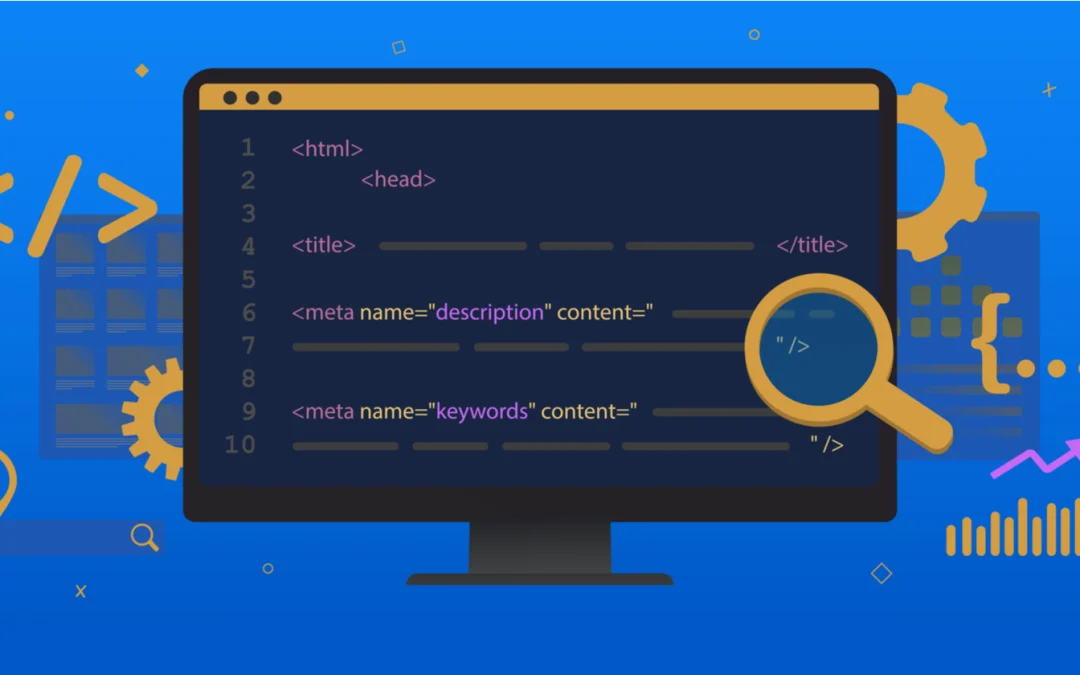
Meta tags are HTML elements in your page’s head section that tell search engines, social platforms, and AI systems how to interpret and display your content. They don’t appear on the page itself — they live in the code. But they control how your page shows up in Google search results, how it looks when shared on LinkedIn or Slack, and increasingly, how AI Overviews and chatbots reference your content.
Some meta tags directly affect rankings. Some affect click-through rate without touching rankings. Some control indexing behavior. And some — like the meta keywords tag — do nothing at all but waste your time and expose your keyword strategy to competitors.
This guide covers every meta tag that matters for SEO, explains what each one does, provides the current technical specifications, and identifies the common mistakes that silently suppress your organic performance.
Title Tag
The title tag is the single most important meta element for SEO. It appears in three places: the browser tab, the search results page (as the blue clickable link), and social shares. Google uses it as a primary relevance signal when determining what your page is about and which queries it should rank for.
Technical Specifications
Google displays approximately 50-60 characters before truncating with an ellipsis. The actual cutoff is pixel-based — roughly 575 pixels on desktop and 480 pixels on mobile — which means narrow characters (i, l, t) allow more characters than wide ones (m, w, capital letters). Stay under 60 characters as a safe rule.
Writing Effective Title Tags
Front-load your primary keyword. Google assigns slightly more weight to words appearing earlier in the title. Users scan left to right. “Technical SEO Checklist: Complete Guide” puts the keyword first. “The Complete Guide to the Technical SEO Checklist” buries it.
Make every title unique. Duplicate titles across pages confuse search engines about which page to rank for a given query. Run a crawl (Screaming Frog, Sitebulb) and fix any duplicates.
Include a compelling reason to click. The title isn’t just for Google — it’s the first thing a human evaluates when deciding whether to click. “PPC Strategy Guide: 12 Tactics That Cut CPA by 30%” is more clickable than “PPC Strategy Guide.”
Don’t stuff keywords. “Best Shoes | Cheap Shoes | Buy Shoes Online | Shoe Store” is keyword stuffing. Google may rewrite stuffed titles, and the result is usually worse than what you would have written.
Use separators strategically. Pipes (|), dashes (—), and colons (:) separate title components cleanly. “Product Name | Brand” or “Primary Keyword: Supporting Detail — Brand” are common effective formats.
Google Rewrites Your Titles
Google rewrites title tags approximately 33% of the time when it determines the original title doesn’t serve the query well. Common triggers: the title is too long, too short, stuffed with keywords, doesn’t match the page content, or uses boilerplate patterns across multiple pages.
When Google rewrites your title, it typically pulls from your H1 heading, other prominent on-page text, or anchor text from internal links. You can reduce rewrites by writing clear, accurate, properly-lengthed titles that match the page’s actual content.
Meta Description
Meta descriptions don’t directly affect rankings — Google confirmed this repeatedly. But they have an outsized impact on click-through rate, which does affect rankings indirectly through user engagement signals (NavBoost). A compelling meta description can increase CTR by 5-10% versus a generic or missing one.
Technical Specifications
Google displays approximately 120-160 characters on desktop and 70-120 on mobile. Write your core message in the first 120 characters to ensure it displays completely on all devices. The full description can extend to 155-160 characters for desktop users.
Writing Effective Meta Descriptions
Preview the content accurately. The description should tell searchers exactly what they’ll find on the page and why it’s worth clicking. Mismatched descriptions increase bounce rates and damage engagement signals.
Include the target keyword. Google bolds matching terms in descriptions, which draws the eye and reinforces relevance. Include your primary keyword naturally.
Add a call to action. “Learn the 5-step process,” “Compare pricing options,” “Get your free template” — action-oriented language increases click probability.
Include differentiators. What makes your page worth clicking over the nine other results? Specific numbers, unique angles, or exclusive information set your listing apart.
Google Rewrites Descriptions More Than Titles
Google rewrites meta descriptions on more than 60% of search results when it determines its own snippet better matches the specific query. This doesn’t mean writing descriptions is pointless — it means writing descriptions that closely match your target queries’ intent reduces the chance Google replaces them with something less compelling.
The practical priority: if you have limited time, rewrite descriptions on pages with high impressions but low CTR. These pages are already ranking and being seen — they just aren’t getting clicked. A better description on a page with 10,000 monthly impressions and a 2% CTR could generate hundreds of additional clicks without any ranking improvement.
Robots Meta Tag
The robots meta tag controls how search engines index and display your page. It’s placed in the head section and can contain multiple directives.
Key Directives
noindex — tells search engines not to include this page in search results. Use for thank-you pages, internal search results, staging pages, and any page that shouldn’t appear in Google.
nofollow — tells search engines not to follow links on this page. Rarely needed for internal pages. More commonly used on pages with user-generated content where you can’t vouch for all outbound links.
nosnippet — prevents Google from showing any text snippet or video preview in search results. Use when you don’t want any preview text displayed (rare, but occasionally needed for legal or compliance reasons).
max-snippet:[number] — limits the text snippet length to a specified number of characters. max-snippet:0 is equivalent to nosnippet. max-snippet:160 limits the preview to 160 characters.
max-image-preview:[setting] — controls thumbnail image size in search results. Options: none, standard, large. Set to “large” for most pages — larger thumbnails increase CTR.
max-video-preview:[number] — limits video preview length in seconds. Set to -1 for no limit (recommended for pages where video previews help attract clicks).
notranslate — prevents Google from offering a translated version of this page in search results.
noimageindex — prevents images on this page from appearing in Google Images results.
Common Mistakes
Accidentally deploying noindex from a staging environment to production. This is one of the most catastrophic technical SEO errors — entire sites have disappeared from Google because of this. Always audit noindex tags after code deployments.
Using noindex when you should use robots.txt. The distinction matters: noindex still requires Googlebot to crawl the page (consuming crawl budget) to discover the directive. Robots.txt prevents crawling entirely. For pages that have no SEO value and shouldn’t consume crawl resources, robots.txt is more efficient.
Canonical Tag
The canonical tag tells search engines which version of a page is the “master” copy when duplicate or near-duplicate versions exist. It’s technically a link element, not a meta tag, but it functions in the same space and is managed alongside meta tags.
When to Use Canonical Tags
Products accessible through multiple category URLs (example.com/shoes/nike-air and example.com/sale/nike-air should both canonicalize to one preferred URL). HTTP vs HTTPS versions. www vs non-www. URL parameter variations from tracking codes, sorting, or filtering. Syndicated content republished on other sites (the syndicated version should canonicalize back to the original).
Self-Referencing Canonicals
Every indexable page should include a canonical tag pointing to itself. This prevents duplicate content issues caused by URL parameters, session IDs, or other variations that create technically different URLs serving identical content.
Viewport Meta Tag
The viewport meta tag controls how your page displays on mobile devices. Without it, mobile browsers render the page at desktop width and scale it down — creating a tiny, unreadable experience.
This is required for mobile-first indexing. Google evaluates the mobile version of your site for ranking purposes. A missing viewport tag signals that your site isn’t mobile-optimized, which can negatively affect rankings.
Open Graph Meta Tags
Open Graph (OG) tags control how your page appears when shared on Facebook, LinkedIn, Slack, iMessage, Discord, and most other platforms. Without OG tags, these platforms pull whatever they can find — often grabbing the wrong image, a truncated title, or a generic description.
Essential OG Tags
og:title — the title displayed in the social share card. Can differ from your SEO title tag. Social titles can be slightly longer and more conversational since they’re not competing with nine other search results.
og:description — the preview text in the share card. Like meta descriptions, keep it under 200 characters. Make it compelling for a social audience (which may differ from a search audience).
og:image — the preview image. This is the single most impactful OG tag because visual previews dominate social feeds. Use a 1200×630 pixel image (1.91:1 ratio). Ensure it’s compelling even at thumbnail size. Text on images should be minimal and large enough to read on mobile. Every important page should have a unique og:image — don’t reuse your logo for every page.
og:url — the canonical URL for social sharing. Should match your canonical tag.
og:type — the content type (article, website, product). Set to “article” for blog posts and “website” for homepage and main pages.
Why OG Tags Matter for SEO
OG tags don’t directly affect Google rankings. But content that generates social engagement — shares, clicks, comments — drives referral traffic, earns backlinks, and builds brand signals that do affect rankings. Poorly formatted social previews (wrong image, truncated text, missing description) reduce the likelihood that people share your content, breaking this indirect feedback loop.
X (Twitter) Card Tags
X Card tags (twitter:card, twitter:title, twitter:description, twitter:image) control how your page appears when shared on X. If X Card tags aren’t set, X falls back to your OG tags. You only need X-specific tags if you want your X previews to differ from your OG previews.
Set twitter:card to “summary_large_image” for maximum visual impact in the X feed. This displays a large preview image above the title and description.
Hreflang Tag
For sites serving content in multiple languages or targeting multiple geographic markets, hreflang tags tell search engines which version of a page to show to users in each language/region.
Incorrect hreflang implementation is one of the most common technical SEO errors on international sites. Every hreflang annotation must be reciprocal — if Page A points to Page B as the Spanish version, Page B must point back to Page A as the English version. Non-reciprocal hreflang signals are ignored by Google.
Charset Meta Tag
Declares the character encoding for your page. The standard:
<meta charset="UTF-8">
UTF-8 covers virtually all characters and symbols across languages. Place it as the first element in your head section. Incorrect or missing charset declarations can cause rendering issues — garbled text, broken special characters — that affect both user experience and how search engines parse your content.
Meta Tags That Don’t Matter
Meta Keywords Tag
Google hasn’t used the meta keywords tag as a ranking signal since at least 2009. Bing confirmed the same. No major search engine reads it.
Worse than useless, the meta keywords tag is a competitive liability. Competitors can view your source code and see exactly which keywords you’re targeting. The recommended practice: remove the meta keywords tag from every page on your site. If your CMS auto-generates it, disable the feature.
Meta Refresh Redirect
The meta refresh tag was used to redirect users after a specified delay. Google treats this as a soft redirect and may not pass full link equity. Use 301 server-side redirects instead. Meta refresh redirects are a relic that creates poor user experience and unreliable SEO behavior.
Meta Revisit-After
Tells search engines when to revisit your page. No major search engine honors this tag. Crawl frequency is determined by the search engine’s own algorithms, not by your suggestion.
Meta Tags and AI Overviews
AI Overviews and LLM-powered search tools pull information from your pages to generate summarized answers. While they don’t read meta tags directly for citation decisions, your meta content influences the process in two ways.
First, well-written meta descriptions that accurately summarize your page’s content help AI systems understand what each page is about. This improves the probability that your page gets retrieved as a source when the AI searches for relevant information.
Second, the robots meta tag now governs AI crawler access. You can use max-snippet directives to control how much of your content AI systems can preview. Some site owners use nosnippet to prevent AI systems from displaying any content extract, though this also affects traditional search snippets.
The Meta Tag Audit Checklist
Run this quarterly or after any major site change:
Title tags: Check for duplicates, truncation (over 60 characters), keyword stuffing, and titles that don’t match page content. Prioritize fixing pages with high impressions but low CTR.
Meta descriptions: Check for duplicates, missing descriptions on important pages, and descriptions that don’t match search intent. Rewrite descriptions on high-impression, low-CTR pages first.
Robots tags: Verify noindex is only on pages you intentionally want excluded. Check that no production pages carry staging noindex tags.
Canonical tags: Confirm every indexable page has a self-referencing canonical. Check that canonicals point to the correct preferred URL.
OG tags: Verify og:image exists and displays correctly for your top-shared pages. Test using Facebook’s Sharing Debugger and LinkedIn’s Post Inspector.
Viewport: Confirm the viewport meta tag is present on every page.
Hreflang: For international sites, verify all annotations are reciprocal and correctly formatted.
Frequently Asked Questions
Which meta tag has the biggest impact on rankings?
The title tag. It’s the only meta element that directly influences how Google determines your page’s relevance to a query. Meta descriptions affect CTR (which affects rankings indirectly), and robots tags control indexing behavior, but the title tag is the primary on-page ranking signal in the meta tag category.
Does Google always use my meta description?
No. Google rewrites meta descriptions on more than 60% of search results when it determines a different snippet better matches the specific query. You can reduce rewrites by writing descriptions that accurately summarize the page content and match the intent of your target keywords. Even when Google rewrites, having a well-written default description provides a better fallback than having no description at all.
Should I remove meta keywords from my site?
Yes. No major search engine uses the meta keywords tag for ranking. It provides zero SEO benefit while potentially exposing your keyword strategy to competitors who view your source code. Audit your site and remove the tag from all pages.
How do Open Graph tags affect SEO?
Not directly. OG tags control how your page appears when shared on social platforms — the image, title, and description in the share preview. Indirectly, well-formatted social previews increase sharing, which drives referral traffic and can generate backlinks. Poorly formatted previews (wrong image, missing description) suppress sharing and break this amplification loop.
What happens if I have duplicate title tags across pages?
Google struggles to determine which page should rank for queries related to those titles, often ranking neither page as well as it could. Duplicate titles create internal competition (keyword cannibalization). Every page should have a unique title that reflects its specific content and target keyword.
How do I check if my meta tags are working correctly?
Use Google Search Console to see how Google is rendering your titles and descriptions in search results. Use the URL Inspection tool to check how Google interprets your page’s meta tags. Test OG tags with Facebook’s Sharing Debugger and LinkedIn’s Post Inspector. Run a site crawl with Screaming Frog or Sitebulb to audit all meta tags across your entire site in one pass.
Organic search drives roughly 53% of all trackable website traffic. Paid search accounts for about 27%. Together they represent 80% of measurable site visits. Those numbers haven’t changed dramatically in years, but the landscape behind them has.
AI Overviews now appear on 25%+ of Google searches. Over 58% of searches end without a click. Smart Bidding and Performance Max have replaced manual keyword bidding as the default SEM approach. E-E-A-T is integrated into Google’s core algorithm. And a new discipline — GEO (Generative Engine Optimization) — has emerged alongside SEO and SEM as a third visibility surface.
The “SEO vs SEM” question in 2026 isn’t really about choosing one over the other. It’s about understanding what each does, where each one wins, how they feed each other data, and how to allocate budget between them based on your business stage and goals.
What SEO and SEM Actually Are
SEO (Search Engine Optimization) is the practice of improving your website to rank higher in organic (unpaid) search results. You create content that matches what people search for, build backlinks that signal authority, and ensure your site is technically sound enough for search engines to crawl, understand, and index. When it works, you get traffic without paying per click.
SEO has four operational layers:
On-page SEO: Content quality, keyword targeting, title tags, meta descriptions, heading structure, internal linking
Off-page SEO: Backlinks from external sites, brand mentions, digital PR, entity presence across platforms
Technical SEO: Site speed, mobile responsiveness, crawlability, indexability, Core Web Vitals, structured data
E-E-A-T signals: Experience, Expertise, Authoritativeness, Trustworthiness — demonstrated through author credentials, cited sources, original research, and real-world expertise
SEM (Search Engine Marketing) is the broader category that includes both SEO and paid search advertising. In practice, most practitioners use “SEM” to mean paid search — specifically Google Ads. You bid on keywords, create ads, and pay when users click. Your ads appear above organic results with a “Sponsored” label.
SEM’s operational components in 2026:
Smart Bidding: Automated bid strategies (Target CPA, Target ROAS, Maximize Conversions, Maximize Conversion Value) that use machine learning to set bids per auction. Manual bidding is largely obsolete.
Campaign types: Search campaigns, Performance Max (cross-channel AI-optimized), Demand Gen (YouTube, Discover, Gmail), Shopping, Video
Broad Match + Smart Bidding: Google’s recommended keyword approach in 2026. Broad match captures a wider range of queries; Smart Bidding ensures you only pay profitable prices for them.
Quality Score: Google’s assessment of ad relevance, expected CTR, and landing page experience. Higher scores = lower CPCs + better positions.
The relationship: SEO is a subset of SEM. SEM encompasses everything you do to gain visibility in search engines — organic and paid. In practice, most businesses run both and need to understand how they interact.
How SEO and SEM Perform Differently
Time to Results
SEO is slow. Most websites need 6-12 months to see meaningful organic ranking improvements. An analysis of nearly 30,000 new websites found that most reached top-10 positions within six months, but very few maintained first-page rankings for a full year. The average top-ranking page is about two years old. For competitive keywords, the timeline can stretch to 12-24 months.
SEM is immediate. You can launch a campaign today and have ads showing at the top of search results within hours. Traffic starts flowing immediately. However, ROI optimization still takes time — you need weeks of data to test keywords, refine ad copy, adjust bidding, and build conversion history for Smart Bidding to learn from.
Cost Structure
SEO requires upfront investment without guaranteed rankings. Small to mid-sized businesses typically spend $1,500-$5,000/month on SEO services (content creation, technical improvements, link building). The cost per acquired visitor decreases over time as rankings stabilize and content compounds — a page that ranks #3 for a commercial keyword delivers traffic month after month without incremental cost.
SEM requires ongoing ad spend. Small to mid-sized businesses invest $1,000-$10,000/month in Google Ads, with CPCs ranging from under $1 in low-competition niches to $50+ in legal, insurance, and finance. Unlike SEO’s declining per-visitor cost, SEM’s cost-per-click stays relatively constant (and often increases as competition intensifies). Traffic stops the moment budget runs out.
Conversion Rates
SEO produces a 2.4% average conversion rate vs. SEM’s 1.3% across industries. The gap exists because organic visitors often arrive with clearer intent and trust non-sponsored results more. SEO leads close at an impressive 14.6%, roughly 8.5x better than outbound leads.
However, this comparison needs context. On queries with high commercial intent (“buy running shoes online,” “best CRM for small business”), paid ads capture 65% of clicks because they appear first and often match purchase-ready intent more precisely. On informational queries (“how to train for a marathon,” “what is a CRM”), organic results dominate because users aren’t looking for a purchase — they’re looking for answers.
The conversion rate advantage of SEO is real but not universal. It depends on query type, industry, and how well each channel is optimized.
Click-Through Rate
The top organic result captures roughly 39.8% of all clicks. The top paid result averages about 2.1% CTR. Across positions, organic results receive substantially more total clicks than paid results.
But again — context matters. When a query triggers shopping ads with product images and prices, or when AI Overviews answer the question directly at the top, click distribution shifts dramatically. Zero-click searches now account for over 58% of all Google queries. Featured snippets, Knowledge Panels, and AI Overviews reduce the click volume available to both organic and paid listings.
Long-Term ROI
SEO compounds. Content that ranks continues to drive traffic without incremental cost. The ROI grows over time as the initial investment gets amortized across years of traffic. Industry estimates place SEO’s 3-year ROI at 12-22x (depending on the study, vertical, and execution quality).
SEM’s ROI is more predictable but doesn’t compound. Each click costs money. Returns are directly tied to ad spend and stop when spending stops. SEM’s strength is predictability and control — you know exactly what you’re paying and can calculate ROI in near-real-time.
The Third Surface: GEO and AI Overviews
This is the section that reframes the entire SEO vs SEM conversation for 2026.
AI Overviews now appear on 25%+ of Google searches and growing. When an AI Overview appears, organic CTR drops by approximately 34.5% (Ahrefs data). Users who see AI summaries click on traditional search results only 8% of the time, versus 15% for those who don’t see summaries (Pew Research).
This changes the value equation for both SEO and SEM:
For SEO: Ranking #1 is still valuable, but if the AI Overview answers the user’s question before they scroll, your click volume drops. The new SEO priority isn’t just ranking — it’s being cited in the AI Overview itself. Content structured for AI extraction (clear answer blocks, cited statistics, FAQ schema, modular paragraphs) has a higher probability of being pulled into AI-generated responses.
For SEM: Paid ads now compete with AI Overviews for user attention at the top of the page. In some queries, the AI Overview pushes paid ads further down the viewport. In others, ads still appear above the AI Overview. The net effect: SEM CTRs may decline on queries where AI Overviews dominate, making already-expensive clicks even less efficient.
GEO (Generative Engine Optimization) is the emerging discipline of optimizing content to be cited by AI systems — Google AI Overviews, ChatGPT, Perplexity, Claude. GEO overlaps heavily with SEO (quality content, structured data, E-E-A-T signals, topical authority) but adds specific requirements: answer-first formatting, explicit entity naming, cited statistics, and presence across multiple authoritative platforms.
The practical implication: a 2026 search strategy has three surfaces to optimize for, not two. SEO for organic rankings, SEM for paid visibility, and GEO for AI citations. The good news is that strong SEO work (comprehensive content, structured data, topical authority) serves as the foundation for GEO visibility. They’re not separate investments — they’re layers.
How SEO and SEM Feed Each Other
The highest-performing search programs don’t treat SEO and SEM as separate channels. They use each one to strengthen the other through specific data flows.
SEM search term reports → SEO keyword selection. Your Google Ads search term report shows exactly which queries trigger your ads, which ones convert, and at what value. This is real conversion data, not keyword tool estimates. Use it to identify high-converting keywords worth the long-term SEO investment.
SEM A/B testing → SEO title and meta optimization. Test headline variations, value propositions, and CTAs in ad copy. The winning messages — the ones with the highest CTR and conversion rates — become your SEO title tags and meta descriptions. SEM gives you statistically significant testing within days; SEO title tag changes take weeks to measure.
SEO content → SEM Quality Score. When your landing pages are built for SEO (relevant content, fast load times, good mobile experience, clear structure), they naturally score well on Google’s Quality Score for paid ads. Higher Quality Score = lower CPC = better ad positions. SEO investment directly reduces SEM costs.
SEM covers gaps while SEO ramps up. For new keywords or new product launches, SEM provides immediate visibility while SEO builds over 6-12 months. As organic rankings improve, you can reduce SEM spend on those specific keywords and reallocate budget to the next set of targets.
Combined SERP dominance. Appearing in both organic results and paid ads for the same query captures more total clicks than either one alone. The psychological effect of seeing a brand in multiple positions builds trust and increases click probability.
The Budget Allocation Framework
Instead of “should I do SEO or SEM,” the practical question is “how should I split my budget between them, and how should that split change over time?”
Phase 1 — Launch / New Market Entry (Months 1-6): 70% SEM / 30% SEO. SEM drives immediate traffic, validates which keywords convert, and generates revenue. SEO investment starts building the foundation (technical optimization, content creation, link building) that won’t pay off for months.
Phase 2 — Organic Traction (Months 7-18): 50% SEM / 50% SEO. Organic rankings begin appearing for targeted keywords. As each keyword reaches page 1 organically, reduce SEM spend on that keyword. Reallocate the freed SEM budget to new keyword targets or to scaling SEO content production.
Phase 3 — Organic Dominance (Month 18+): 30% SEM / 70% SEO. Organic traffic is driving the majority of conversions for established keywords. SEM focuses on: (a) keywords where organic ranking is still developing, (b) high-commercial-intent keywords where paid positioning captures incremental clicks, (c) seasonal promotions and time-limited offers, and (d) competitive defense (bidding on your own brand name when competitors bid on it).
These ratios aren’t rigid formulas. Adjust based on your vertical’s competitiveness, your conversion economics, and the speed of your organic ranking progress. The principle is directional: SEM starts high and decreases as SEO compounds.
When to Prioritize SEO
SEO is the right primary investment when:
Your margins can’t sustain indefinite per-click costs (ecommerce with thin margins, content businesses, SaaS with long sales cycles)
You’re targeting informational and consideration-stage keywords where organic results capture the vast majority of clicks
You need to build brand authority and trust — organic rankings signal credibility in ways that paid ads don’t
Your content has compounding potential (evergreen guides, tools, resources that attract links and traffic over years)
You want to build a traffic asset that doesn’t depend on continuous ad spend
You’re investing in GEO/AI visibility — the content infrastructure for AI citations is the same infrastructure that drives organic rankings
When to Prioritize SEM
SEM is the right primary investment when:
Speed matters more than cost efficiency — product launches, seasonal promotions, event-driven campaigns, competitive market entry
You’re targeting high-commercial-intent keywords where paid ads capture 65% of clicks (“buy,” “best,” “price,” “compare” queries)
You need precise audience targeting that organic search can’t provide (demographics, income brackets, in-market segments, customer match lists)
You’re in the data-collection phase — SEM generates conversion data faster than SEO, which Smart Bidding and audience signals need to optimize
Your product or service has a short decision cycle where immediate visibility directly translates to immediate revenue
You need to defend branded keyword space against competitors bidding on your brand name
SEM in 2026: What’s Changed
If your understanding of SEM is based on manually setting keyword bids and writing expanded text ads, the platform has moved significantly.
Smart Bidding is the default. Target CPA, Target ROAS, Maximize Conversions, and Maximize Conversion Value are the standard bid strategies. Google’s AI sets bids per auction based on dozens of real-time signals. Manual CPC bidding still exists but Google actively discourages it, and Enhanced CPC was deprecated in March 2025.
Broad Match + Smart Bidding is the recommended keyword approach. Instead of building hundreds of exact match keywords, Google recommends broad match keywords combined with Smart Bidding. The algorithm uses contextual signals (landing page content, user history, location, device) to determine which queries to bid on and at what price.
Performance Max campaigns optimize across all Google surfaces — Search, Display, YouTube, Gmail, Maps, Discover — in a single campaign. You provide creative assets and conversion goals; Google’s AI determines where and when to show your ads.
Demand Gen campaigns run across YouTube, YouTube Shorts, Discover, and Gmail. They’re designed for mid-funnel consideration and conversion, bridging the gap between awareness-focused video campaigns and intent-focused Search campaigns.
Value-based bidding lets the algorithm optimize toward revenue or profit, not just conversion count. If you sell products at different price points or if your leads have different values, passing those values to Google lets the algorithm bid higher for high-value clicks and lower for low-value ones.
These changes make SEM more powerful but also more dependent on good data. The algorithm’s ability to optimize is directly proportional to the quality of your conversion tracking and value data.
SEO in 2026: What’s Changed
E-E-A-T is integrated into the core algorithm. Experience, Expertise, Authoritativeness, and Trustworthiness are evaluated across your content. Google’s Helpful Content system rewards content created by people with genuine expertise and penalizes content that exists only to rank.
AI Overviews are eating informational clicks. For queries that AI Overviews answer directly, organic CTR drops significantly. The SEO response: structure content for AI citation (answer-first format, modular paragraphs, cited data) and focus on queries where AI Overviews don’t satisfy the full need (complex decisions, multi-step processes, nuanced comparisons).
Topical authority matters more than individual page optimization. Google evaluates your site’s depth of coverage on a topic, not just whether a single page targets the right keyword. Building interconnected content clusters around core topics signals expertise that single-page optimization can’t match.
Off-page SEO now includes AI citations. Getting mentioned by LLMs (ChatGPT, Perplexity, Claude) is becoming as strategically important as getting backlinks. Brand mentions across Wikipedia, Reddit, YouTube, LinkedIn, and industry publications feed the entity signals that both Google’s algorithm and AI systems use to evaluate authority.
Measuring Success Across Both Channels
SEO metrics: Organic traffic, keyword rankings, organic conversion rate, organic revenue, backlink profile growth, page authority, topical coverage breadth. Increasingly: AI citation frequency (tracked through Semrush AI Visibility Toolkit or manual prompt testing).
SEM metrics: Impressions, clicks, CTR, CPC, conversion rate, CPA, ROAS, impression share, Quality Score. For Smart Bidding campaigns: target efficiency (actual CPA vs. target CPA, actual ROAS vs. target ROAS).
Cross-channel metrics: Total search revenue (organic + paid), blended CPA across both channels, branded search volume trends (organic brand awareness driving paid efficiency), and the organic/paid coverage ratio for your most valuable keywords.
Tools: Google Analytics for cross-channel attribution, Google Search Console for organic performance and technical health, Google Ads for paid campaign management, Ahrefs or Semrush for competitive analysis across both channels.
The brands that win in 2026 don’t evaluate SEO and SEM in isolation. They measure the combined search program — how organic authority reduces paid costs, how paid data accelerates organic strategy, and how both channels together capture more total revenue than either one alone.
Are you puzzled why your content isn’t ranking despite your best efforts at SEO copywriting? Don’t worry – you’re not alone. Many website owners create quality content but still struggle to show up in search results.
SEO copywriting blends persuasive writing with search engine optimization techniques. The concept goes way beyond just adding keywords to your text. You need to understand what Google rewards and what your human readers want. The process also needs a strategic approach that meets technical requirements and user engagement metrics.
This piece will show you everything you need to know about effective SEO copywriting. You’ll find proven techniques to create content that ranks well and converts visitors into customers. We’ll cover all the essential elements that make your copy shine in today’s digital world – from keyword optimization strategies to content structuring best practices.
What is SEO Copywriting?
What is SEO Copywriting?
Definition and purpose
SEO copywriting blends persuasive writing with strategic optimization to serve both search engines and human readers. This specialized practice helps content rank higher in search results while connecting with the target audience.
Writers create compelling text with relevant keywords to boost rankings in search engine results pages (SERPs). The process involves more than keyword placement. Great content provides value to readers and motivates them to take action while showing search engines its relevance.
SEO copywriting serves multiple purposes. Search engines need help understanding your content through strategic keyword use. Readers want well-crafted, valuable information. The content should guide them toward specific actions like buying products, joining newsletters, or downloading resources.
Search engines have evolved and quality has become paramount. Modern SEO writers focus on answering real questions and meeting actual needs because Google rewards this approach.
How it differs from traditional copywriting
Traditional and SEO copywriting share a common goal of persuasion, but their methods and focus are different.
Traditional copywriting builds emotional connections with audiences. Writers use creative language and storytelling to shape brand image and drive action. The focus stays on grabbing attention through compelling messages without worrying about search visibility.
SEO copywriting keeps these persuasive elements and adds technical expertise. Here are the main differences:
Objectives: Traditional copy aims to persuade readers, while SEO copy also works to improve rankings and attract organic traffic.
Content structure: SEO writers place keywords strategically in titles, headings, meta descriptions, and body text—elements traditional copywriters might skip.
Length and depth: SEO content needs more detail and length to meet search engines’ requirements for topic coverage.
Technical considerations: SEO writers must know user intent, keyword research, on-page optimization, and search algorithm basics.
Traditional copywriting shines in print and direct marketing. SEO copy targets digital platforms where search engines control access to your audience.
Why it matters for SEO and users
SEO copywriting connects what search engines reward with what readers value. This intersection creates digital success for businesses and content creators.
Good SEO copy helps content rank higher in search results. Research shows 68% of online experiences start with a search engine. High rankings help you reach people actively looking for your offerings.
Users benefit from quality SEO copywriting through:
Clear and complete answers to their questions
Solutions to their problems
Easy-to-read, engaging information
Clear paths to helpful next steps
Good SEO copywriting brings real business results. Your site becomes more visible in search results and attracts more organic traffic. Google likes high-quality content, so well-written copy can improve your rankings. This leads to more traffic, better engagement, stronger credibility, and often better conversion rates.
The best SEO copywriting remembers that people come first, not algorithms. One expert notes, “Google wants to serve its customers what they want”. Content that helps readers while following SEO best practices works best for everyone—and that’s when your content succeeds.
How SEO Copywriting Impacts Rankings
How SEO Copywriting Impacts Rankings
Good SEO copywriting does much more than please search engine algorithms. It makes a real difference in your search rankings through several key performance indicators. Learning about these connections helps you create content that ranks better and resonates with your audience.
Improves dwell time and engagement
Dwell time shows how long visitors stay on your page before going back to search results. Search engines use this as a quality signal. When people spend more time on your content, search engines see it as relevant and valuable.
People typically spend 3-5 minutes longer on pages with good layout, interesting content, and answers to their search queries. This extra time tells search engines your content is valuable, which often helps rankings improve. Google looks at several engagement metrics that good SEO copywriting directly affects:
Time spent on page (longer means satisfied users)
Scroll depth (how far users read)
Content interaction patterns
Multiple page views
The link between engagement and rankings is simple. Pages that keep people around longer tend to rank better on Google. Search engines want to show results that users love, so pages that keep visitors interested naturally climb up the rankings.
SEO experts say, “If the user is spending a couple of minutes or more on the page, it sends a positive signal to Google that they found your page highly relevant to their search query”. This shows why creating helpful, interesting content remains key to search engine optimization copywriting.
Boosts backlink potential
Quality SEO copy naturally draws backlinks—one of today’s strongest ranking factors. Backlinks work like votes of confidence from other websites. They tell search engines your content is valuable and trustworthy.
Numbers show how backlinks drive traffic:
Over 53% of website traffic comes from organic search
Backlinks are the third most important SEO ranking factor, right after content and keywords
85.7% of brands actively use link-building strategies
Good SEO copy earns backlinks because it gives valuable information others want to reference. Links from trusted sites make search engines view your site as more reliable, which helps your rankings.
Quality backlinks bring extra benefits:
Higher domain authority
Extra traffic from relevant sites
Better industry visibility
More trust from your target audience
The connection between good writing and getting backlinks is clear. Content with unique insights, complete coverage, or valuable data gets more links than basic, copied material.
Reduces bounce rate
Bounce rate shows what percentage of visitors leave your site without checking other pages. While Google doesn’t directly use bounce rate in its ranking system, it reveals problems that hurt rankings.
Good SEO copywriting cuts bounce rates by:
Matching content to search intent, giving visitors what they need
Writing engaging introductions that grab attention
Using clear formatting and easy-to-read structure
Adding smart internal links to keep people exploring
One SEO expert points out, “High bounce rates can help you find usability or content issues on your website. Fixing these issues can be great for your overall SEO efforts”. Better copywriting that lowers bounce rates often relates to improvements in other ranking factors.
BrightEdge research shows that optimizing content leads to better organic visibility, mainly because well-written content keeps visitors interested. The longer people stay, the more likely they’ll take action—subscribe, fill forms, or buy something—all signs that help your search performance.
Creating valuable, well-organized content that meets user needs naturally improves these three key metrics—dwell time, backlinks, and bounce rate. This leads to stronger rankings and better search visibility.
Structuring Content for SEO and UX
Structuring Content for SEO and UX
Your content’s structure matters just as much as the writing itself in SEO copywriting. A well-laid-out page helps search engines understand your content better and gives readers a smooth experience. Let’s look at three techniques that can boost your search rankings and reader participation.
Use of headings and subheadings
Headings act as your content’s backbone. They create a clear hierarchy that guides readers and search engines through your page. Your H1 tag works like a book title—you need just one per page. H2 tags serve as chapters to introduce main sections, while H3-H6 tags break down into more specific parts.
Smart heading placement brings multiple advantages. Readers can scan through long content chunks more easily. Studies show web users read only about one-fifth of the words on a page. Clear headings help scanners spot what they need quickly.
Search engines see headings as signals of content importance. Google pays extra attention to words in heading tags, especially H1 and H2. Adding target keywords naturally into headings strengthens your page’s relevance.
Here’s how to optimize your heading structure:
Use one H1 heading per page for your title/topic
Keep a logical order without skipping levels (H1 → H2 → H3)
Write clear, brief headings
Add keywords naturally
Add subheadings for sections longer than 300 words
Bucket Brigades to keep readers engaged
Bucket Brigades are short phrases that spark curiosity and pull readers through your content. These conversational hooks make your content hard to resist.
Here’s how Bucket Brigades work:
They create curiosity gaps that make readers want to know more. Phrases like “Here’s the deal:” or “But there’s a catch:” naturally push readers forward to find answers.
This is a big deal as it means that Bucket Brigades can boost dwell time. Content with these hooks shows average time-on-page metrics of 4-5 minutes. This sends strong signals to Google about your content’s value.
You can add Bucket Brigades:
At new section starts
Between different ideas
Where reader interest might drop
Before key points
Try these Bucket Brigade phrases: “Here’s why:”, “What’s the bottom line?”, “Now:”, “It gets better:”, and “Want to know the best part?”
The APP method for introductions
The APP method—Agree, Promise, and Preview—helps create introductions that grab readers and keep bounce rates low.
Search audiences respond well to this approach. It shows them right away that your content has what they need. Each part plays a specific role:
Agree: Start with something your reader will nod along to about their situation. This builds trust by showing you get their challenges. Example: “Creating content that ranks well while engaging readers can feel like an impossible balancing act.”
Promise: Show them a solution’s preview. This builds excitement and gives them a reason to stay. Example: “Yet, with the right structural approach, you can create content that both search engines and humans will love.”
Preview: Map out what they’ll learn. This sets clear expectations and leads into your main content. Example: “In this section, you’ll find three proven techniques to structure your content for maximum SEO impact and reader engagement.”
APP works because it answers “what’s-in-it-for-me” right away. This keeps visitors reading longer, cuts bounce rates, and boosts conversion chances—all factors that help your search rankings.
These three structural techniques reshape the scene for both search engines and users. Google now focuses more on user experience signals, making these elements crucial parts of effective SEO copywriting.
Keyword Optimization Techniques
Keyword research are the foundations of effective SEO copywriting, but many content creators stop at simple keyword placement. Let me show you three advanced optimization techniques that can improve your content’s search visibility by a lot.
Using title tag modifiers
Title tag modifiers are extra words you add to your title tags to rank for long-tail keyword variations. These modifiers help your content get “bonus” traffic from related searches without creating new content pieces.
Adding one or two carefully chosen modifiers to shorter title tags (between 25-40 characters) can expand your content’s search visibility by a lot. Here are some effective modifiers:
Year references (current year)
“How to…” phrases
Descriptive terms like “best,” “easy,” or “simple”
Content formats like “guide,” “checklist,” or “review”
Shorter titles with strategic modifiers can help your content stand out in competitive search results. Your listing draws more attention in search results when you reduce title length to 30-40 characters while including keywords and modifiers. This works best when your competitors use the full character limit.
Incorporating LSI keywords
LSI (Latent Semantic Indexing) keywords are terms semantically related to your main keyword. These are not just simple synonyms but contextually relevant words that help search engines understand your content’s topic better.
Context matters in today’s search environment. Google sees over 15% of its daily searches as completely new terms, and LSI keywords help your content stay relevant in searches of all types.
Here’s how to find LSI keywords:
Check Google’s “Searches related to…” section at the bottom of search results
Look at Google’s “People also ask” boxes
Use tools like LSIGraph or SEMrush’s Keyword Magic Tool
Place these contextual terms throughout your content. This placement helps Google understand the page better than just looking for multiple instances of a specific keyword. You should include them in subheadings, image alt text, and naturally within your content.
Optimizing for long-tail keywords
Long-tail keywords are specific search phrases (typically 3+ words) that have lower search volume but convert better. One report shows that 92% of all keywords get 10 or fewer searches monthly.
Long-tail keywords are valuable for SEO copywriting because they face less competition than shorter “head” terms. A shorter keyword like “link building” competes with billions of results, while “best SEO link building software” faces much less competition.
Here’s how to use long-tail keywords effectively:
Add them to strategic spots including page URLs, subheadings, and opening/closing paragraphs
Optimize existing content by expanding on related topics
Create dedicated content pieces that answer specific questions
People who search with long-tail keywords usually have higher intent and are closer to buying. Someone looking up “keto diet supplement” is more likely to make a purchase than someone searching just “keto diet”. This precise targeting makes long-tail keywords powerful tools in your SEO copywriting arsenal.
Writing Copy That Converts
SEO copywriting success depends on more than just achieving high rankings. Your content should convert visitors into leads and customers through strategic writing focused on conversions.
Understanding user intent
The foundation of converting copy lies in knowing what users seek when they search for your target keywords. SEO categorizes user intent into four types: informational, navigational, commercial, and transactional. Google uses slightly different classifications: know, do, website, and visit-in-person.
Your copy should line up with intent:
Early awareness stage needs detailed information for pain-conscious searches
Gain-conscious queries require expertise and comparison details
Product-conscious searches demand specific feature highlights
Purchase-related content works best for dollar-conscious queries (ready to buy)
Most searches combine different types of intent that evolve over time. Pages that address multiple needs tend to perform better. The best content answers essential questions while directing users to relevant products or services.
Using action-driven language
Strong SEO copy employs verbs strategically to boost engagement and conversions. Action words that prompt response matter more than descriptive adjectives.
Action-driven language enhances copy by:
Adding momentum and energy to your writing
Cutting word count while maximizing impact
Moving readers toward your desired conversion
To cite an instance, see how “She sprinted for the door” works better than “She quickly ran to the door.” This approach elevates writing style – one powerful verb replaces multiple weak words.
Creating compelling CTAs
CTAs serve as crucial conversion points in your copy. Strong action verbs in CTAs encourage immediate response and can boost conversion rates by up to 12.7%.
Your CTAs should match the reader’s position in their experience:
Top-funnel audiences respond to soft CTAs like “Find more” or “Learn how”
Mid-funnel prospects prefer “Get your free guide” or “Book a quick call”
Bottom-funnel readers need direct CTAs like “Start your free trial”
The most effective CTAs combine simplicity with impact. They should use specific, positive language that matches your brand voice. The focus should stay on benefits rather than requirements – present your ask as a solution to their problem.
A single main CTA per page improves conversion rates significantly. The ideal CTA presents a clear next step without causing confusion.
Advanced SEO Copywriting Strategies
These advanced strategies can challenge your content to reach the next level. They often determine the difference between average results and standout performance.
Creating your own branded keywords
Your website can gain an entirely new traffic stream when you develop unique, branded terms. A unique approach that you name and popularize establishes a keyword where you automatically rank #1. “The Skyscraper Technique” serves as a perfect example – this branded term alone gets more than 2,030 monthly searches according to Google Search Console.
Magic happens when others reference your concept. Bloggers typically link back to the original source whenever they mention your branded term. This creates a natural backlink pipeline. Your branded keywords attract highly targeted visitors who already know your methodology.
Using short, keyword-rich URLs
URL structure affects both search visibility and click-through rates. Research shows shorter URLs tend to rank higher on Google. An SEO-friendly URL works best with 4-5 words, and algorithms give less weight to keywords after the fifth word.
The quickest way to maximize effectiveness:
Place important keywords at the beginning of URLs
Use hyphens (-) to separate words (not underscores)
Keep letters lowercase to avoid duplicate content issues
Remove unnecessary words like “and,” “the,” or “but”
Adding snippet bait for featured snippets
“Snippet bait” describes content sections specifically crafted to rank in Google’s featured snippet position. These sections work best near the top of your page and provide concise answers to common questions.
Featured snippets capture about 8% of all clicks in search results. Your content format should match the snippet type you target – definitions (40-60 words), ordered lists, unordered lists, or tables.
Google automatically extracts this content without special markup requirements. Your chances of claiming this valuable “position zero” real estate improve with clearer and more concise snippet bait.
Conclusion
Becoming skilled at SEO copywriting means finding the sweet spot between search engine requirements and your readers’ emotional needs. Quality content in this piece goes way beyond keyword stuffing. It needs smart thinking about structure, intent, and conversion.
Content structure affects both rankings and user experience by a lot. Your page keeps readers longer when you use proper headings, bucket brigades, and the APP method for introductions. Google sees this as a signal that your content deserves higher rankings.
Smart keyword optimization through title tag modifiers, LSI terms, and long-tail phrases helps your content get more search traffic naturally. These techniques boost your visibility while keeping the text readable.
Without doubt, the best SEO copy turns visitors into customers. This happens when you grasp user intent, use action-driven language, and create compelling CTAs that guide readers to take meaningful steps.
Branded keywords, short URLs, and snippet bait can lift your content above competitors. These tactics create new traffic streams while you retain control in your niche.
SEO copywriting works best when it combines search visibility with reader engagement perfectly. Your content runs on both fronts when you focus on human readers first while accommodating search engines smartly. These techniques will help your content rank higher, connect with readers better, and convert at much better rates.
FAQs
Q1. What is SEO copywriting and how does it differ from traditional copywriting? SEO copywriting combines persuasive writing with search engine optimization techniques. Unlike traditional copywriting, it focuses on creating content that ranks well in search results while engaging human readers. SEO copywriters consider keyword placement, content structure, and user intent to improve visibility and drive organic traffic.
Q2. How does SEO copywriting impact search rankings? SEO copywriting positively impacts search rankings by improving dwell time, boosting backlink potential, and reducing bounce rates. Well-crafted content keeps visitors engaged longer, attracts quality backlinks from other sites, and ensures users find relevant information, all of which signal value to search engines.
Q3. What are some effective techniques for structuring SEO-friendly content? Key techniques for structuring SEO-friendly content include using proper heading hierarchies (H1, H2, H3), incorporating “bucket brigades” to maintain reader interest, and employing the APP (Agree, Promise, Preview) method for introductions. These strategies improve readability and keep users engaged, which can positively impact search rankings.
Q4. How can I optimize my content for keywords without compromising quality? To optimize content for keywords while maintaining quality, focus on using title tag modifiers, incorporating LSI (Latent Semantic Indexing) keywords, and targeting long-tail keywords. These techniques help expand your content’s search visibility without resorting to keyword stuffing, ensuring your writing remains natural and valuable to readers.
Q5. What are some advanced SEO copywriting strategies to improve content performance? Advanced SEO copywriting strategies include creating branded keywords to establish unique traffic streams, using short and keyword-rich URLs for better visibility, and adding “snippet bait” to increase chances of appearing in featured snippets. These tactics can help your content stand out in search results and attract more targeted traffic.
Tupa helps international e-commerce and B2B companies grow profitably through data-driven Google Ads and SEO – with the execution speed of a China-based team and the transparency you expect from a Western agency.
Tupa is a certified partner in Google Ads
Kiara Foster
Head of Content
Kiara
Edit this chat template from WP Admin > Templates > Floating Elements