
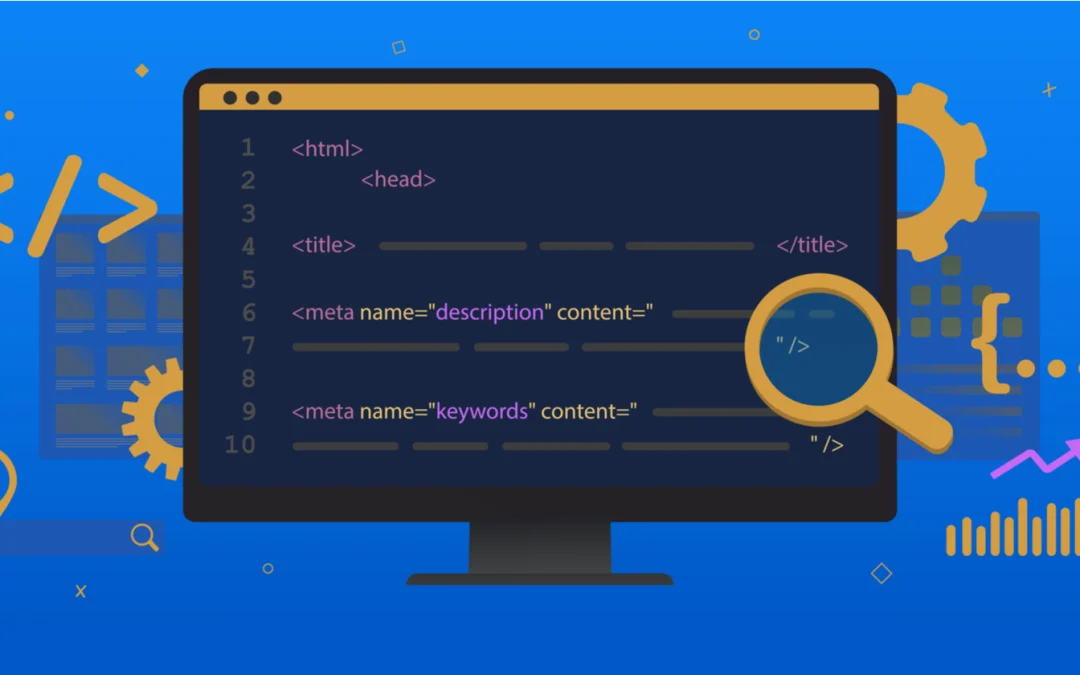
Meta tags are HTML elements in your page’s head section that tell search engines, social platforms, and AI systems how to interpret and display your content. They don’t appear on the page itself — they live in the code. But they control how your page shows up in Google search results, how it looks when shared on LinkedIn or Slack, and increasingly, how AI Overviews and chatbots reference your content.
Some meta tags directly affect rankings. Some affect click-through rate without touching rankings. Some control indexing behavior. And some — like the meta keywords tag — do nothing at all but waste your time and expose your keyword strategy to competitors.
This guide covers every meta tag that matters for SEO, explains what each one does, provides the current technical specifications, and identifies the common mistakes that silently suppress your organic performance.
Title Tag
The title tag is the single most important meta element for SEO. It appears in three places: the browser tab, the search results page (as the blue clickable link), and social shares. Google uses it as a primary relevance signal when determining what your page is about and which queries it should rank for.
Technical Specifications
Google displays approximately 50-60 characters before truncating with an ellipsis. The actual cutoff is pixel-based — roughly 575 pixels on desktop and 480 pixels on mobile — which means narrow characters (i, l, t) allow more characters than wide ones (m, w, capital letters). Stay under 60 characters as a safe rule.
Writing Effective Title Tags
Front-load your primary keyword. Google assigns slightly more weight to words appearing earlier in the title. Users scan left to right. “Technical SEO Checklist: Complete Guide” puts the keyword first. “The Complete Guide to the Technical SEO Checklist” buries it.
Make every title unique. Duplicate titles across pages confuse search engines about which page to rank for a given query. Run a crawl (Screaming Frog, Sitebulb) and fix any duplicates.
Include a compelling reason to click. The title isn’t just for Google — it’s the first thing a human evaluates when deciding whether to click. “PPC Strategy Guide: 12 Tactics That Cut CPA by 30%” is more clickable than “PPC Strategy Guide.”
Don’t stuff keywords. “Best Shoes | Cheap Shoes | Buy Shoes Online | Shoe Store” is keyword stuffing. Google may rewrite stuffed titles, and the result is usually worse than what you would have written.
Use separators strategically. Pipes (|), dashes (—), and colons (:) separate title components cleanly. “Product Name | Brand” or “Primary Keyword: Supporting Detail — Brand” are common effective formats.
Google Rewrites Your Titles
Google rewrites title tags approximately 33% of the time when it determines the original title doesn’t serve the query well. Common triggers: the title is too long, too short, stuffed with keywords, doesn’t match the page content, or uses boilerplate patterns across multiple pages.
When Google rewrites your title, it typically pulls from your H1 heading, other prominent on-page text, or anchor text from internal links. You can reduce rewrites by writing clear, accurate, properly-lengthed titles that match the page’s actual content.
Meta Description
Meta descriptions don’t directly affect rankings — Google confirmed this repeatedly. But they have an outsized impact on click-through rate, which does affect rankings indirectly through user engagement signals (NavBoost). A compelling meta description can increase CTR by 5-10% versus a generic or missing one.
Technical Specifications
Google displays approximately 120-160 characters on desktop and 70-120 on mobile. Write your core message in the first 120 characters to ensure it displays completely on all devices. The full description can extend to 155-160 characters for desktop users.
Writing Effective Meta Descriptions
Preview the content accurately. The description should tell searchers exactly what they’ll find on the page and why it’s worth clicking. Mismatched descriptions increase bounce rates and damage engagement signals.
Include the target keyword. Google bolds matching terms in descriptions, which draws the eye and reinforces relevance. Include your primary keyword naturally.
Add a call to action. “Learn the 5-step process,” “Compare pricing options,” “Get your free template” — action-oriented language increases click probability.
Include differentiators. What makes your page worth clicking over the nine other results? Specific numbers, unique angles, or exclusive information set your listing apart.
Google Rewrites Descriptions More Than Titles
Google rewrites meta descriptions on more than 60% of search results when it determines its own snippet better matches the specific query. This doesn’t mean writing descriptions is pointless — it means writing descriptions that closely match your target queries’ intent reduces the chance Google replaces them with something less compelling.
The practical priority: if you have limited time, rewrite descriptions on pages with high impressions but low CTR. These pages are already ranking and being seen — they just aren’t getting clicked. A better description on a page with 10,000 monthly impressions and a 2% CTR could generate hundreds of additional clicks without any ranking improvement.
Robots Meta Tag
The robots meta tag controls how search engines index and display your page. It’s placed in the head section and can contain multiple directives.
Key Directives
noindex — tells search engines not to include this page in search results. Use for thank-you pages, internal search results, staging pages, and any page that shouldn’t appear in Google.
nofollow — tells search engines not to follow links on this page. Rarely needed for internal pages. More commonly used on pages with user-generated content where you can’t vouch for all outbound links.
nosnippet — prevents Google from showing any text snippet or video preview in search results. Use when you don’t want any preview text displayed (rare, but occasionally needed for legal or compliance reasons).
max-snippet:[number] — limits the text snippet length to a specified number of characters. max-snippet:0 is equivalent to nosnippet. max-snippet:160 limits the preview to 160 characters.
max-image-preview:[setting] — controls thumbnail image size in search results. Options: none, standard, large. Set to “large” for most pages — larger thumbnails increase CTR.
max-video-preview:[number] — limits video preview length in seconds. Set to -1 for no limit (recommended for pages where video previews help attract clicks).
notranslate — prevents Google from offering a translated version of this page in search results.
noimageindex — prevents images on this page from appearing in Google Images results.
Common Mistakes
Accidentally deploying noindex from a staging environment to production. This is one of the most catastrophic technical SEO errors — entire sites have disappeared from Google because of this. Always audit noindex tags after code deployments.
Using noindex when you should use robots.txt. The distinction matters: noindex still requires Googlebot to crawl the page (consuming crawl budget) to discover the directive. Robots.txt prevents crawling entirely. For pages that have no SEO value and shouldn’t consume crawl resources, robots.txt is more efficient.
Canonical Tag
The canonical tag tells search engines which version of a page is the “master” copy when duplicate or near-duplicate versions exist. It’s technically a link element, not a meta tag, but it functions in the same space and is managed alongside meta tags.
When to Use Canonical Tags
Products accessible through multiple category URLs (example.com/shoes/nike-air and example.com/sale/nike-air should both canonicalize to one preferred URL). HTTP vs HTTPS versions. www vs non-www. URL parameter variations from tracking codes, sorting, or filtering. Syndicated content republished on other sites (the syndicated version should canonicalize back to the original).
Self-Referencing Canonicals
Every indexable page should include a canonical tag pointing to itself. This prevents duplicate content issues caused by URL parameters, session IDs, or other variations that create technically different URLs serving identical content.
Viewport Meta Tag
The viewport meta tag controls how your page displays on mobile devices. Without it, mobile browsers render the page at desktop width and scale it down — creating a tiny, unreadable experience.
The standard implementation:
<meta name="viewport" content="width=device-width, initial-scale=1">
This is required for mobile-first indexing. Google evaluates the mobile version of your site for ranking purposes. A missing viewport tag signals that your site isn’t mobile-optimized, which can negatively affect rankings.
Open Graph Meta Tags
Open Graph (OG) tags control how your page appears when shared on Facebook, LinkedIn, Slack, iMessage, Discord, and most other platforms. Without OG tags, these platforms pull whatever they can find — often grabbing the wrong image, a truncated title, or a generic description.
Essential OG Tags
og:title — the title displayed in the social share card. Can differ from your SEO title tag. Social titles can be slightly longer and more conversational since they’re not competing with nine other search results.
og:description — the preview text in the share card. Like meta descriptions, keep it under 200 characters. Make it compelling for a social audience (which may differ from a search audience).
og:image — the preview image. This is the single most impactful OG tag because visual previews dominate social feeds. Use a 1200×630 pixel image (1.91:1 ratio). Ensure it’s compelling even at thumbnail size. Text on images should be minimal and large enough to read on mobile. Every important page should have a unique og:image — don’t reuse your logo for every page.
og:url — the canonical URL for social sharing. Should match your canonical tag.
og:type — the content type (article, website, product). Set to “article” for blog posts and “website” for homepage and main pages.
Why OG Tags Matter for SEO
OG tags don’t directly affect Google rankings. But content that generates social engagement — shares, clicks, comments — drives referral traffic, earns backlinks, and builds brand signals that do affect rankings. Poorly formatted social previews (wrong image, truncated text, missing description) reduce the likelihood that people share your content, breaking this indirect feedback loop.
X (Twitter) Card Tags
X Card tags (twitter:card, twitter:title, twitter:description, twitter:image) control how your page appears when shared on X. If X Card tags aren’t set, X falls back to your OG tags. You only need X-specific tags if you want your X previews to differ from your OG previews.
Set twitter:card to “summary_large_image” for maximum visual impact in the X feed. This displays a large preview image above the title and description.
Hreflang Tag
For sites serving content in multiple languages or targeting multiple geographic markets, hreflang tags tell search engines which version of a page to show to users in each language/region.
<link rel="alternate" hreflang="en-us" href="https://example.com/en/page">
<link rel="alternate" hreflang="es-mx" href="https://example.com/es/page">
Incorrect hreflang implementation is one of the most common technical SEO errors on international sites. Every hreflang annotation must be reciprocal — if Page A points to Page B as the Spanish version, Page B must point back to Page A as the English version. Non-reciprocal hreflang signals are ignored by Google.
Charset Meta Tag
Declares the character encoding for your page. The standard:
<meta charset="UTF-8">
UTF-8 covers virtually all characters and symbols across languages. Place it as the first element in your head section. Incorrect or missing charset declarations can cause rendering issues — garbled text, broken special characters — that affect both user experience and how search engines parse your content.
Meta Tags That Don’t Matter
Meta Keywords Tag
Google hasn’t used the meta keywords tag as a ranking signal since at least 2009. Bing confirmed the same. No major search engine reads it.
Worse than useless, the meta keywords tag is a competitive liability. Competitors can view your source code and see exactly which keywords you’re targeting. The recommended practice: remove the meta keywords tag from every page on your site. If your CMS auto-generates it, disable the feature.
Meta Refresh Redirect
The meta refresh tag was used to redirect users after a specified delay. Google treats this as a soft redirect and may not pass full link equity. Use 301 server-side redirects instead. Meta refresh redirects are a relic that creates poor user experience and unreliable SEO behavior.
Meta Revisit-After
Tells search engines when to revisit your page. No major search engine honors this tag. Crawl frequency is determined by the search engine’s own algorithms, not by your suggestion.
Meta Tags and AI Overviews
AI Overviews and LLM-powered search tools pull information from your pages to generate summarized answers. While they don’t read meta tags directly for citation decisions, your meta content influences the process in two ways.
First, well-written meta descriptions that accurately summarize your page’s content help AI systems understand what each page is about. This improves the probability that your page gets retrieved as a source when the AI searches for relevant information.
Second, the robots meta tag now governs AI crawler access. You can use max-snippet directives to control how much of your content AI systems can preview. Some site owners use nosnippet to prevent AI systems from displaying any content extract, though this also affects traditional search snippets.
The Meta Tag Audit Checklist
Run this quarterly or after any major site change:
Title tags: Check for duplicates, truncation (over 60 characters), keyword stuffing, and titles that don’t match page content. Prioritize fixing pages with high impressions but low CTR.
Meta descriptions: Check for duplicates, missing descriptions on important pages, and descriptions that don’t match search intent. Rewrite descriptions on high-impression, low-CTR pages first.
Robots tags: Verify noindex is only on pages you intentionally want excluded. Check that no production pages carry staging noindex tags.
Canonical tags: Confirm every indexable page has a self-referencing canonical. Check that canonicals point to the correct preferred URL.
OG tags: Verify og:image exists and displays correctly for your top-shared pages. Test using Facebook’s Sharing Debugger and LinkedIn’s Post Inspector.
Viewport: Confirm the viewport meta tag is present on every page.
Hreflang: For international sites, verify all annotations are reciprocal and correctly formatted.
Frequently Asked Questions
Which meta tag has the biggest impact on rankings?
The title tag. It’s the only meta element that directly influences how Google determines your page’s relevance to a query. Meta descriptions affect CTR (which affects rankings indirectly), and robots tags control indexing behavior, but the title tag is the primary on-page ranking signal in the meta tag category.
Does Google always use my meta description?
No. Google rewrites meta descriptions on more than 60% of search results when it determines a different snippet better matches the specific query. You can reduce rewrites by writing descriptions that accurately summarize the page content and match the intent of your target keywords. Even when Google rewrites, having a well-written default description provides a better fallback than having no description at all.
Should I remove meta keywords from my site?
Yes. No major search engine uses the meta keywords tag for ranking. It provides zero SEO benefit while potentially exposing your keyword strategy to competitors who view your source code. Audit your site and remove the tag from all pages.
How do Open Graph tags affect SEO?
Not directly. OG tags control how your page appears when shared on social platforms — the image, title, and description in the share preview. Indirectly, well-formatted social previews increase sharing, which drives referral traffic and can generate backlinks. Poorly formatted previews (wrong image, missing description) suppress sharing and break this amplification loop.
What happens if I have duplicate title tags across pages?
Google struggles to determine which page should rank for queries related to those titles, often ranking neither page as well as it could. Duplicate titles create internal competition (keyword cannibalization). Every page should have a unique title that reflects its specific content and target keyword.
How do I check if my meta tags are working correctly?
Use Google Search Console to see how Google is rendering your titles and descriptions in search results. Use the URL Inspection tool to check how Google interprets your page’s meta tags. Test OG tags with Facebook’s Sharing Debugger and LinkedIn’s Post Inspector. Run a site crawl with Screaming Frog or Sitebulb to audit all meta tags across your entire site in one pass.




-150x150.png)


