
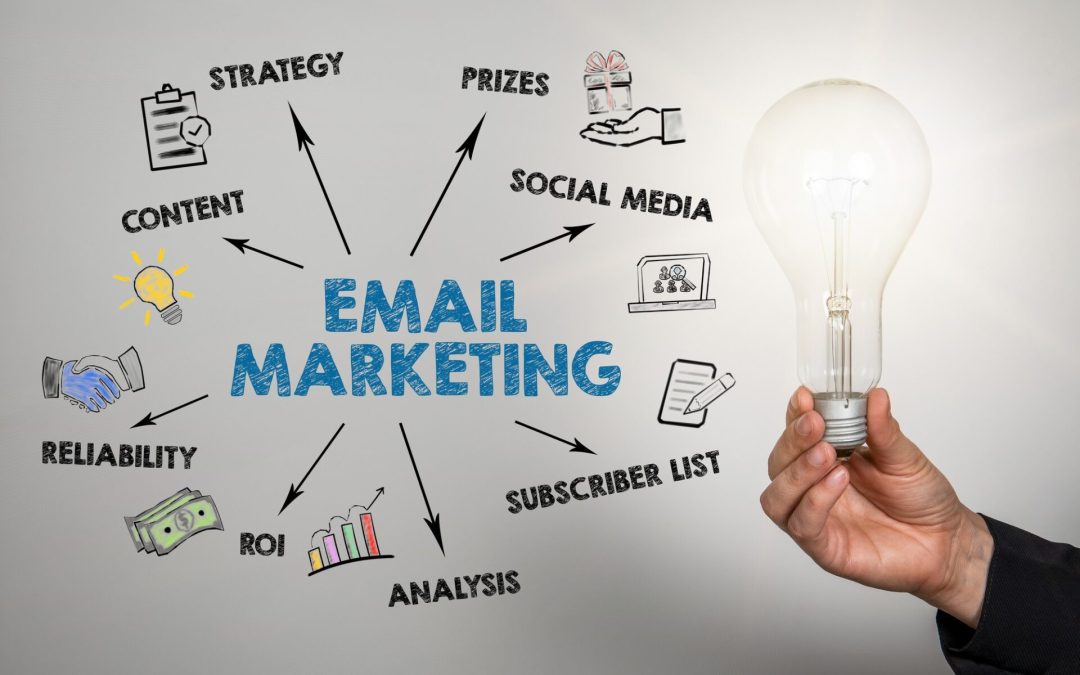
Email marketing generates roughly $36-$40 in revenue for every $1 spent — a return that no other digital marketing channel consistently matches. It reaches over 4.6 billion users globally, operates on infrastructure you own (your subscriber list isn’t subject to algorithm changes like social media reach), and gives you direct measurement of what drives opens, clicks, and purchases.
Those fundamentals haven’t changed. What has changed is the technical bar for getting into the inbox. Authentication protocols that were once optional are now required by Gmail and Yahoo for bulk senders. Apple’s Mail Privacy Protection has made open rates unreliable as a primary metric. AI-powered tools have made personalization and automation accessible at every budget level. And consumer expectations have shifted from tolerating batch-and-blast newsletters to expecting relevant, timely messages that reflect their actual behavior and interests.
This guide covers the complete email marketing strategy: deliverability infrastructure, list building, segmentation, lifecycle campaigns, content and design, automation, AI applications, measurement, and the ongoing optimization that turns email from a routine channel into your most predictable revenue driver.
Deliverability: The Foundation Everything Depends On
No email strategy matters if your messages land in spam folders. Deliverability — the percentage of emails that actually reach the inbox — is the technical foundation of email marketing. Before writing a single subject line, get this right.
Email Authentication (SPF, DKIM, DMARC, BIMI)
These four protocols tell inbox providers that your emails are genuinely coming from your domain, not from a spoofed source.
SPF (Sender Policy Framework) — a DNS record that specifies which mail servers are authorized to send email on behalf of your domain. Without it, inbox providers can’t verify that your email came from a legitimate source.
DKIM (DomainKeys Identified Mail) — adds a cryptographic signature to your emails that inbox providers can verify. It proves the message wasn’t altered in transit.
DMARC (Domain-based Message Authentication, Reporting, and Conformance) — tells inbox providers what to do when SPF or DKIM checks fail (quarantine the message, reject it, or do nothing). DMARC also sends reports back to you showing who’s sending email using your domain.
BIMI (Brand Indicators for Message Identification) — displays your brand’s logo next to your emails in supported inbox providers. Requires DMARC enforcement at quarantine or reject level. BIMI increases brand recognition in the inbox and can improve open rates.
Gmail and Yahoo now require SPF and DKIM authentication for bulk senders (more than 5,000 messages per day). DMARC is required at a minimum of p=none. Without these records properly configured, your emails will be rejected or sent to spam regardless of content quality.
Sender Reputation and IP Warming
Inbox providers assign reputation scores to your sending domain and IP address based on engagement patterns: bounce rates, spam complaints, unsubscribe rates, and recipient engagement. A new sending domain or IP has no reputation — and no reputation is treated almost as badly as a bad reputation.
If you’re launching email marketing on a new domain or switching email service providers, warm your IP gradually: start with your most engaged subscribers (people who opened or clicked recently), send small volumes (a few hundred per day), and increase volume by 20-30% daily as engagement metrics confirm inbox placement. Jumping from zero to 50,000 emails on day one triggers spam filters at every major provider.
Monitor your sender reputation through tools like Google Postmaster Tools (for Gmail delivery data), your ESP’s deliverability dashboard, and services like Sender Score or Microsoft SNDS.
List Hygiene
A clean list is a deliverable list. Remove hard bounces (invalid addresses) immediately — they damage your sender reputation with every send. Suppress addresses that haven’t engaged in 90-120 days and target them with a re-engagement campaign before removing them permanently.
Double opt-in (requiring new subscribers to confirm their email address via a confirmation link) reduces invalid addresses by up to 40% and produces subscribers with 25% higher engagement rates. The tradeoff is lower initial signup volume — but higher quality subscribers produce better results at every subsequent step.
Building and Growing Your List
Your email list is the asset. Social media followers belong to the platform. Search rankings depend on algorithm stability. Your email list belongs to you, and its quality determines the ceiling on everything else your email program can achieve.
Organic List Growth
Every signup should represent a person who genuinely wants to hear from you. Purchased lists violate anti-spam laws (CAN-SPAM, GDPR, CASL), damage your sender reputation, and produce near-zero conversion rates. Build organically through lead magnets (ebooks, templates, exclusive content, discount codes) placed on high-traffic pages, embedded signup forms on your website (header bar, footer, inline within blog content), exit-intent popups on commercial pages (use sparingly — aggressive popups hurt UX), gated content where the email exchange delivers genuine value, and cross-channel promotion (social media bios, YouTube descriptions, podcast show notes).
The lead magnet should solve a specific problem your target audience has. “Subscribe to our newsletter” converts poorly because it promises nothing concrete. “Get the 12-page pricing template we use for client proposals” converts well because it promises a specific, valuable deliverable.
Permission and Compliance
GDPR (EU), CAN-SPAM (US), CASL (Canada), and their regional equivalents all require explicit consent before sending marketing emails. Every email must include a visible unsubscribe link. Unsubscribe requests must be processed within 10 business days (CAN-SPAM) or immediately (best practice).
Beyond legal compliance, permission-based marketing produces better results. Subscribers who opted in voluntarily engage at higher rates, convert more frequently, and generate fewer spam complaints than subscribers who were added without clear consent.
Segmentation: The Revenue Multiplier
Segmented email campaigns generate 58% of all email revenue. Marketers who segment report 760% revenue increases compared to unsegmented sends. The data is unambiguous: sending the same message to your entire list underperforms dramatically compared to sending targeted messages to specific groups.
Segmentation Dimensions
Behavioral — based on what subscribers have done. Purchase history, browsing behavior, email engagement (openers vs non-openers), content downloads, cart abandonment. Behavioral segmentation produces the highest-performing campaigns because it reflects actual intent.
Demographic — age, location, gender, job title, company size. Useful for broad personalization but less predictive than behavioral data.
Lifecycle stage — where the subscriber is in their relationship with your brand. New subscriber, first-time buyer, repeat customer, lapsed customer. Each stage needs different messaging.
Engagement level — highly engaged (opened/clicked in the last 30 days), moderately engaged (30-90 days), disengaged (90+ days). Sending your best content to engaged subscribers and re-engagement campaigns to disengaged ones protects deliverability while maximizing performance.
Purchase value — segment by average order value or lifetime value. Your highest-value customers deserve different treatment (early access, exclusive offers, loyalty perks) than one-time buyers.
RFM Segmentation
RFM (Recency, Frequency, Monetary value) is one of the most effective segmentation frameworks for ecommerce email marketing. Score each subscriber on how recently they purchased, how frequently they purchase, and how much they spend. Group them into segments (Champions, Loyal Customers, At-Risk, Lost) and build campaigns tailored to each group.
Lifecycle Email Campaigns
Rather than thinking about email as a collection of disconnected campaign types, organize your email program around the customer lifecycle: acquisition, activation, retention, and reactivation. Each stage has specific campaign types that serve it.
Acquisition: Welcome Series
The welcome series is your highest-leverage automation. Welcome emails see an average 50%+ open rate — far above any other campaign type. Send the first email immediately after signup, then follow with 3-5 additional emails over the next 7-14 days.
The series should set expectations (what you’ll send, how often), deliver the promised lead magnet or offer, introduce your brand story and value proposition, highlight your best content or products, and include a clear first-purchase incentive. Most purchase decisions happen within 10 days of subscribing. Your welcome series is the window for converting new subscribers into first-time buyers.
Activation: Onboarding and First Purchase
For SaaS and subscription businesses, onboarding emails guide new users through product setup and key features. For ecommerce, activation emails help first-time buyers discover related products, understand shipping and returns, and feel confident in their purchase.
The goal is moving subscribers from passive list members to active, engaged customers. Track activation rate (percentage of subscribers who complete a key action within a defined timeframe) as a leading indicator of long-term value.
Retention: Newsletters, Education, and Loyalty
Retention emails keep engaged customers coming back. Regular newsletters (weekly or biweekly) share valuable content, product updates, and curated recommendations. Educational content positions your brand as a trusted resource. Loyalty campaigns reward repeat customers with exclusive offers, early access, and recognition.
The key to retention emails: every message should deliver genuine value, not just promote products. A balanced ratio of value-to-promotion (roughly 80% useful content, 20% promotional) keeps subscribers engaged without causing fatigue.
Reactivation: Win-Back Campaigns
Reactivation emails target subscribers who haven’t engaged in 60-120 days. They cost significantly less than acquiring new subscribers and can recover 5-15% of lapsed contacts.
Effective win-back sequences typically include a “we miss you” message acknowledging the gap, a reminder of benefits or recent improvements, a special incentive (discount, free shipping, exclusive content), and a final “should we remove you?” message that leverages loss aversion.
Subscribers who don’t respond to the full win-back sequence should be suppressed. Continuing to email unengaged contacts damages your sender reputation and reduces deliverability for your entire list.
Transactional Emails
Order confirmations, shipping notifications, password resets, and account alerts. These emails have the highest open rates of any email type (often 80%+) because recipients expect and need them. Despite being functional, they’re brand touchpoints — design them with the same care as marketing emails. Include product recommendations, cross-sell suggestions, or referral incentives where appropriate.
Content and Design
Subject Lines
Your subject line determines whether the email gets opened. Keep it under 50 characters (mobile truncation starts around 35-40 characters on most devices). Personalized subject lines (including the recipient’s name or a reference to their behavior) improve open rates measurably. Specific, benefit-oriented language (“Your order ships tomorrow” or “The template you requested”) outperforms vague or clever phrasing.
Avoid spam trigger words (“FREE!!!”, “Act now”, “Limited time”) and excessive punctuation. A/B test subject lines on every send — small improvements in open rate compound across your entire program.
Mobile-First Design
Over half of all emails are opened on mobile devices. Design for mobile first, then adapt for desktop — not the reverse.
Mobile-first principles: single-column layout (600px maximum width), minimum 14px body font size (16px is better), tap-friendly CTA buttons (minimum 44x44px), adequate spacing between clickable elements, and lightweight HTML that loads quickly on mobile connections. Pre-header text (the preview text visible in the inbox after the subject line) should reinforce the subject line’s value proposition, not repeat it or default to “View in browser.”
CTAs That Convert
Every email should have one primary call-to-action. Multiple competing CTAs create decision paralysis and reduce click-through rates. Button CTAs outperform text links by approximately 27%. Use specific, action-oriented copy — “Get the template” converts better than “Click here” or “Learn more.”
Place your primary CTA above the fold (visible without scrolling) and repeat it at the end of the email for longer messages.
Automation: Revenue That Runs Without You
Automated email sequences generate significantly more revenue per recipient than manual campaigns because they deliver the right message at the right moment based on subscriber behavior.
Essential Automations
Welcome series — triggers immediately after signup. Your most important automation.
Abandoned cart / abandoned browse — triggers when a subscriber adds items to cart (or views products) without purchasing. Cart abandonment emails recover 5-15% of abandoned revenue.
Post-purchase — triggers after a purchase. Thank the customer, provide order details, suggest related products, and ask for a review after delivery.
Re-engagement — triggers after a defined inactivity period. Attempt to win back lapsed subscribers before suppressing them.
Birthday / anniversary — triggers on personal milestones. Simple to set up, consistently high-performing.
Behavioral Triggers vs. Time-Based Drips
Time-based drips send emails on a fixed schedule (Day 1, Day 3, Day 7). Behavioral triggers send emails in response to specific actions (viewed a pricing page, downloaded a resource, abandoned a cart). Behavioral triggers consistently outperform time-based drips because they respond to demonstrated intent rather than arbitrary timing.
AI in Email Marketing
AI tools have made sophisticated email optimization accessible to teams of any size. The most impactful applications right now are AI-powered subject line generation and testing (tools suggest and score subject lines based on predicted performance), send-time optimization (AI determines the optimal send time for each individual subscriber based on their historical engagement patterns), predictive segmentation (AI identifies subscribers likely to purchase, churn, or upgrade based on behavioral patterns), and content generation assistance (AI drafts email copy, subject lines, and CTAs that humans refine with brand voice and strategic context).
AI doesn’t replace email strategy — it accelerates execution and optimization. The strategic decisions (who to target, what to say, what actions to drive) remain human. The tactical optimization (when to send, which subject line to use, which segment to prioritize) increasingly benefits from AI assistance.
Measurement: Metrics That Matter
Primary Metrics
Click-through rate (CTR) — the percentage of recipients who clicked a link. This is now a more reliable engagement metric than open rate because Apple’s Mail Privacy Protection inflates open rate data for Apple Mail users (approximately 50%+ of all email opens). Track CTR as your primary engagement indicator.
Conversion rate — the percentage of recipients who completed the desired action (purchase, signup, download). This connects email performance to business outcomes.
Revenue per email — total revenue attributed to an email divided by the number of emails sent. The most direct measure of email ROI.
List growth rate — net new subscribers minus unsubscribes and bounces. A healthy list grows consistently while maintaining engagement quality.
Secondary Metrics
Open rate — still useful for subject line comparison (A/B testing) but unreliable as an absolute engagement measure due to MPP. Compare open rates within your own campaigns rather than against industry benchmarks.
Bounce rate — keep below 2%. Hard bounces should trigger immediate suppression.
Unsubscribe rate — sustained rates above 0.5% per send signal content or frequency problems.
Spam complaint rate — keep below 0.1%. Rates above this threshold damage your sender reputation and can trigger inbox provider penalties. Gmail’s new requirement sets 0.3% as the maximum before enforcement actions.
Attribution
Connect email to revenue using UTM parameters on every link, your ESP’s built-in revenue attribution, and integration between your email platform and your ecommerce/CRM system. Track both direct attribution (someone clicked an email link and purchased in the same session) and assisted attribution (email was part of the conversion path but not the last touch).
Frequently Asked Questions
How often should I send marketing emails?
There’s no universal answer — it depends on your audience, your content, and your business model. Ecommerce brands often send 3-5 times per week during peak periods. B2B companies typically send 1-4 times per month. The test: are your engagement metrics (CTR, conversion rate) stable or improving? If unsubscribe rates spike or click rates decline with increased frequency, you’re sending too often. Start with once per week and adjust based on data.
What’s a good open rate for email marketing?
Open rate benchmarks vary by industry (15-30% is typical across industries), but open rate as a metric has become less reliable since Apple Mail Privacy Protection launched. MPP pre-loads tracking pixels for Apple Mail users, inflating open rates artificially. Use click-through rate as your primary engagement metric. If you need to benchmark opens, compare within your own historical data rather than against published benchmarks.
Should I use AI to write my marketing emails?
AI is excellent for generating first drafts, testing subject line variations, and suggesting content structures. But AI-generated email copy needs human editing for brand voice, factual accuracy, and strategic alignment. The most effective approach: use AI to accelerate production, then apply human expertise to ensure the final message reflects your brand’s personality and your audience’s specific needs.
What’s the best email marketing platform?
It depends on your business size, technical needs, and budget. For small businesses and startups: Mailchimp, ConvertKit, or MailerLite. For ecommerce: Klaviyo or Omnisend (deep ecommerce integration, strong automation). For B2B: HubSpot, ActiveCampaign, or Customer.io. For enterprise: Salesforce Marketing Cloud, Braze, or Iterable. Evaluate based on automation capabilities, segmentation depth, deliverability reputation, integration with your tech stack, and pricing that scales with your list size.
How do I reduce spam complaints?
Send only to people who opted in (never purchased lists). Set clear expectations during signup about what they’ll receive and how often. Include a visible, easy-to-find unsubscribe link in every email. Honor unsubscribe requests immediately. Segment by engagement and reduce frequency for less engaged subscribers. Authenticate your domain (SPF, DKIM, DMARC). Keep your spam complaint rate below 0.1% — Gmail enforces action at 0.3%.
Is email marketing still worth it compared to social media?
Email and social media serve different functions. Social media builds awareness and community. Email converts and retains. Email reaches subscribers directly without algorithmic filtering, produces significantly higher conversion rates than organic social, and generates measurably higher ROI. For most businesses, email is the higher-ROI channel for driving revenue from existing contacts, while social media is better for top-of-funnel discovery. Run both, but don’t treat them as interchangeable.







