Creating display ads once meant designing about 20 different sizes to fit all possible ad spaces. Your design team had to custom tweak and resize each one manually.
The question of using responsive display ads has become much simpler to answer now. These dynamic ads leverage machine learning to fit your creative assets automatically into any ad space on the Google Display Network. Bloomberg Media saw remarkable results and reduced their cost-per-site-visit by 81% with responsive display ads. These adaptable formats generate more impressions than traditional ads because Google prefers them to fill inventory, and they deliver better click-through rates.
Responsive display ads do more than save design resources. They create optimized creatives dynamically based on available space and user context. Google’s algorithms work with up to 15 images and 5 logos that you can upload. The results speak for themselves – responsive display ads show a 59% increase in conversion after customers do related research.
Let’s explore how responsive display ads can fit into your marketing strategy. This guide will help you understand the basics to get started effectively.
What Are Responsive Display Ads?
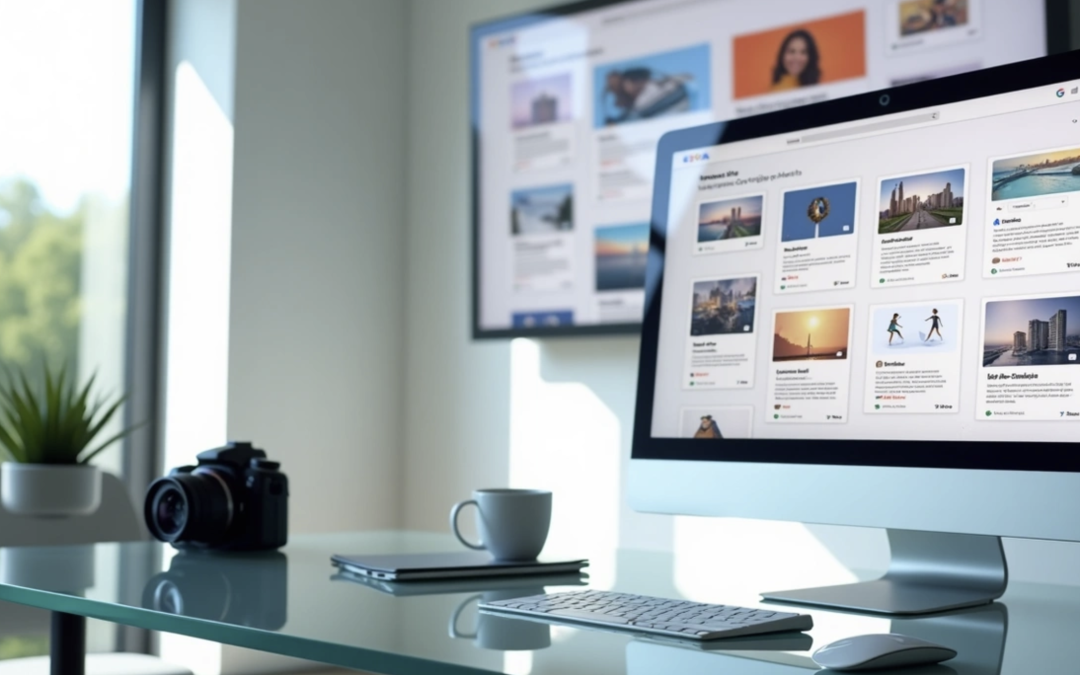
Responsive display ads are Google’s flexible ad format that adjusts size, look, and format to fit spaces on the Google Display Network (GDN). Unlike traditional ads that need specific dimensions, these dynamic ads can appear naturally on millions of websites, apps, YouTube videos, and Gmail.
How they differ from static ads
Static display ads need advertisers to create specific-sized banners for each placement they target. These fixed-dimension creatives don’t adapt to different slots and look the same as their original design. Advertisers must create multiple versions of the same ad to show up properly on websites and devices of all sizes.
Responsive display ads take a different path:
- They adjust to fit ad spaces using machine learning
- They show up as banner ads, dynamic text ads, or other formats based on space
- They need fewer resources but deliver better results
The biggest difference is in how you manage them. Static ads need separate creatives for each size and placement, which takes more time and resources. Responsive ads make this simple – you create one adaptable ad that works everywhere.
The performance numbers tell an interesting story. Google’s data shows responsive display ads get 10% more conversions at the same CPA compared to static campaigns. On top of that, Google’s internal standards show RDAs reach twice as many placements as static ads, and advertisers see 12% more conversions after switching to RDAs.
What’s provided by responsive display ads?
Responsive display ads work through asset combinations that Google’s AI arranges for each ad placement. You provide these elements when creating responsive display ads:
- Visual elements:
- Up to 15 marketing images
- Up to 5 logos
- Up to 5 videos
- Text elements:
- Up to 5 headlines
- Up to 5 descriptions
- Business name
Google’s machine learning tests these assets in different combinations to find what works best for your campaign goals. This removes the guesswork from ad creation as Google looks at performance data to optimize your ads.
Google might use asset enhancements, stock images, or AI-generated assets like backgrounds to boost ad performance. This creates endless creative combinations to make your campaign more effective.
Why Google made them the default
Google chose responsive display ads as the new default ad type for the Display Network because they adapt better and perform well. Several reasons backed this decision:
RDAs fix a basic problem in display advertising – creating multiple ad sizes for different placements. The GDN has more than 3 million inventory partners, making it impractical to create traditional ads for every placement.
Machine learning helps optimize ads continuously. The system tests combinations of headlines, images, and descriptions, then displays the versions that work best. Your click-through rates and conversions improve without manual work.
These ads reach more people. They can join more auctions and match more queries, which means more impressions and clicks. Google’s data reveals advertisers get 10% more conversions after switching to responsive display ads.
RDAs match today’s user habits. People view content on many devices with different screen sizes, and responsive ads look good whether someone sees them on a desktop, tablet, or phone.
Google simplified display advertising by making responsive display ads the default while helping advertisers get better results.
When Should You Use Responsive Display Ads?
The right timing for using responsive display ads can greatly affect your marketing success. These versatile ad formats work better than traditional static ads in several situations. Let’s look at the best times to use responsive display ads in your campaigns.
Limited design resources or time
Responsive display ads are perfect if you don’t have advanced design skills or enough time to create multiple ad versions. You don’t need special design expertise to create effective display ads. Google handles most of the work after you provide the simple creative assets—images, headlines, and descriptions.
This simple approach works best for:
- Small businesses without dedicated design teams
- Marketing departments facing tight deadlines
- Campaigns requiring quick deployment
The automation behind responsive display ads saves a lot of time because you won’t need constant manual adjustments. Bloomberg Media’s experience shows this efficiency works well—they cut their cost-per-site-visit by 81% after switching to responsive display ads.
Need for broad reach across devices
Responsive display ads should be your first choice when you want to maximize audience reach. These ads naturally adjust to fit any ad space, making them perfect for campaigns targeting users on different devices and platforms.
Traditional display ads need separate versions for each format, but responsive ads naturally adapt to:
- Desktop monitors of varying sizes
- Tablet displays
- Mobile phone screens
- Different ad placement dimensions
This flexibility gives you access to many ad placements throughout the Google Display Network, helping you reach more people on desktop and mobile platforms. More audience access means better brand awareness and more potential conversions.
Running remarketing or dynamic campaigns
Responsive display ads work really well for retargeting. They help you reconnect with users who have already visited your website or app.
Online stores can use responsive display ads for dynamic remarketing—showing visitors products they’ve already looked at. This personal touch makes them great for:
- Encouraging abandoned cart completion
- Promoting related products
- Reminding prospects about items they browsed
The numbers back this up—98% of website visitors aren’t ready to buy on their first visit, which makes remarketing through responsive display ads a smart choice.
Testing multiple creatives quickly
Responsive display ads give you a perfect testing ground if you want to try different ad elements without doing lots of manual work. Machine learning tests combinations of headlines, images, and descriptions automatically, then shows the versions that work best.
This built-in optimization:
- Takes the guesswork out of creative testing
- Finds winning combinations faster than manual A/B testing
- Makes improvements based on real-time data
Many advertisers find that responsive display ads perform better than traditional display ads. The system tracks important metrics like impressions, clicks, and conversions, and uses this information to improve your ads automatically.
Responsive display ads work best when you need flexibility, wider reach, efficient resource use, or ongoing optimization without manual work. But traditional static ads might still be better if your campaign needs very specific layouts or carefully controlled messaging.
How to Set Up a Responsive Display Ad
Setting up responsive display ads becomes quite simple once you know what you’re doing. This section will show you exactly how to create these versatile ad formats in your Google Ads account.
Accessing your Google Ads account
Your first step to create responsive display ads starts with accessing the right section of your Google Ads account:
- After logging in, click on the Campaigns icon in the navigation menu
- Select Ads and Assets from the page menu
- Click the blue “+” button
- Choose “Responsive display ad” from the dropdown menu
- Select the appropriate campaign and ad group where you want your ad to appear
Your responsive display ad needs to be part of a display campaign. You’ll need to set up a display campaign first if you haven’t already. Just click the blue plus button on your overview page and select “Display” as your campaign type.
Uploading images, logos, and videos
Visual assets are the foundations of your responsive display ad’s appeal. Here’s what you need to add:
Images Requirements:
- At least one square (1:1) and one landscape (1.91:1) image must be included
- You can upload up to 15 images for best results
- The recommended dimensions are 1200×628 pixels for landscape and 1200×1200 pixels for square images
- Each image should be under 5MB
- You can use JPG, PNG, or non-animated GIF formats
- Text should take up less than 20% of your image space
Logo Requirements:
- Logos boost brand recognition though they’re optional
- Square logos work best at 1200×1200 pixels while landscape logos should be 1200×300 pixels
- Your logos will look best with transparent backgrounds
Adding Videos (Optional):
- The “+” button below the Logos section lets you add YouTube videos
- You can include up to five YouTube videos to boost engagement
- Videos must be on YouTube since direct video uploads aren’t possible
Google makes finding images easy. You can scan your website for suitable images, pick from free stock image libraries, or upload your own creative work.
Adding headlines, descriptions, and final URL
The text elements of your ad need careful attention:
Headlines and Descriptions:
- Write up to 5 short headlines (30 characters max each)
- Create 1 long headline (90 characters max)
- Add up to 5 descriptions (90 characters max each)
- Your business name should be within 25 characters
Effective Text Practices:
- Put key information first since headlines might show without descriptions
- Make sure headlines and descriptions work well together
- Your long headline should have a clear call-to-action
- Use different messages across text fields
Final URL Setup:
- Add the landing page URL for your ad clicks
- Your landing page content should match your ad message
- You can add tracking parameters through “Advanced URL options”
- “More options” lets you pick call-to-action text and language
The ad strength indicator helps you measure your progress. A “Good” or “Excellent” rating comes from providing multiple assets in each category.
Previewing ad combinations
Before you finish your responsive display ad, use Google’s preview tools effectively:
- The preview panel on the right shows how different combinations look
- Check both mobile and desktop views for consistent quality
- Look at different ad formats (banner, dynamic text, etc.)
- Make sure images stay clear and messages remain readable at all sizes
- Your call-to-action should stand out in every variation
Your responsive display ads can appear in thousands of different layouts across the Google Display Network. Click “Save” once you’re happy with the previews.
This structured approach helps create effective responsive display ads. The system tests different asset combinations to find what works best for your campaign goals.
Best Practices for Visual Assets
Your responsive display ads need strong visual elements to succeed. The way you format and present your images will affect how well your ads connect with potential customers. Without doubt, you’ll get better results when you know how to use these visual best practices.
Use both square and landscape images
The right mix of image formats helps create effective responsive display ads. Google needs at least two images – one landscape and one square. You’ll get the best results with these vital formats:
- Landscape images: 1200 x 628 pixels recommended (minimum 600 x 314) with 1.91:1 aspect ratio
- Square images: 1200 x 1200 pixels recommended (minimum 300 x 300) with 1:1 aspect ratio
While two images meet the minimum requirement, using 5-10 images for each aspect ratio works better. This gives Google’s algorithms more options to test and optimize your ads. You can add up to 15 marketing images, which helps the system find winning combinations.
Discovery campaigns work better with vertical (portrait) images too. These should have a 4:5 ratio with recommended dimensions of 960 x 1200 pixels (minimum 480 x 600).
Optimize logos for different formats
Your brand needs to stand out in all ad placements. This means you need properly formatted logo versions:
- Square logos: 1200 x 1200 pixels recommended (minimum 128 x 128) with 1:1 ratio
- Landscape logos: 1200 x 300 pixels recommended (minimum 512 x 128) with 4:1 ratio
Logos aren’t required, but they make your ads look much better. Google will use a basic icon like a globe or your brand’s first letter if you don’t add custom logos.
Here’s what makes logos work better:
- Use transparent backgrounds when possible
- Center your logo to avoid cropping issues
- Keep the design simple and skip small text
- Leave 1/16th padding around the logo
Avoid cluttered or unclear visuals
Simple, focused images work better than busy ones. Your product or service should be the star of each image. Note that blank space should not take up more than 80% of the visual.
Stay away from these common issues:
- Collages or composite images
- Digital composite backgrounds, including all-white backgrounds
- Images with borders, skewed angles, or too much filtering
- Overlaid logos or graphics on images
- Text overlays (should not cover more than 20% of the image)
Your images will show up in different sizes, so keeping them simple helps them look good even when scaled down. Cleaner visuals perform better across all placements.
Use high-resolution images only
High-quality images are the life-blood of effective responsive display ads. Poor quality or unprofessional images will reduce your overall results.
Don’t use images that are:
- Blurry or out of focus
- Washed out or hard to see
- Color-inverted
- Upside-down or visually skewed
- Over-filtered
Your images must meet these technical specs: JPG, PNG, or non-animated GIF formats with a maximum file size of 5MB per image. Quality visuals help users understand your business, products, and brand better – key factors in how well your ads perform.
These visual asset best practices will help your responsive display ads perform better and keep your brand consistent across the Google Display Network.
Writing Effective Headlines and Descriptions
Your responsive display ad’s performance depends on compelling text. The limited character space means each word must work hard to persuade your audience to take action.
Front-load key information
Your most important messages belong at the start of headlines and descriptions. This approach will give a better chance for core messages to reach viewers even if text gets cut off in smaller spaces. Headlines need to work on their own since they sometimes appear without descriptions. Google’s system might show only headlines when space is tight, which makes front-loaded content a vital part of your strategy.
Avoid repeating the same message
Google never shows multiple headlines together, so you can create variations without worrying about repetition. Each headline-description combination needs to make sense because Google mixes these elements to find the best pairings. Your descriptions should build on your headlines instead of saying the same thing again. This helps you make the most of your character limits and creates a complete message.
Include a clear call to action
Strong calls-to-action boost engagement by a lot. Action-oriented or value-focused CTAs encourage more clicks. The best results come from putting your CTA in your long headline (90 characters). This ensures users get your main message even if they only see a headline with an image. “Watch now” works well for video promotions, or you could try specific prompts like “Shop our sale today”.
Use all available text fields
The best performance comes from using all available text options:
- Short headlines: Up to 5 (30 characters each)
- Long headline: 1 (90 characters)
- Descriptions: Up to 5 (90 characters each)
- Business name: 25 characters maximum
Multiple variations let Google’s algorithm test different combinations to find what works best with different audiences. Your responsive ads tend to perform better when you provide more text options while maintaining quality standards. Note that descriptions always show up with headlines but never alone, so you can create them to complement each other.
Optimizing and Measuring Performance
Your responsive display ads need continuous optimization to maximize their performance. Regular management and measurement of your ads will give a better outcome from your display campaigns.
Use asset performance ratings
Google provides valuable feedback on each asset’s effectiveness once your responsive display ads have run for a while. These asset performance ratings group your headlines, descriptions, images, and logos into categories like “Best,” “Good,” or “Low”.
You can review these ratings by clicking “view asset details” to get a performance overview. Google doesn’t reveal the exact criteria behind these ratings, but they are a great way to get guidance on which elements appeal to your audience.
Replace low-performing creatives
You should refresh underperforming assets regularly. Replace items marked “Low” with new variations. It also makes sense to pause assets that get zero impressions after several weeks because they might not match the queries that trigger your ads.
Google suggests reviewing assets only after you have enough data. You need sufficient impressions to review click rates and enough clicks to assess conversion rates.
Make use of ad strength score
Ad Strength measures your ad assets’ relevance, quality, and diversity with ratings from “Poor” to “Excellent”. Your responsive ads can get 12% more conversions by improving Ad Strength from poor to excellent.
Weekly checks of Ad Strength will help optimize performance. You can follow Google’s specific suggestions to improve your score by adding more asset variety and text diversification.
Track conversions and engagement
The metrics that matter most depend on your business goals. Impressions show how often your assets appear, while conversions reveal actual business effects.
Looking beyond clicks helps paint a complete picture. You should think about including engaged-view conversions (EVCs) and view-through conversions (VTCs) in your performance analysis. These conversion types show when users see but don’t click your ad and later complete a conversion.
The most successful advertisers dedicate about an hour each week to analyze their ad performance. This consistent attention to detail helps your responsive display ads improve steadily.
Conclusion
Responsive display ads have reshaped the scene of digital advertising in the Google Display Network. These dynamic ads save time and resources and can deliver better results than static formats. They automatically adjust to different placements, so your message reaches audiences on any device or platform.
This piece shows you the best times to use responsive display ads – especially when you have limited design resources. They work great for broad reach, remarketing campaigns, and creative testing. The setup is simple: just upload quality visual assets and write compelling text. Google’s machine learning will optimize combinations to maximize performance.
Note that following best practices will give a soaring win. You should provide square and landscape images, use clean visuals, and write multiple headlines that put important information first. Check asset performance ratings often and replace underperforming creatives to improve results.
The numbers tell the story – responsive display ads deliver higher conversions at lower costs than traditional formats. Bloomberg Media’s cost-per-site-visit dropped by 81% after switching to responsive display ads. You haven’t tried this versatile ad format yet? Now is your chance to create responsive display ads and boost your digital advertising effectiveness.