by yestupa | Dec 17, 2025 | Demand Gen Tips
Research shows that 81% of retail consumers look up products before buying online, and they find brands through demand gen channels more often than direct searches.
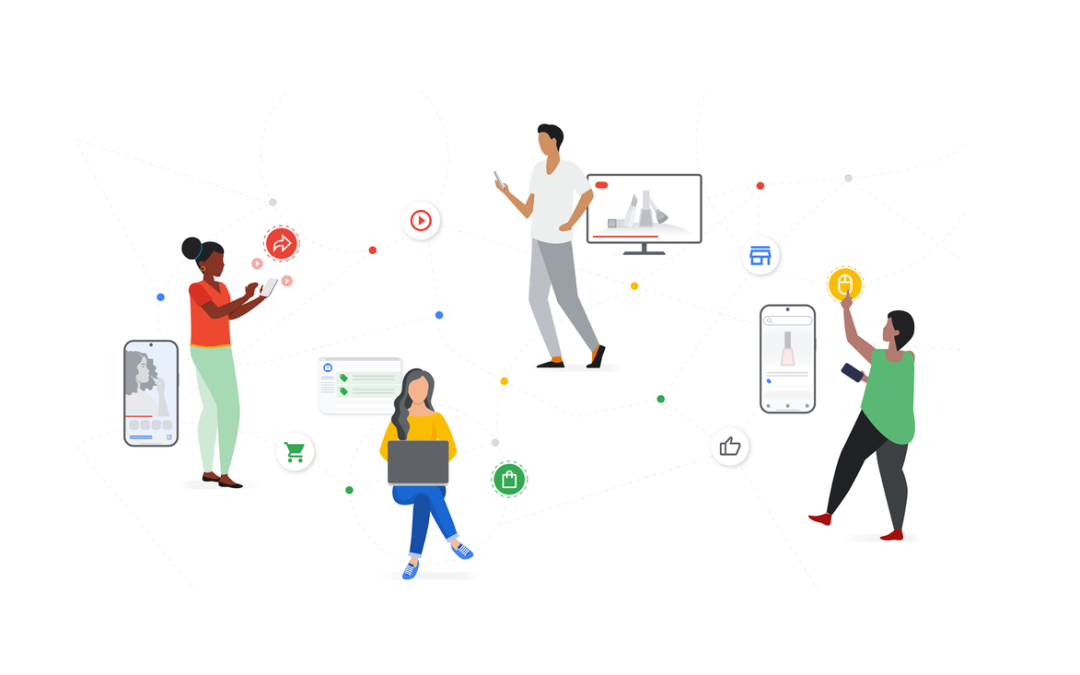
This major change in how consumers behave makes demand gen campaigns especially valuable to your marketing strategy. Google demand gen ads now reach up to 3 billion potential customers monthly through YouTube, Gmail, and the Google Discover feed.
Demand gen campaigns mainly focus on top-of-funnel awareness and getting people involved, unlike traditional search ads. Your products shine through visually appealing images, videos, and carousel ads that catch attention beyond regular search results.
Google’s Discovery ads completed their upgrade to Demand gen campaigns by the end of 2024, which opens new ways to reach your audience. You can build brand awareness or boost engagement with this step-by-step piece that shows you how to become skilled at Google Demand Gen ads – from initial setup to optimization.
What Are Google Demand Gen Ads?
Google Demand Gen ads show the rise of digital advertising that reaches potential customers before they start searching for products or services. These AI-powered campaigns use rich visuals to grab attention and spark interest across Google’s most popular platforms.
These campaigns pair striking visuals with smart placement to build awareness early in the customer’s experience. They work like digital billboards that show up where your audience hangs out online. This helps you connect with people during their free time when they’re open to finding new brands.
How Demand Gen is different from traditional search ads
Traditional search ads and Demand Gen campaigns work at completely different stages of the customer’s experience:
Intent vs. Discovery: Search ads target people who actively look for specific terms. Demand Gen reaches audiences based on their interests, behaviors, and demographics—whatever they’re searching for. This marks a change from capturing existing demand to creating new demand.
Format and Appearance: Search ads mainly use text and appear on search results pages. In contrast, Demand Gen campaigns feature rich visual formats like:
- Image ads with striking visuals
- Video ads (both short and long-form)
- Carousel ads for storytelling
- Portrait and square image formats
Placement Strategy: Rather than waiting for users to type keywords, Demand Gen ads appear across several Google properties:
- YouTube (including standard videos, Shorts, and in-stream)
- Google Discover feed
- Gmail promotions tab
- Google Display Network (in some cases)
Targeting Approach: Search campaigns rely on keyword research. Demand Gen focuses on audience targeting through first-party data, lookalike audiences, and interest-based signals. You can reach potential customers based on who they are, not just what they search for.
Measurement Focus: Search campaigns track direct conversion metrics. Demand Gen offers extra insights through Brand Lift, Search Lift, and Conversion Lift reports. These tools help track how ads affect brand perception, search behavior, and final conversions.
Why they matter for top-of-funnel marketing
Demand Gen campaigns have become crucial for several key reasons:
Changing Consumer Behavior: People now find products on many channels before buying. YouTube has become twice as likely as other video services to help research products and brands. Users also find YouTube ads 16% more trustworthy than ads on other video and social platforms.
Massive Reach Potential: These campaigns let you tap into Google’s huge user base—over 3 billion monthly active users across YouTube, Discover, and Gmail. YouTube Shorts alone gets more than 50 billion global daily views. The potential reach is huge.
Proven Consumer Action: Google reports that 63% of consumers find new products or brands on Google feeds. Among these users, 91% take action right away. This shows how well these ads work during the discovery phase.
Mid-Funnel Bridge: Demand Gen builds a crucial bridge in your marketing funnel. It helps you stay connected with users who aren’t ready to buy but want to learn about your products. You can shape their choices before they start searching specifically.
Complementary Strategy: Adding Demand Gen to your current marketing makes the customer journey more complete. Advertisers who added Google Display Ads to their Demand Gen or Video Action Campaigns saw 16% more conversions. This shows how these campaigns boost overall marketing results.
These campaigns are now essential tools for marketers who want to build brand awareness, reach new audiences, and create interest before competitors capture attention through traditional search advertising.
Where Your Ads Will Appear
Google’s Demand Gen campaigns show your ads in high-visibility spots throughout Google’s ecosystem. You need to know where these ads appear to create better assets and improve your campaign strategy.
YouTube placements
YouTube gives you the most options to place your demand gen ads, reaching up to 3 billion active users each month. Here’s where your ads can show up:
- YouTube Shorts – This vertical video format grows faster than ever, with over 50 billion views daily. Shorts ads play automatically with sound on, perfect to grab attention quickly. You’ll want to use the vertical 9:16 aspect ratio here.
- YouTube In-stream – These ads play before, during, or after longer videos. They start playing automatically and turn sound on when users interact. This placement lets you tell your brand’s story in an immersive way.
- YouTube In-feed – Your ads show up on the homepage, search results, and “Up Next” panel. The ads play automatically without sound, so you’ll need eye-catching visuals to get clicks.
- Additional YouTube spots – Your ads might appear in the Home feed, Watch Next feeds, and Search results. This broad coverage helps you reach users everywhere on the platform.
Google has added placement-level reporting that breaks down YouTube performance into In-Stream, In-Feed, and Shorts metrics. This detailed data helps you spot which spots work best for your goals.
Google Discover feed
The Google Discover feed shows users content based on what interests them and what they’ve searched for. Most users find it on Android devices, the Google app, and Google.com’s mobile homepage. This feed has become a key way for users to find new brands.
Your demand gen ads blend naturally with other content in Discover, making users more likely to notice them. In this placement:
- Video ads play automatically without sound when WiFi is available
- You can use single images or carousel ads
- The ads look just like regular content
About 63% of people find new products through Google feeds, and 91% of those take action right away. This makes Discover perfect for introducing your brand to new customers.
Gmail promotions tab
The Gmail app, especially its Promotions and Social tabs, is the third major spot for demand gen campaigns. Users see your ads while checking their promotional emails.
Gmail ads match the platform’s look:
- Videos play automatically without sound
- Ads sit among other promotional emails
- Users see clear “Sponsored” or “Ad” labels
Google tests a new Gmail ad format that turns the Promotions tab into a shopping showcase. This new format includes:
- A big product ad front and center
- Clicking shows more products side by side
- Full details like product images, names, prices, ratings, and special offers
This update combines demand gen ads with shopping features, giving ecommerce marketers new ways to boost sales.
Using YouTube, Discover, and Gmail together helps your demand gen campaigns reach potential customers at different points in Google’s ecosystem. Understanding each placement’s features helps you create better ads that work well everywhere.
Demand Gen vs Performance Max: Key Differences
The right strategy for your marketing goals depends on understanding how Demand Gen and Performance Max campaigns differ. These Google campaign types share some features but serve different purposes.
Control and automation
Demand Gen and Performance Max take different approaches to campaign management. The main difference lies in how much control you keep versus what Google’s AI handles.
Demand Gen campaigns give you more hands-on control over key elements. You can:
- Pick specific audience segments based on interests and demographics
- Block certain audience groups
- Target lookalike audiences (you won’t find this feature anywhere else in Google Ads)
- Choose not to use AI optimization
Performance Max, on the other hand, puts automation first. This type of campaign:
- Uses audience signals instead of fixed targeting
- Lets Google’s AI find potential customers beyond your set parameters
- Takes care of bidding, budgets, audiences, and creative combinations
- Gives you less insight into how decisions are made
As one expert puts it, “Think of PMax and Demand Gen like the peanut butter and jelly of Google Ads. They work best together, but each brings a very different flavor to your marketing sandwich.”
Placement and creative flexibility
These campaign types reach audiences in different ways:
Performance Max:
- Shows up everywhere in Google’s ad system
- Runs on Search, Shopping, Display, Google Maps, YouTube, Discover, Gmail, and video
- Reaches more people through multiple ad types
Demand Gen:
- Works only on visual channels
- Runs just on YouTube, Gmail, Discover, and Google video partners
- Uses eye-catching creative and impactful visuals
The way they handle creative assets is different too. Demand Gen lets you control everything – you upload assets and Google places them appropriately. Performance Max not only mixes your assets but can create new ones using AI.
You can preview ad combinations with Demand Gen before launch. Performance Max tests different combinations without showing you previews first.
Funnel stage targeting
Each campaign type works best at different stages of the customer’s path to purchase:
Demand Gen:
- Works best for top and middle-funnel marketing
- Builds interest before active searching begins
- Creates awareness and gets people thinking about your product
- Helps nurture leads who aren’t ready to buy
- Shines when launching new products or warming up new audiences
Performance Max:
- Works at every stage from awareness to purchase
- Aims to drive conversions and results
- Finds people ready to take action now
- Uses AI to spot high-intent users close to deciding
- Focuses on sales, leads, and revenue-driving actions
One expert sums it up nicely: “Demand Gen fills the funnel, and Performance Max squeezes every last drop out of it.”
The reporting tells a similar story. Performance Max bundles data across channels, making it less transparent. Demand Gen shows detailed reports by audience and placement, helping you see exactly what drives engagement.
Your marketing goals should guide your choice between these campaigns. Demand Gen works better for building awareness and interest with more control and visibility. Performance Max uses automation to maximize conversions across Google’s properties.
Setting Up Your First Demand Gen Campaign
You just need careful preparation and a good grasp of key settings to set up your first Google Demand Gen campaign. The right approach will help you create campaigns that work well to reach potential customers on Google’s visual platforms.
Choosing the right campaign objective
Your campaign objective is the foundation of your entire Demand Gen strategy. Google gives you four main objectives for Demand Gen campaigns that match different business goals:
- Sales objective – Perfect when you want to drive conversions from customers ready to buy. This objective uses features that start the purchasing process with eye-catching ads and automated targeting to reach people who are browsing and comparing products like yours.
- Leads objective – Works best to collect contact information from potential customers. This option focuses on getting email addresses, newsletter signups, and other contact details from people interested in your business.
- Website traffic objective – Gets potential customers to your website. This approach helps customers research product options through automated bidding, targeting, and ad creation.
- Awareness and consideration objective – Great for new products or market expansion. This objective builds brand recognition through compelling visual ads and bid strategies that get you the most views.
You can’t edit your objective once you pick it, so think carefully about your main business goal.
Selecting Demand Gen as the campaign type
Here’s how to set up your campaign after you pick your objective:
- Log in to your Google Ads account and click the “Create” button
- Select “Campaign” from the dropdown menu
- Add a clear campaign name (like “Demand Gen – Cold Traffic” or “Demand Gen – Retargeting”)
- Toggle “Run a product feed campaign” if you’re using product feeds
- Add conversion goals based on your advertising goal
- Click “Continue” to move forward
For ecommerce campaigns, you might want to start with a bigger budget. Some experts say to start with at least USD 5,000 per month (about USD 166 per day) to test properly. Traditional Search or Shopping campaigns might work better if you have a smaller budget.
Setting up conversion tracking
Your Demand Gen campaigns need good conversion tracking. Google’s AI can’t optimize your campaign performance without it.
Start by deciding which actions you want to track as conversions:
- Purchases for ecommerce
- Form submissions
- Email signups
- Add-to-cart actions
- Website engagement events
The next step is to set up the tracking code:
- Install the Google tag (formerly Global Site Tag) on every page of your website
- Add event snippets to pages where conversions happen (like thank-you pages)
- Check that your tags work before launching campaigns
Your campaigns will work better if you give Google lightweight conversion events like “add to basket” or “site visit” along with your main conversion actions. This gives the system useful signals to optimize faster.
Budget thresholds matter too. Google suggests a budget that’s at least 15 times your target CPA for campaigns using target CPA bidding. Use Google’s tCPA scaling simulator to estimate traffic potential at different bid levels for campaigns using Maximize conversions bidding.
Note that Demand Gen campaigns take 2-6 weeks to learn while Google collects data to optimize your bids. Keep your settings the same during this time to get the best results.
Targeting the Right Audience
The success of Demand Gen campaigns largely depends on reaching the right audience at the right time. Google’s sophisticated targeting options let you find potential customers based on their interests, behaviors, and similarities to your existing customers.
Using first-party data
First-party data forms the foundation of audience targeting in Demand Gen campaigns. This valuable information comes from data that customers share willingly, such as email addresses or phone numbers your business directly collects and owns.
The strategic value of first-party data is substantial. Marketers who exploit this data can generate double the incremental revenue from a single ad placement or communication. Your first-party data:
- Shows you who your most valuable customers are
- Lets you craft better messages to boost campaign results
- Reveals how people interact with your business
- Shapes product development and strategy
Machine learning combined with first-party data helps you reach more customers as privacy rules change and third-party data becomes scarce. The data shows that 90% of consumers will share their personal information when they get something valuable in return, like better convenience or customized experiences.
Creating custom segments
Google Demand Gen campaigns’ custom segments help you build targeted audiences using specific keywords, URLs, and apps that relate to what you sell. These segments pick the right audience automatically to match your campaign goals, whether you want to boost reach, awareness, or performance.
To cite an instance, see how a running shoe company might build a custom segment for “Avid Marathon Runners”:
- They’d add interest keywords like “5K runs,” “triathlon athlete,” or “long distance runner”
- They’d include URLs of running and marathon training websites
- They’d list fitness apps marathon runners typically use
Search term-based segments often bring the most value among various custom segment types. These segments find users who looked for specific terms on Google properties. You can reach the same people you’d target with Search ads, but at a much lower cost. You might pay $20+ per click through traditional Search, but reaching that same user through Demand Gen on YouTube or Gmail could cost about $1 per click.
The catch is that search term-based custom segments work only on Google-owned properties like YouTube, Discover, and Gmail.
Leveraging lookalike audiences
Lookalike audiences stand out as one of the most powerful targeting options you’ll find only in Demand Gen campaigns. These segments help you find people who share traits with your current customers, so you can reach potential buyers with similar behaviors.
Here’s how to build effective lookalike audiences:
- Begin with quality “seed” data (customer match lists, previous buyers, etc.)
- Pick specific geographic locations to target
- Choose your reach: narrow (2.5%), balanced (5%), or broad (10%)
Your first-party data quality directly affects how well your lookalike audiences perform. You’ll want 1,000 to 5,000 high-value users in your seed list for the best results. Your most engaged and profitable customers create more accurate lookalike groups, so start with them.
You can get even more precise by grouping your data by demographics, buying patterns, or site behavior before creating lookalike audiences. This lets you tailor messages for specific customer groups and boost engagement and conversion rates.
Smart use of first-party data, custom segments, and lookalike audiences helps your Demand Gen campaigns find the right people at the perfect moment. This approach streamlines processes and boosts results.
Creating High-Performing Ad Creatives
Visual elements are the life-blood of successful demand gen campaigns. The right creatives help you engage audiences and optimize performance on Google’s visual platforms. Here’s how to create high-performing assets that make an impact.
Image specs and best practices
Google Demand Gen campaigns support multiple image formats to maximize placement coverage on platforms. You need to upload at least three images in these aspect ratios to get the best results:
- Landscape (1.91:1): Minimum 600×314 pixels, recommended 1200×628 pixels, 5MB maximum file size
- Square (1:1): Minimum 300×300 pixels, recommended 1200×1200 pixels, 5MB maximum file size
- Vertical (4:5): Minimum 480×600 pixels, recommended 960×1200 pixels, 5MB maximum file size
- Vertical (9:16): Minimum 600×1067 pixels, recommended 1080×1920 pixels, ideal for YouTube Shorts
Image quality significantly affects performance. High-resolution, compelling visuals with clear subjects help build brand trust and inspire action. You can start by reusing successful images from your social platforms to showcase your brand.
Video formats and tips
Video ads tell your brand’s story better. You should prepare videos in these formats to cover all placements:
- Horizontal (16:9): Recommended 1920×1080 pixels for HD quality
- Square (1:1): Recommended 1080×1080 pixels for HD quality
- Vertical (9:16): Recommended 1080×1920 pixels, essential for YouTube Shorts
Videos should run at least 5 seconds. Shorter videos between 15-30 seconds work better. Videos under 10 seconds won’t play on YouTube In-stream.
You can control where your videos appear with creative-level priorities:
- In-stream (plays before, during, or after other videos)
- In-feed (appears on YouTube home, search, watch-next, Discover, and Gmail)
- Shorts (YouTube’s short-form video feed)
Google offers tools to create videos if you don’t have any. These include a video creation tool with templates and a trim feature to make shorter clips from longer videos.
Carousel ads for storytelling
Carousel ads let users swipe through 2-10 images, making them great for sequential storytelling. This interactive format works well for:
- Taking audiences through a brand story
- Showing different product or service features
- Breaking down complex ideas into simple parts
Start with an eye-catching hook frame that makes people want to swipe. Arrange each card like book chapters (setup, problem, solution, proof, CTA). Keep your visuals consistent across slides to create one unified story.
Advertisers see 33% more conversions at similar costs by adding product feeds to Demand Gen campaigns. A/B testing different creative combinations helps you find what appeals to your audience and delivers the best results.
Budgeting and Bidding Strategies
Budget planning and bidding strategies are the foundations of successful demand gen campaigns. Google’s AI needs enough data to improve performance, and you retain control over your ad spend by setting the right financial parameters.
Recommended daily budget
Google has specific minimum budget requirements for demand gen campaigns that use conversion-based bidding:
- Maximize Conversions: Your daily budget should be at least USD 100.00 per campaign to capture enough conversions
- Target CPA (tCPA): You’ll need USD 100.00 or 20x your target CPA daily—whichever amount is higher
- Value Bidding Strategies: Maximize conversion value campaigns require a minimum daily budget of USD 100.00
- Target ROAS: Your daily budget should be USD 100.00 or 20x your expected average conversion value divided by target ROAS
Campaign total budgets offer an alternative approach. Google can spread your spend evenly throughout the campaign period without daily limits. This works great for campaigns with fixed start and end dates, giving you more flexibility in daily spending.
Maximize conversions vs target CPA
These bidding strategies take different paths to optimization:
Maximize Conversions: This strategy focuses on volume and uses your entire budget to get as many conversions as possible, regardless of individual conversion costs. This works best for:
- New campaigns collecting original conversion data
- Accounts that can be flexible with cost-per-acquisition targets
- Cases where getting more conversions matters more than efficiency
Target CPA: This approach keeps your cost per conversion around a specific value, which might limit volume but gives you predictable costs. This strategy shines when:
- Your historical conversion data is stable (at least 30 conversions monthly)
- Your profitability depends on specific acquisition costs
- You just need predictable costs per result for budget planning
Remember to start with maximize conversions for 2-4 weeks to collect enough data. After that, you can set a target CPA based on actual results.
When to adjust bids
Smart timing of bid adjustments makes a big difference in demand gen campaigns:
- After the learning phase: Let your campaign run for the first 14 days without changing bids. This helps train the model properly
- When transitioning to value bidding: Make sure you have at least 50 conversions with value in the last 35 days, plus 10+ conversions with value in the past week
- When setting tROAS targets: Start with a target about 20% lower than your historical average ROAS
- When changing bidding strategies: Change one thing at a time—don’t adjust bidding strategies while increasing budgets
Regular performance reviews of devices, locations, and timing can reveal opportunities for bid adjustments. Your campaign should reach at least 50 conversions before you make any major bid changes.
Optimizing and Measuring Performance
Your demand gen campaigns need strong performance monitoring as their foundation. The results will improve dramatically when you track the right metrics and optimize based on informed data after your ads go live.
Understanding the learning phase
Google’s algorithms use the learning phase to gather performance data that optimizes your campaign delivery. This critical phase typically runs for one to four weeks. The system tests various contexts such as time of day, locations, and targeting parameters during this period.
You can make the learning period shorter by:
- Getting at least 50 conversion events before making changes
- Avoiding frequent edits that reset the learning process
- Beginning with manual bidding to collect initial data
Key metrics to track
These metrics will help you measure your campaign’s success:
- Marketing Qualified Leads (MQLs) and Sales Qualified Leads (SQLs): See how your marketing efforts turn into sales opportunities
- Cost Per Lead (CPL) and Cost Per Acquisition (CPA): Check your efficiency and profitability
- Close Rate Per Channel: See which channels bring your highest-quality leads
- Average Deal Size: Learn how well you attract high-value customers
- Click-Through Rate (CTR): Measure your ad’s relevance and engagement directly
Using reporting columns for insights
Google offers specialized reporting tools that enable deeper analysis:
- You can segment reports by network (YouTube, Discover, Gmail, Display) to learn about channel performance
- YouTube traffic breaks down further into in-stream, in-feed, and Shorts
- The creative performance shows up in asset reporting at campaign and ad levels
- Your viewer engagement patterns appear over time in the Analytics tab
Conclusion
Google Demand Gen ads mark a big change in digital advertising and transform the way brands connect with potential customers. These visually rich campaigns reach users on YouTube, Discover, and Gmail. They grab people’s attention before they even start looking for products or services.
Traditional search ads only capture existing demand. Demand Gen campaigns do something different – they create new demand. This approach helps you build awareness and consideration early in the customer’s trip. Your marketing funnel expands from top to bottom. These campaigns give you more control than Performance Max. You get precise targeting through first-party data, custom segments, and exclusive lookalike audiences.
Your first campaign needs a solid plan for goals, conversion tracking, and audience targeting. High-quality visual assets make a big difference. You’ll need landscape images, square formats, vertical videos, and interactive carousel ads. Each creative piece plays a key role on different platforms.
Smart budget planning matters too. You should start with $100 daily per campaign. This gives Google’s AI enough data to work well. Once the original learning phase ends, real results will guide your next steps.
Getting good at Google Demand Gen ads takes time and patience. The results are worth it. You can reach billions of users during their discovery phase. Your brand builds awareness before competitors do. People see your message when they’re most open to new brands.
Making your campaigns better never stops. Look at placement performance, creative impact, and how audiences respond. This helps you spot ways to improve. Time and experience will show you what works best for your business goals – whether that’s awareness, consideration, or conversions.
Google Demand Gen ads give modern marketers a powerful way to reach customers early. The strategies in this piece will help you build campaigns that work. They won’t just catch eyes – they’ll drive real business results across Google’s big network.
FAQs
Q1. What is the recommended daily budget for Google Demand Gen campaigns? For conversion-based bidding, Google recommends a minimum daily budget of USD 100.00 per campaign. This ensures sufficient budget for capturing conversions and allows Google’s AI to optimize performance effectively.
Q2. How do I set up a Demand Gen campaign in Google Ads? To set up a Demand Gen campaign, log into your Google Ads account, click “Create,” select “Campaign,” add a campaign name, toggle “Run a product feed campaign” if applicable, add conversion goals, and click “Continue.” Then, choose your campaign objective and follow the prompts to complete the setup.
Q3. What are the key differences between Demand Gen and Performance Max campaigns? Demand Gen campaigns offer more manual control over targeting and creative assets, focusing on top and mid-funnel marketing. Performance Max, on the other hand, uses more automation, appears across all Google properties, and is designed to drive conversions throughout the entire funnel.
Q4. What types of ad creatives work best for Demand Gen campaigns? High-performing ad creatives for Demand Gen campaigns include a mix of image and video formats. Use landscape, square, and vertical images, as well as short-form videos (5-30 seconds). Carousel ads are also effective for storytelling and showcasing multiple product aspects.
Q5. How long should I wait before optimizing my Demand Gen campaign? It’s best to avoid making significant changes to your Demand Gen campaign during the initial learning phase, which typically lasts 2-4 weeks. After this period, and once you’ve accumulated at least 50 conversions, you can start making data-driven optimizations to improve performance.

by yestupa | Dec 16, 2025 | Meta/Facebook Ads
Did you know that 90% of consumers have a Facebook profile? The facebook algorithm keeps changing, which makes it hard to reach your target audience.
Facebook’s algorithm uses AI to rank content and determine how relevant that content will be to each user. It evaluates every post, ad, Story, and Reel you create. The facebook algorithm change in 2025 brings improvements that help users filter through content and find new material easily. Understanding how facebook algorithms work is vital for anyone who wants to stay visible on the platform.
This piece will show you what works for the Facebook algorithm in 2025. You’ll learn about the four-step process of inventory, signals, predictions, and relevance. The content includes practical techniques to handle Facebook’s latest algorithmic changes. These insights will benefit marketers, business owners, and content creators alike.
What is the Facebook algorithm in 2025?
Facebook’s algorithm in 2025 works like a smart content curator. It filters billions of posts to create a tailored feed every time you open the app. The algorithm uses advanced AI to rank posts based on their predicted relevance to you.
How it personalizes your feed
Your feed gets personalized through a smart four-step system that looks at every piece of content:
- Inventory: The system collects all posts you might see – including recent content from friends, Groups, and Pages you follow
- Signals: It analyzes thousands of “signals” about each post to predict its relevance
- Predictions: These signals help make personalized predictions about how much you’ll value the content
- Relevance scoring: Each post gets a “relevance score” that determines where it shows up in your Feed
The ranking system uses more than 100 prediction models to figure out what content you’ll find valuable. It looks at the content creator, content type, user engagement, and how new the post is.
Your behavior teaches the algorithm. Your likes, comments, and shares give Facebook clear signals about what you enjoy. The system even watches how fast you scroll, how long you look at ads, and where you move your cursor to make your experience better.
The role of AI and machine learning
AI powers Facebook’s 2025 algorithm and processes billions of daily user interactions. Meta’s advanced AI systems, including the Andromeda neural network, make quick decisions to deliver the right content.
The 2025 algorithm goes beyond just reacting to your behavior – it predicts what you’ll do next through data analysis. The system learns multiple tasks at once and understands how different metrics like reach, engagement, and conversions work together.
Machine learning helps the algorithm understand different types of content – images, text, audio, and videos. These improvements have boosted user engagement, with Facebook Reels seeing a 15% increase in watch time.
Connected vs. recommended content
Facebook in 2025 shows you two main types of content:
Connected content comes from people, Groups, and Pages you follow. This makes up the core of your Feed, putting your chosen relationships and interests first.
Recommended content comes from sources you haven’t followed yet, but Facebook’s AI thinks you might like. Meta reports that AI recommendations now make up more than 20% of Feed content from unfollowed sources.
Users now have better control over these recommendations. You can use the “Why Am I Seeing This?” feature to give direct feedback. Facebook’s Feed Preferences let you customize your experience or switch to a chronological Feed if you don’t want algorithmic ranking.
How do Facebook algorithms work across features?
Each Facebook feature has its own version of the platform’s core algorithm that delivers the best experience for that format. You gain a substantial advantage in creating content that appeals to your audience by knowing how these feature-specific algorithms work.
Feed: Inventory, signals, predictions, relevance
Facebook’s Feed algorithm uses a systematic four-step process to assess every potential post. The system gathers your inventory – all new posts from friends, Pages you follow, and Groups you’ve joined. The algorithm then looks at thousands of signals about each post, such as who shared it, posting time, and contextual details like your internet speed.
The third step involves predictions, where the algorithm figures out how likely you’ll involve yourself with each post. It works out the chances of:
- You commenting on the story
- You reading it thoroughly
- You watching a video till the end
- You finding the content useful
The system then calculates a relevance score for each post to determine its Feed position. Machine learning models work together to rank content from trillions of posts in seconds.
Reels: Engagement and watch time signals
Reels’ algorithm values different metrics than the main Feed and focuses on video-specific engagement. The four-step framework remains, but watch time and completion rates become crucial ranking factors. The system measures:
The chances you’ll watch a Reel completely, share it on WhatsApp or Messenger, and continue watching more Reels after the first video. The algorithm rewards creators who make original content while limiting recycled clips.
Facebook’s recommendation engine makes Reels feel more personal by showing fresh content. Users now see 50% more Reels uploaded the same day they scroll, giving new content better visibility.
Stories: Recency and interaction-based ranking
Stories uses its own algorithm version that values recency because of the 24-hour lifespan. The system collects all relevant stories from the past day, predicts which ones you’ll value, and ranks them based on likely interactions.
The algorithm looks at how many stories you usually view from a creator, time spent watching their content, and your likelihood to react or reply. It also looks at how often you skip stories by tapping right versus leaving collections entirely.
Marketplace: Location and interest-based filtering
Marketplace’s algorithm stands out by focusing on location relevance and shopping behavior. It creates a custom browsing experience by looking at your past searches, category browsing, and item interactions.
You can find products near you while results filter based on your interests. The system lets you browse without personalization through specific category searches if you want more control.
Unlike other features, Marketplace lets you directly influence the algorithm through search queries and filter choices. Using detailed searches with multiple filters helps you find what you want before others do.
Key Facebook algorithm changes in 2025
Facebook’s algorithm will work differently in 2025. Meta keeps tweaking how content reaches your screen with new changes that make the platform better and more engaging.
Greater focus on authentic engagement
Facebook now puts more emphasis on real interactions rather than passive engagement. Posts that start conversations and get people talking show up more often in feeds. The platform looks at private shares through Messenger and WhatsApp to decide what content matters.
The algorithm rewards meaningful conversations more than simple likes or reactions in 2025. Brands and creators need to make content that gets people talking instead of just clicking like buttons.
AI-driven content recommendations
The biggest change comes from Meta’s expanded use of artificial intelligence. Over 1 billion people use Meta AI each month, and the company uses these chats to make content suggestions more personal.
Your chats with Meta AI shape what you see in your feed. When you talk about hiking with Meta AI, it learns what you like – just as it would if you liked hiking posts. You might then see hiking groups, friends’ trail photos, or related ads.
The system now shows posts from accounts you don’t follow, with half your feed coming from new sources. This fundamental change turns Facebook from a friend-focused platform into one that helps you find content based on your interests. Any account can go viral, no matter its size.
Diversified content types including AR
Facebook welcomes more content formats, with video taking center stage. Short videos and Reels reach more people than regular photo posts. The platform updated its video tab to work with different formats since younger users prefer video content.
AR has become important too. While Meta stopped supporting outside AR tools in early 2025, its own AR effects still work. This shows how AR experiences will play a big role in Facebook’s future plans.
Updated relevance scoring system
Facebook completely changed its “relevance score” system in 2025. The platform uses more than 100 prediction models to figure out what content matters to you. These models look at everything from post types to how people interact with them.
The platform got better at measuring content quality. It pays attention to how long people spend looking at posts, not just whether they click on them. Content that keeps people’s attention shows up more often.
Users now see different types of posts mixed together to keep things interesting. You won’t see the same kind of posts one after another. This creates a more varied feed while still showing content you care about.
What actually works now to boost reach
The path to Facebook success in 2025 depends on working with the algorithm rather than trying to outsmart it. Recent platform changes make it vital to understand what actually works to grow your reach.
Create original and high-quality content
Facebook gives top priority to authentic, original content. Posts that feel genuine and avoid misleading or sensational approaches appeal to users more effectively. Your content visibility will improve if you:
- Write clear headlines that match your content’s message
- Be truthful instead of using hype to get attention
- Focus on value by sharing helpful information first
- Avoid recycled content since Facebook limits the reach of unoriginal material
Original content aligns with Facebook’s values and tells the algorithm your posts deserve wider distribution.
Use native tools like Reels and Stories
Facebook’s built-in features naturally grab attention and boost engagement. Reels have become the platform’s fastest-growing format. Vertical videos get 22% more engagement than regular feed posts. Here’s what works:
Optimal Reels strategy: Your 15-30 second videos should tell a complete story. The first 3 seconds need to hook viewers.
Stories advantage: Stories remain one of the most powerful yet underused visibility tools, reaching over 500 million users daily.
Post at optimal times for engagement
The right timing helps more people see and interact with your content. Early weekday mornings show better engagement rates. The best results come from watching when your specific audience stays most active.
Posts that get quick interactions often reach more people. The algorithm creates a “snowball effect” by showing popular content to wider audiences.
Avoid clickbait and engagement bait
Facebook reduces the reach of content that uses manipulative tactics. Content with headlines that hide key details or exaggerate facts gets less distribution. The same applies to posts that beg for comments (like “Comment below!”).
Using clickbait can hurt not just those specific posts but everything on your account. These penalties might last weeks or months.
Encourage meaningful interactions
Facebook favors posts that start real conversations between people. Your content should spark authentic discussions instead of shallow engagement.
Real interactions include thoughtful comment exchanges and person-to-person conversations. When people share your content through Messenger or WhatsApp, it signals real value to the algorithm.
Tips to optimize your Facebook strategy in 2025
Facebook strategy optimization in 2025 needs testing, analysis, and consistent execution. The platform’s algorithm keeps changing. Here are some ways to keep up with trends.
Experiment with different content formats
Testing helps you learn about what strikes a chord with your audience. Meta Experiments allows comparison of up to five ad versions at no extra cost. You can run A/B tests to see which creatives, audiences, or placements work best. The algorithm needs 7-14 days to learn before you make any changes.
Use employee and user-generated content
Brand content shared by employees gets 8X more engagement. Posts from employees are reshared 24 times more often than branded content. You should think over starting an employee advocacy program with clear goals. UGC takes time to set up but shows authenticity and provides regular content for campaigns.
Monitor analytics to refine your approach
Keep track of reach, engagement, and follower growth. Watch which content types perform well – one company boosted engagement by making simple question posts better. Meta Business Suite gives a complete picture of your audience’s demographics and behavior.
Use scheduling tools to stay consistent
Content planning helps you stay visible to your audience. Tools like Meta Business Suite, SocialBee, or Pallyy let you prepare multiple posts at once. These schedulers suggest the best posting times based on your audience’s activity.
Conclusion
Facebook’s algorithm has evolved substantially in 2025, reshaping how content reaches audiences. The algorithm rewards authentic, valuable content that gets more and thus encourages more meaningful interactions between users, despite its complexity.
You can learn about why certain content runs on while other posts struggle by understanding the four-step process—inventory, signals, predictions, and relevance. Each feature (Feed, Reels, Stories, Marketplace) uses specialized algorithms suited to their unique formats.
Superficial tactics have lost their effectiveness with the move toward authentic involvement. Quality content that sparks real conversations should be your focus rather than chasing passive metrics. Reels and Stories deserve attention since they perform better than traditional posts for reach and involvement.
Perfect timing makes a difference. Your posts need to go live when your audience stays most active to get that original boost. This signals the algorithm to expand your reach. Clickbait and engagement bait will damage your distribution—not just individual posts but your whole account could suffer.
Facebook now mixes connected content from your network with AI-recommended content based on interests. This radical alteration creates viral opportunities whatever your account size, giving equal reach to creators who make compelling content.
Success on Facebook depends nowhere near as much on outsmarting the algorithm as it does on lining up with its core values—authenticity, quality, and meaningful human connection. Try different content formats, check your performance data, and stay consistent with scheduling tools. The platform’s AI systems recognize and reward content that appeals to audiences, making genuine value your best strategy to stimulate growth.
FAQs
Q1. How can I improve my content’s visibility on Facebook in 2025? To boost visibility, focus on creating original, high-quality content that sparks genuine conversations. Utilize native tools like Reels and Stories, post at optimal times for your audience, and avoid clickbait or engagement bait tactics. Encourage meaningful interactions through thoughtful discussions and person-to-person conversations.
Q2. What are the key changes in Facebook’s algorithm for 2025? The 2025 algorithm emphasizes authentic engagement, AI-driven content recommendations, diversified content types including AR, and an updated relevance scoring system. It now interspersed recommended content with connected content, prioritizes video formats, and uses over 100 prediction models to determine content relevance.
Q3. How does Facebook personalize my feed in 2025? Facebook personalizes your feed through a sophisticated four-step process: inventory gathering, signal analysis, predictions, and relevance scoring. The algorithm considers factors like who posted the content, content type, engagement levels, and recency. It also learns from your behavior, including likes, comments, shares, and even micro-signals like scroll speed.
Q4. Can I reset or influence Facebook’s algorithm for my account? While you can’t directly reset the algorithm, you can influence it by actively engaging with content you enjoy, using the “Why Am I Seeing This?” feature to provide feedback, and adjusting your Feed Preferences. Consistently interacting with preferred content types and sources helps train the algorithm to show more of what you like.
Q5. What role does AI play in Facebook’s 2025 algorithm? AI is central to Facebook’s 2025 algorithm, powering its ability to process billions of user interactions daily. It uses advanced systems like the Andromeda neural network to make countless micro-decisions, employs predictive analytics to anticipate user behavior, and utilizes multi-task learning to optimize for multiple objectives simultaneously. AI also enhances content understanding across different modalities like images, text, audio, and videos.
by yestupa | Dec 16, 2025 | Performance Max Tips, Shopping Ads Tips
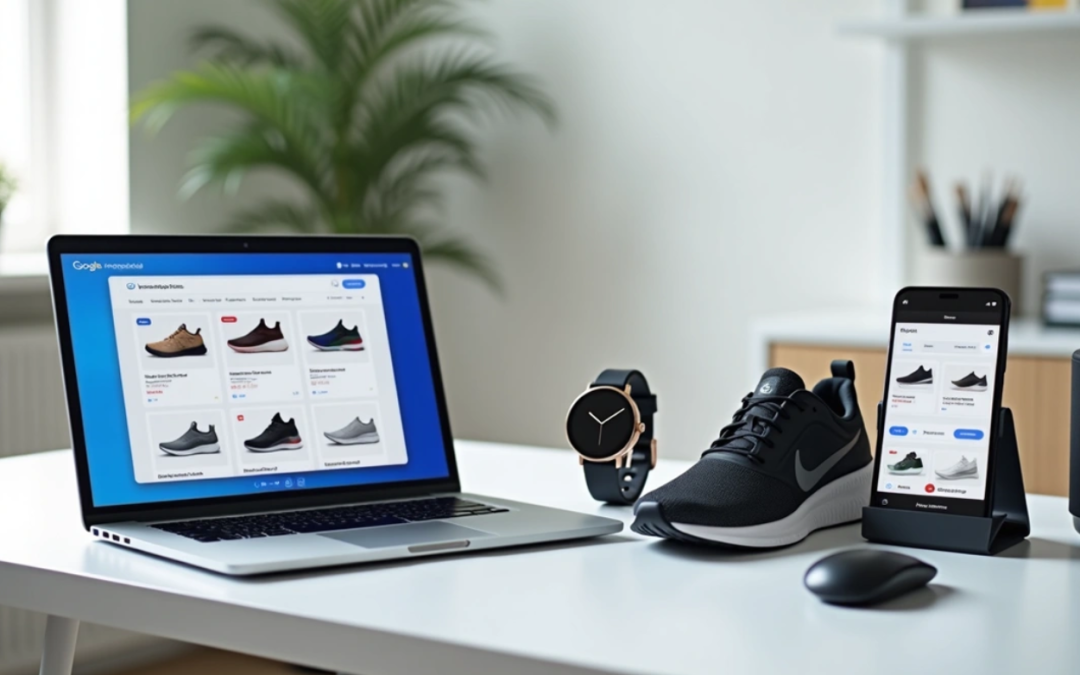
The numbers are striking – 80% of all Google Ads spend in ecommerce flows into google shopping ads optimization efforts.
Google Shopping Ads have become the cornerstone of online retail advertising. American retailers now direct 76% of their search ad budgets to this platform. The economics make perfect sense. Google Shopping ads cost $0.66 per click on average, which is substantially lower than standard search ads at $2.69 per click.
Shopping ads provide better overall value despite their conversion rate of 1.91% compared to the industry average of 2.81% for other formats. The Cost Per Action stands at $38.87, beating traditional search ads at $45.27. These eye-catching product displays appear right at the top of search results, capturing attention while customers actively search for products.
This piece offers a complete roadmap to our proven google shopping strategy. You’ll discover everything from the original setup to advanced optimization methods. The guide helps you structure google shopping campaigns, implement optimization best practices, and become skilled at managing google shopping ads to maximize ROI. Our expert tips will help transform browsers into buyers, whether you’re new to the platform or improving your current strategy.
Understanding Google Shopping Ads
Google Shopping Ads have changed the way retailers showcase their products online. These product-focused ads show visual representations to consumers who search for specific items, unlike traditional advertising methods.
Understanding Google Shopping Ads
What makes Shopping Ads different from text ads
Shopping Ads and text ads have a basic difference in how they look and target customers. Text ads use only words to get their message across. Shopping Ads, however, show a complete visual package that has product images, titles, prices, store names, and sometimes extra details like star ratings or shipping information. Customers can see exactly what they want to buy, which creates an instant connection.
The way these ads target customers is also different. Text ads need advertisers to bid on specific keywords to trigger their ads. This gives them exact control over when ads show up. Shopping Ads work through product data feeds in Google Merchant Center instead. Google’s algorithm matches your products to user searches based on the product details you provide.
These differences give merchants several benefits:
- Higher engagement: Shopping Ads get up to 30% more clicks than regular text ads
- Pre-qualified traffic: Shoppers who click have already seen product details and are ready to buy
- Multiple visibility opportunities: Your products can show up multiple times in Shopping results, while text ads only show once per advertiser
- Cost efficiency: You’ll pay less per click with Shopping Ads than text ads
The campaign structure sets these ad types apart too. Both run through Google Ads, but need separate campaign setups. You’ll need specific strategies to optimize each format rather than just changing placements like other ad platforms.
Users who see both your Shopping Ads and text ads are 90% more likely to visit your website. This combination of ad formats gives retailers a powerful way to implement a detailed google shopping strategy.
Where Shopping Ads appear on Google
Shopping Ads show up in many places across Google’s ecosystem. Knowing these locations will help you optimize your google shopping campaigns.
Shopping Ads appear most often next to Google search results. Users who search for products see these ads in a carousel at the top of the page. Some searches might show them in the Knowledge Panel on the right side.
Shopping Ads also appear in these valuable spots:
- The Google Shopping tab: Paid Shopping Ads show at the top, with free product listings below. Shoppers use this tab for product-specific searches, making it perfect for reaching people ready to buy.
- Google Images: A carousel at the top shows Shopping Ads, which may also blend into the image listings. This helps reach shoppers who prefer visual searches.
- Google Search Partner websites: Your ads can show up on other search results pages through Google’s partner network.
- Google Display Network: Your ads appear in standard display spots and next to YouTube videos.
- Gmail: Products show up in the Promotions or Social tabs.
- Google Discover: Mobile users see your products in this curated feed on Android devices, the Google app, and mobile Google.com.
- Maps: Products appear through Local Inventory Ads integration.
Some places, like Google Search Partners and the Display Network, show only paid listings instead of free organic product listings.
These multiple touchpoints make Shopping Ads essential for retailers who want to maximize their product visibility. The right shopping ads optimization across these spots ensures your products reach potential customers wherever they browse.
How Google Shopping Ads Work
Unlike regular ads that work with keywords, Google Shopping ads work differently. These ads run on product data and let shoppers see exactly what they want to buy before they click.
How product data triggers ads
Google Shopping ads work in a unique way compared to text ads. Your product data, not keywords, tells Google when to show your ads. This creates a natural link between what shoppers look for and your products.
The system works like this: A customer types in what they want, and Google’s system looks at your product details to find matches. The system looks at:
- Product titles and descriptions
- Product categories
- Price points
- Brand information
- Product identifiers (GTINs, MPNs)
- Image quality
- Availability status
The quality of your product data affects how well your Google shopping ads work. A good product description does more than meet requirements – it helps Google match your items with the right searches. That’s why businesses that spend time improving their product feeds usually get better results.
Better product details can make a big difference. Adding GTINs (barcodes) helps Google sort your products better. This could help your items show up in premium spots like “Top” or “Best” search results.
Each detail in your feed tells Google which searches should show your ads. Based on what people search for and how they behave, the system shows them the most relevant products from your high-quality feed.
Role of Google Merchant Center and Google Ads
Shopping ads need two platforms that work together: Google Merchant Center and Google Ads.
Google Merchant Center is the backbone of your Shopping ads plan. This free tool helps store owners upload and handle product details that power ads across Google. Think of it as your product information hub – it stores everything from pictures and prices to shipping details and stock levels.
Google Merchant Center does several important things:
- Stores your complete product catalog data
- Makes sure your product details meet Google’s rules
- Checks if you follow policies and spots technical issues
- Links your data to Google Ads
Google Ads handles the advertising side of things. After you connect your Merchant Center account, you can start Shopping or Performance Max campaigns with your product list. This link lets you:
- Set campaign budgets and bidding strategies
- Create ad groups and product groups
- Handle targeting options
- Track how well ads perform
- Make campaigns work better for ROI
You need both platforms working together. Your Google Ads account must connect to Merchant Center before running Shopping campaigns. This connection gives Google Ads access to your product details and creates ads that update when you change your feed.
Performance Max campaigns use this connection with Google’s AI to find customers. The system reviews your campaign settings, including budget and product feed, then works to meet your goals. This automatic process makes managing Google shopping ads easier and often brings better results.
To sum up, Merchant Center provides product information for your ads, while Google Ads gives you tools to run and improve campaigns. Together, they help connect your products with millions of potential buyers across Google’s network.
Setting Up Your Product Feed
A well-laid-out product feed is the foundation of successful Google Shopping campaigns. This digital catalog has all the vital information Google needs to match your products with relevant search queries and display them appropriately.
Setting Up Your Product Feed
Required product attributes
Your product feed must include several mandatory attributes to pass Google’s validation. Google’s product data specification lists these vital elements:
- ID: A unique identifier for each product (≤50 characters) that stays the same across updates
- Title: Descriptive product name (≤150 characters) that shows exactly what you’re selling
- Description: Detailed product information without promotional text (≤5000 characters)
- Link: URL that leads to the product’s landing page on your verified domain
- Image_link: URL to your product’s main image that meets Google’s quality guidelines
- Price: Accurate product price with appropriate currency code
- Availability: Current stock status (in stock, out of stock, or preorder)
- Brand: Manufacturer or brand name (required for most new products)
- GTIN/MPN: Product identifiers such as barcodes or manufacturer part numbers
Retailers who add correct GTINs to their product data see a 20% increase in clicks on average. Plus, adding optional attributes like product_type and google_product_category (at least 2-3 levels deep) can improve your google shopping ads optimization results.
Using Google Sheets or feed management tools
You’ll need a way to send your product information to Google Merchant Center. Here are two main options:
Google Sheets Method: This simple option lets you maintain a spreadsheet with your product data. Here’s how to set it up:
- Go to Products > Add Products in Merchant Center
- Select “Use a Google Sheets Template”
- Fill in the template with your product details
- Set a syncing schedule (default is every 24 hours)
This method works best for smaller inventories or businesses new to shopping ads optimization.
Larger catalogs or complex needs benefit from feed management tools that offer:
- Automated feed creation from various sources including eCommerce platforms
- Data transformation features to extract information (like color from descriptions) or generate missing attributes
- Error detection before submission to Google Merchant Center
- Regular updates multiple times daily to keep pricing and availability accurate
These platforms are a great way to get a detailed google shopping strategy by testing product titles—which has shown to increase ROAS by 25% in just 30 days.
Common feed errors to avoid
Small feed issues can derail your google shopping ads management efforts. Google’s data shows these common problems:
Critical errors that stop products from showing:
- Missing required attributes
- Invalid product URLs (especially with incorrect domains)
- Price mismatches between feed and landing page
- Website claimed in Merchant Center not matching product URLs
Data quality issues that hurt performance:
- Product titles missing key information
- Missing GTINs available from manufacturers
- Promotional text in titles or descriptions
- Poor image quality or promotional overlays on images
Data validation before submission is crucial. About 87% of retailers face feed issues that affect their campaign performance.
Regular feed audits, pre-submission validation tools, and product information updates every 30 days help maintain active status in Google Merchant Center and prevent these issues.
Creating a Google Shopping Campaign
You need to set up your Google Shopping campaign after preparing your product feed. The campaign structure you choose will shape how you connect with potential customers.
Linking Merchant Center with Google Ads
You must connect your Google Merchant Center and Google Ads accounts before you launch any Shopping campaign. This link lets your ads access product information from Merchant Center.
The standard linking process needs two steps:
- Send a link request from your Merchant Center account to your Google Ads account
- Approve the request in your Google Ads account
Administrators with access to both accounts can skip the invitation step and create a direct link. This optimized process saves time. Users without proper permissions need to use the standard invitation process.
The link gives Google Ads access to your product data. Your Shopping ads update on their own when you change your feed. This connection builds the base for all future campaign work.
Choosing campaign goals and types
The next step is picking the right campaign goals after you make the connection. Google gives you three main goals for Shopping campaigns:
- Sales: Works best to drive online conversions, in-app sales, phone calls, or in-store visits
- Leads: Great for getting potential customers to sign up for newsletters or share contact details
- Website traffic: Helps bring more visitors to your website
You’ll then pick between two campaign types based on your google shopping strategy:
- Standard Shopping campaigns: Give you more control over campaign structure and detailed performance data
- Performance Max campaigns: Use Google’s AI to optimize results based on your budget and product feed
Your choice depends on whether you prefer automation or manual control. Standard Shopping campaigns need more hands-on work but show you more about how they perform.
Setting up ad groups and product groups
Creating ad groups comes next after picking your campaign type. These are collections of related advertising assets that match what people search for.
Ad groups help you:
- Set bid adjustments
- Add negative keywords
- Organize products
You’ll create product groups inside each ad group to sort your inventory. These groups control which items show up in Shopping ads and let you set specific bids for different products.
The system creates an “All products” group first. It uses the max CPC bid you set when making the ad group. To manage google shopping ads well, you should split this group by:
- Google product category
- Product type
- Brand
- Condition
- ID
- Custom labels 0-4
Each product can only appear in one biddable product group per ad group with this split. Most retailers find that product groups work best when they represent about 10-20% of total products. This balance gives you good control without getting too complex.
Your top products deserve their own ad groups for better google shopping ads optimization. This keeps their data separate from other similar items and helps you make smarter bidding choices based on real performance.
Optimizing Product Data for Better Performance
Your product data’s quality directly affects your Shopping Ads performance. A well-optimized product feed will boost visibility and conversion rates, not just help with compliance.
Writing effective product titles
Product titles are the life-blood of google shopping ads optimization. Research reveals that 81% of top-performing advertisers use different titles in their product feeds compared to their product pages. This customization helps them capture more relevant search traffic.
These title optimization strategies work best:
Your titles should be 75-100 characters long. Put your most important keywords at the start. This placement keeps vital information visible even when search results cut off longer titles.
The data shows that 97% of top advertisers use capital letters and numbers instead of spelling them out. Their titles also use symbols like pipes (|), dashes (–), or commas to make information easier to read.
Add your brand name like 44% of top advertisers do. You might want to include the product’s SKU if people often search for it – 16% of top performers do this. This helps match your products with specific searches from ready-to-buy customers.
Improving product descriptions
Good descriptions give Google vital context about your products. Google allows 1-5000 characters, but 500-1000 characters work best.
The first 160-500 characters matter most because they show up in Shopping ads and free listings. Pack your key features, materials, and special attributes into this opening section.
Keep your language professional. Avoid promotional text, all-caps for emphasis, or foreign characters that might trigger spam filters. Add relevant keywords that shoppers might use to find products like yours, especially ones that didn’t fit in your title.
Your descriptions should match your website content. This builds trust with potential customers and helps your SEO efforts.
Using high-quality images
Great visuals in Shopping ads lead to more clicks and sales. Multiple high-quality images relate strongly to better performance.
Google likes images larger than 1024 pixels, though 800 x 800 pixels will do. Your main product shot needs a clear view against a white or neutral background. The product should fill 75-90% of the frame.
The additional_image_link attribute lets you add up to 10 extra product images showing different angles or uses. This detailed visual showcase helps buyers understand exactly what they’re getting.
Watch out for these common image mistakes:
- Promotional overlays, logos, or text
- Collages of multiple images
- Borders around your products
- Multiple variants in one shot
Adding GTINs and other identifiers
Unique Product Identifiers (UPIs) will give your performance a substantial boost. They help Google match your products with search queries accurately. These include Global Trade Item Numbers (GTINs), Manufacturer Part Numbers (MPNs), and brand names.
The numbers speak for themselves. Retailers who add correct GTINs see up to 20% more conversions. Products with GTINs get up to 40% more clicks than those without them.
GTINs come in different formats based on your region and product type:
- UPC (North America/GTIN-12): 12-digit numbers
- EAN (Europe/GTIN-13): 13-digit numbers
- JAN (Japan/GTIN-13): 8 or 13-digit numbers
- ISBN (books): 13-digit numbers
- ITF-14 (multipacks/GTIN-14): 14-digit numbers
Products without GTINs (like custom or handmade items) need your store name as the brand attribute with a unique MPN you create.
These optimization techniques are the foundations of successful google shopping ads management. Each part – from well-crafted titles to proper identifiers – works together to boost your visibility and bring qualified traffic to your products.
Advanced Campaign Structuring Techniques
Once you’ve learned the simple concepts, structuring campaigns strategically becomes your hidden advantage to maximize return on ad spend. These advanced techniques will lift your Google Shopping ads optimization above competitors and target specific customer segments better.
Using campaign priority levels
Campaign priority settings—low, medium, and high—decide which campaign enters the auction when similar products appear in multiple campaigns. This feature doesn’t affect search relevance but gives you exact control over which products and bids come first.
A high priority campaign will always come first in the auction, whatever the bid amount. Google changes to medium priority campaigns after a high priority campaign uses up its budget, then moves to low priority options.
The quickest way to optimize your Google Shopping strategy is to create a tiered approach with these settings:
- High priority + low bids: Works best to capture broad, upper-funnel searches economically
- Medium priority: Best fits branded queries from comparison shoppers
- Low priority: Save this for high-intent, bottom-funnel searches with aggressive bidding
Query sculpting with negative keywords
Martin Roettgerding pioneered query sculpting in 2014, which makes precise control possible over which campaigns respond to specific search queries. This technique uses negative keywords with campaign priorities to direct traffic strategically.
Start by creating three shopping campaigns with similar products and a shared budget:
- Low-intent campaign (high priority, low bids)
- Branded campaign (medium priority, higher bids)
- High-intent campaign (low priority, highest bids)
Next, add negative keywords to each campaign:
- Low-intent: Leave out branded terms and specific product identifiers
- Branded: Leave out unbranded search terms
- High-intent: Leave out branded terms and low purchase intent queries
This approach helps allocate your budget efficiently—you bid conservatively on generic queries while putting more money into high-converting specific searches.
Custom labels for margin-based bidding
Custom labels are powerful tools that many advertisers overlook when refining their Google Shopping ads management. You can set up to five custom labels (numbered 0-4) to group products based on criteria you choose.
Margin-based bidding through custom labels produces remarkable results. A case study revealed that using margin-based custom labels led to a 96% ROAS increase and 602% revenue growth.
Here’s how to implement this approach:
- Combine your main data feed with margin information
- Set up custom label rules based on margin ranges
- Split campaigns according to these rules
Products with higher margins deserve more aggressive bidding—to name just one example, you might bid more on products with 70% margins compared to those with 20%. This strategy focuses on maximizing profitability rather than just pursuing conversions.
Custom labels can also group products by seasonality, bestseller status, price points, or any other business-relevant trait. Customers never see these labels, but they give you amazing flexibility to optimize your shopping campaigns for peak performance.
Expert Tips to Maximize ROI
Shopping campaigns with perfect structure can still drain your budget without proper optimization. Yes, it is surprising that most merchants only make money on 20% of their products, while the remaining 80% actually cost them money.
Exclude unprofitable products
Your ROI will increase significantly when you identify and remove underperforming products. The focus should be on eliminating two types of products that lose money:
- Products that get many clicks but no conversions
- Items that convert but have unsustainably high CPAs
Regular performance reviews help identify these budget-draining products. Schedule monthly or quarterly audits to track key metrics and set clear thresholds that trigger product exclusion. Your Shopping campaigns stay “clean” when you remove unprofitable products, which prevents campaign view clutter from underperforming product groups.
Use lifestyle and multiple images
Standard product images work well, but adding lifestyle photos can improve engagement dramatically. The lifestyle_image_link attribute lets you show products in real-life settings—like clothing on models or furniture arranged in rooms. Customers can better picture products in their own lives, which creates stronger emotional connections.
Products perform better with multiple images through the additional_image_link attribute, which allows up to 10 extra product angles. The numbers prove it: products with multiple images see a 76% increase in impressions and 32% more clicks. Shoppers make more confident buying decisions because these extra visuals give them a complete view of their purchase.
Combine Shopping with Performance Max
Retailers can achieve impressive results by combining traditional Shopping campaigns with Performance Max. The switch from Standard Shopping to Performance Max campaigns has led to a 25% increase in conversion value at similar return on ad spend.
Performance Max uses Google’s AI capabilities to optimize across channels with unified budgets. Campaigns that add video assets among other creative elements see a 12% increase in total conversions.
Here’s how to make this approach work:
- Help Google AI learn and optimize faster by combining your campaign structure where possible
- Let Performance Max serve across more eligible inventory by adding various text, image, and video assets
- Create separate Performance Max campaigns for seasonal products, high-margin items, or special promotions
Performance Max works best when you feed it complete data, which makes your product feed quality vital for success.
Tracking Performance and Making Improvements
Your long-term Google Shopping success depends on continuous monitoring and data analysis. You need to track performance to spot optimization opportunities and fix problems before they hurt your profits.
Using Google Ads analytics
Google Ads comes with reliable reporting tools built specifically for Shopping campaigns. The Product Groups page shows complete metrics like impressions, clickthrough rates, conversion data, and measurement statistics. The “Comparison View” feature helps you assess how different campaigns or time periods match up against each other.
You can improve your tracking by setting up dynamic tracking URLs with the ads_redirect attribute in your product data. On top of that, it helps to use ValueTrack parameters with third-party tracking software to get better performance insights. Note that you can set tracking templates at multiple levels—account, campaign, ad group, and product group.
Monitoring product-level performance
The Products page lets you understand how individual products perform through customizable columns that show impressions, clicks, cost-per-click, and conversion metrics. Regular reviews of key performance indicators like conversion rate, cost per action (CPA), and return on ad spend (ROAS) are a great way to get detailed insights.
Let’s take a closer look at performance at the product level to spot your winners and losers. A geographical analysis shows which regions respond well to your ads, helping you spend your budget more effectively. Time-based analysis often reveals performance patterns that can help optimize your ad scheduling.
Fixing disapprovals and feed issues
Shopping ads policy violations or feed issues usually cause product disapprovals. The Diagnostics page in Google Merchant Center helps identify affected products when problems occur. Wrong price and availability information, missing required attributes, invalid images, and improper categorization are common errors.
You can ask for a review of disapproved products right from your Merchant Center account. Corrections typically show up within 24 hours, while product approval takes 1-3 business days. Regular feed updates that reflect inventory changes, pricing adjustments, and new product additions help prevent these issues.
Conclusion
Google Shopping Ads have changed the ecommerce advertising world. This piece covers everything from simple setup to advanced optimization techniques that can boost your ROI. The data tells the story – Shopping Ads cost less per click than standard search ads and appear at the top of search results. They give online retailers exceptional value.
Three elements drive success with Google Shopping Ads. Your product feed quality affects campaign results directly. A solid foundation comes from well-crafted titles, detailed descriptions, high-quality images, and proper product identifiers like GTINs. Strategic campaign structuring with priority levels, query sculpting, and custom labels lets you control your advertising budget precisely. Regular monitoring and optimization drive long-term profits.
Profitable Google Shopping Ads need discipline to manage. You might think twice about excluding underperforming products, but this stops the budget drain from all but one of these items that don’t make money. Your results can improve when you combine traditional Shopping campaigns with Performance Max campaigns, especially if you give Google’s AI complete creative assets.
Setting up and generating sales takes time and attention to detail. Once you learn the basics outlined here, you’ll understand why retailers now put over 75% of their search ad budgets into Google Shopping Ads. Your products appear right when potential customers search, which brings qualified traffic and increases conversions.
Start with a well-laid-out product feed. Add advanced techniques as you gain experience. Soon you’ll turn browsers into loyal customers while you retain control of advertising costs. Google Shopping Ads aren’t just another channel – they’re vital to ecommerce success in today’s competitive digital world.
FAQs
Q1. How can I improve the performance of my Google Shopping ads? To optimize Google Shopping ads, focus on improving your product feed quality with accurate titles, descriptions, and high-quality images. Use strategic campaign structuring, implement negative keywords, and regularly monitor performance to exclude unprofitable products. Consider combining traditional Shopping campaigns with Performance Max for better results.
Q2. What’s the best way to structure Google Shopping campaigns for maximum effectiveness? Implement a tiered approach using campaign priority levels. Use high priority with low bids for broad searches, medium priority for branded queries, and low priority with high bids for specific, high-intent searches. Utilize query sculpting with negative keywords to direct traffic strategically and implement custom labels for margin-based bidding.
Q3. How important is the product feed in Google Shopping ads optimization? The product feed is crucial for Google Shopping ads success. Well-optimized product titles, detailed descriptions, high-quality images, and correct product identifiers like GTINs significantly impact ad performance. Regular feed updates and audits are essential to maintain accuracy and comply with Google’s requirements.
Q4. What’s the recommended budget for starting with Google Shopping ads? While budgets can vary based on business size and goals, many small businesses can start with $500 to $1000 per month. This allows for adequate keyword testing and traffic generation. As you gather data and optimize campaigns, you can adjust your budget accordingly.
Q5. How can I track and improve the performance of my Google Shopping campaigns? Use Google Ads analytics to monitor key metrics like impressions, click-through rates, and conversion data. Regularly review product-level performance to identify top and underperforming items. Implement dynamic tracking URLs for deeper insights. Address product disapprovals and feed issues promptly to maintain campaign health.

by yestupa | Dec 15, 2025 | Google Ads
Google Ads can be one of the fastest ways for a local business to reach nearby customers who are ready to call, visit, book, or buy.
But local Google Ads in 2026 is no longer just about running a few “near me” keywords with a small radius around your shop. Google now gives local businesses several advertising paths: Search campaigns, Local Services Ads, Performance Max for store goals, location assets, call assets, and conversion tracking for local actions such as calls, directions, website visits, and store visits.
That gives local businesses more opportunity. It also creates more ways to waste budget if the setup is too broad, tracking is weak, or Google is optimizing toward the wrong action.
This guide explains how Google Ads works for local businesses, which campaign types to use, how to set up location targeting, how to write local ad copy, how to connect your Google Business Profile, and how to track the actions that actually matter: phone calls, bookings, direction requests, store visits, and offline sales.
Why Google Ads Works for Local Businesses
Local businesses have one major advantage in Google Ads: search intent.
When someone searches plumber near me, emergency dentist open now, tax accountant in Austin, pizza delivery nearby, or HVAC repair today, they are not casually browsing. They have a problem, a location, and a high likelihood of taking action soon.
Google Ads helps local businesses appear at that decision moment.
For a local business, that can mean:
· More phone calls
· More appointment bookings
· More store visits
· More direction requests
· More quote requests
· More local service leads
· More foot traffic
· More offline sales
Traditional advertising often pays for reach. Google Ads can pay for intent.
That matters for small businesses with limited budgets. A local roofing company, dental clinic, fitness studio, florist, locksmith, or restaurant usually cannot afford to waste spend on people outside the service area or people who are not ready to act.
Google Ads works best when your campaign answers three questions clearly:
· Who is close enough to become a customer?
· What are they searching for right now?
· Which action should Google optimize for?
The Main Google Ads Options for Local Businesses
Local businesses should not treat all Google Ads products the same. Each one serves a different job.
Search Campaigns
Search campaigns show text ads when users search on Google.
They work well for high-intent local searches such as:
· emergency plumber near me
· dentist in Chicago
· family lawyer in Phoenix
· bookkeeping services in Miami
· same day appliance repair
· best Thai restaurant near me
· HVAC repair open now
Search campaigns are usually the best starting point when people already search for your service.
Use Search campaigns when:
· Search intent is clear
· You want keyword-level control
· You need tight location targeting
· Your service has urgent demand
· Calls and forms are important
· You want to separate brand and non-brand traffic
Search campaigns give more control than Performance Max, especially for smaller local advertisers.
Local Services Ads
Local Services Ads are a separate Google product for eligible local service businesses. They can appear prominently in Search results and generate leads directly through phone calls, messages, or bookings. Google says businesses can receive leads from phone calls and messages, reply to messages, track bookings, and manage leads online.
LSAs are different from traditional Search campaigns.
Search campaigns usually charge per click.
Local Services Ads charge for leads related to the business and services offered, according to Google’s LSA documentation.
LSAs can be a strong fit for:
· Plumbers
· Electricians
· HVAC companies
· Locksmiths
· Lawyers
· Real estate agents
· Cleaning services
· Pest control
· Moving companies
· Garage door services
· Some healthcare, wellness, care, education, beauty, and automotive services depending on eligibility
Use LSAs when:
· Your industry is eligible
· Phone calls or booking requests are the main conversion
· You can respond quickly to leads
· Reviews and verification are strong
· You want visibility above standard Search ads
Do not treat LSAs as a replacement for Search campaigns in every case. They are lead-focused, but they offer less keyword and landing page control.
Performance Max for Store Goals
Performance Max for store goals is designed for businesses that want to drive offline outcomes such as store visits, store sales, direction clicks, and call clicks.
Google says Performance Max for store goals can promote store locations across Search, Maps, Waze, YouTube, Gmail, Display, Business Profiles, and other Google properties.
To run this type of campaign, you need to define the store locations you want to promote by linking a Business Profile or selecting affiliate locations. Google uses the provided store locations, budget, and assets to optimize toward in-store value and local conversions.
Use Performance Max for store goals when:
· You have physical locations
· Store visits matter
· Direction requests matter
· You have enough budget for broader inventory
· You have strong creative assets
· You can track local actions or store visits
· You want reach across Search, Maps, YouTube, Display, Gmail, and Waze
Be careful when using it for very small budgets or businesses that need strict keyword-level control. Performance Max can work well, but it needs strong tracking and clear offline goals.
Google Business Profile and Location Assets
Your Google Business Profile is one of the most important pieces of a local Google Ads setup.
When connected to Google Ads through location assets, your ads can show your store address, a map, approximate travel distance, and other location information. Google also explains that location assets can enable store visit conversions when an account meets eligibility criteria.
Location assets can display:
· Distance to the business
· City or street address
· Clickable call button
· Directions
· Business hours
· Photos
· Location details
Google’s documentation also says location assets can work with Performance Max campaigns.
For local businesses, this connection is essential.
Start With the Right Campaign Structure
The right structure depends on the business model.
Single-Location Storefront Business
Examples:
· Restaurant
· Salon
· Dental clinic
· Gym
· Florist
· Boutique
· Auto repair shop
Recommended structure:
· Search campaign for high-intent local keywords
· Performance Max for store goals if foot traffic matters
· Connected Google Business Profile
· Location assets
· Call assets during business hours
· Direction clicks and store visits where eligible
· Local Services Ads if the category is eligible
Main goal:
· Calls, bookings, directions, visits, and in-store sales
Service-Area Business
Examples:
· Plumber
· Electrician
· HVAC company
· Roofing company
· Pest control
· Cleaning company
· Moving company
Recommended structure:
· Search campaign by service category
· Separate emergency services where relevant
· Location targeting by service area
· Strong negative keywords
· Local Services Ads if eligible
· Call tracking
· Booking or lead form tracking
· Offline conversion import for booked jobs and closed revenue
Main goal:
· Qualified calls, booked jobs, and revenue per lead
Multi-Location Business
Examples:
· Clinic group
· Restaurant chain
· Fitness chain
· Retail store group
· Franchise business
Recommended structure:
· Campaigns by market or region
· Location groups or location assets
· Performance Max for store goals
· Search campaigns for high-intent service terms
· Location-specific landing pages
· Store visits or store sales where eligible
· Separate reporting by location
Main goal:
· Location-level performance, store visits, calls, and offline revenue
Professional Service Business
Examples:
· CPA firm
· Law firm
· Real estate agency
· Financial advisor
· Insurance agency
· Medical practice
Recommended structure:
· Search campaign for high-intent service keywords
· Local Services Ads if eligible
· Location assets
· Call and form tracking
· CRM import for qualified leads
· Campaigns separated by practice area or service line
Main goal:
· Qualified consultation requests, not just cheap leads
Connect Your Google Business Profile
Connecting your Google Business Profile helps Google Ads show your business information in ads and local placements.
It also improves the quality of your local ad experience because searchers can quickly see who you are, where you are, whether you are open, and how to contact you.
Why It Matters
A connected Business Profile can support:
· Location assets
· Store location details in ads
· Direction requests
· Call clicks
· Business hours visibility
· Store visit measurement where eligible
· Performance Max for store goals
· Better trust in local search results
Google says location assets help ads display store address, map details, and distance to help people find stores.
What to Check Before Linking
Before connecting your profile, make sure:
· Business name is accurate
· Address is correct
· Phone number works
· Business hours are current
· Website URL is correct
· Primary category is accurate
· Service areas are correct
· Photos are recent
· Reviews are monitored
· Products or services are updated
· Duplicate profiles are resolved
Weak or outdated Business Profile data can hurt ad trust and user experience.
How to Use Location Assets
Google Ads now uses assets rather than extensions.
Set up location assets through the Assets section in Google Ads. Google’s setup documentation explains that advertisers can add chain store locations directly or link to a Business Profile when relevant.
For most local businesses that own their locations, linking a Business Profile is the natural path.
For manufacturers or brands selling through stores they do not own, affiliate location assets may be more relevant.
Set Location Targeting Carefully
Location targeting is where many local businesses waste money.
A small local campaign can fail quickly if ads show to people outside the service area, people researching from another city, or users who are only interested in the location but not physically there.
Use Presence Targeting for Most Local Campaigns
For most local businesses, the safest setting is to target people who are in or regularly in your targeted locations.
Avoid broad location settings that include people who are only interested in your location unless your business has a reason to target travelers, tourists, relocators, or remote customers.
Examples:
· A local plumber should usually target people physically in the service area
· A hotel may want people interested in the city, even if they are searching from elsewhere
· A moving company may want users researching a destination city
· A tourism business may target people planning a visit
Location settings should match buyer behavior.
Radius Targeting
Radius targeting is useful when distance from the business strongly affects conversion likelihood.
Examples:
· Restaurant within 3 to 5 miles
· Gym within 5 to 10 miles
· Emergency plumber within a service radius
· Dental clinic within nearby suburbs
· Florist delivery zone
· Auto repair shop within driving distance
Start with a realistic service radius, then adjust using conversion data.
Do not assume everyone in a 20-mile radius is equally valuable.
Zip Code or Postal Code Targeting
Zip code targeting can be better when your best customers cluster in specific areas.
Use it when:
· Some neighborhoods convert better
· Certain income areas matter
· Service availability differs by zone
· You want to exclude low-quality areas
· Local competition varies by zip code
PPC Hero’s 2026 local Google Ads guide recommends moving beyond a simple radius and using layered geographic logic based on actual performance, such as core zones, high-value zip codes, and areas with weak conversion rates.
Exclude Locations Proactively
Add exclusions for:
· Areas you do not serve
· Cities with poor lead quality
· Regions outside your license coverage
· Locations with high cost and low conversion
· Competitor-heavy areas you cannot win profitably
· Places where shipping, delivery, or service is unavailable
Location exclusions can be just as important as location targets.
Segment by Market When Needed
For larger local accounts, avoid one campaign covering too many different locations.
Separate campaigns by:
· City
· Service area
· Store group
· Franchise territory
· High-value region
· Low-value region
· Different service availability
This makes budgets, bids, ad copy, and landing pages easier to manage.
Build Local Keyword Strategy Around Intent
Local keywords should reflect how people search when they are ready to act.
High-Intent Local Keywords
Examples:
· plumber near me
· emergency electrician open now
· dentist in Austin
· tax accountant near me
· same day appliance repair
· roof repair in Denver
· book haircut today
· best pizza near me
· urgent care near me
· HVAC repair today
These keywords are valuable because they combine service, location, and urgency.
Service Plus City Keywords
Examples:
· family dentist in Chicago
· CPA firm in Miami
· personal injury lawyer in Phoenix
· dog groomer in Seattle
· pest control in Dallas
· wedding florist in Boston
These are strong for Search campaigns and location pages.
Emergency Keywords
Examples:
· emergency plumber
· 24 hour locksmith
· urgent dental care
· emergency HVAC repair
· same day garage door repair
Emergency keywords often have high CPCs but strong intent. Use call assets and strong scheduling.
Near Me Keywords
Near me searches are important, but do not rely on them alone.
Google often understands local intent even when the user does not type near me.
Use a mix of:
· service near me
· service in city
· service open now
· service today
· service for specific problem
· service by neighborhood
Negative Keywords for Local Campaigns
Negative keywords protect local budgets.
Common negative categories:
· Jobs
· Careers
· Salary
· Training
· DIY
· Free
· Template
· Definition
· Course
· Wholesale if irrelevant
· Used if irrelevant
· Out-of-area cities
· Competitor names if not intentionally targeted
· Informational searches with poor conversion
For local services, search term reviews should happen often because small budgets cannot absorb repeated wasted clicks.
Write Local Ad Copy That Filters and Converts
Good local ad copy should do two jobs:
· Attract the right customer
· Filter out the wrong customer
Include Location Signals
Use:
· City name
· Neighborhood name
· Service area
· Nearby landmarks
· Locally owned language
· Same-day availability
· Open now or weekend availability if true
Examples:
· Emergency Plumber in Denver
· Same-Day HVAC Repair in Austin
· Family Dentist Near Lincoln Park
· Local CPA Firm Serving Miami Businesses
· Book a Brooklyn Hair Appointment Today
Match the Urgency
Different searches need different language.
Emergency search:
· Call Now
· Same-Day Service
· 24 Hour Support
· Fast Local Response
Research search:
· Compare Options
· Get a Free Estimate
· Speak With a Local Expert
· See Services and Pricing
Booking search:
· Book Online Today
· Schedule Your Appointment
· Reserve a Table
· Request a Quote
Use Proof
Local searchers need trust quickly.
Add proof where possible:
· Licensed and insured
· Locally owned
· 4.8-star rating
· Same-day appointments
· Serving city for 20 years
· No call-out fee
· Free estimate
· Certified technicians
· Family-owned practice
Only use claims that are accurate and allowed by policy.
Avoid Generic Copy
Weak local ad copy:
· Quality Services at Great Prices
· We Are the Best
· Contact Us Today
· Professional Local Experts
Stronger copy:
· Same-Day AC Repair in Tampa
· Licensed Techs, Upfront Pricing
· Call Before 5 PM for Today’s Service
· Book Online or Call Now
Specificity improves both click quality and conversion rate.
Use the Right Assets
Assets increase ad visibility and give users more ways to act.
Location Assets
Use location assets to show address, map, distance, and location details. Google says location assets can show a store address, map, approximate travel distance, and clickable location details.
Useful for:
· Retail stores
· Restaurants
· Clinics
· Salons
· Gyms
· Auto repair shops
· Multi-location businesses
Call Assets
Call assets make it easier for mobile users to call directly from the ad.
Use them when:
· Calls are valuable
· Someone answers during business hours
· The business can handle call volume
· Call tracking is configured
· You can filter short or low-quality calls
Schedule call assets only when calls can be answered.
Missed calls can waste spend and hurt lead quality.
Sitelink Assets
Use sitelinks to send users to useful pages.
Examples:
· Book Appointment
· Get a Quote
· Services
· Pricing
· Reviews
· Locations
· Emergency Service
· Contact Us
For multi-location businesses, use location-specific sitelinks where relevant.
Callout Assets
Use callouts for short trust signals.
Examples:
· Same-Day Service
· Free Estimates
· Licensed and Insured
· Open 7 Days
· Locally Owned
· No Hidden Fees
· Emergency Support
· Walk-Ins Welcome
Structured Snippet Assets
Use structured snippets for service categories.
Examples:
· Services: HVAC Repair, AC Installation, Furnace Repair
· Treatments: Dental Cleaning, Implants, Whitening
· Types: Residential, Commercial, Emergency
· Neighborhoods: Downtown, West End, North Park
Promotion Assets
Use promotion assets for local offers.
Examples:
· First Visit Discount
· Seasonal Tune-Up Offer
· Free Consultation
· Weekend Special
· New Customer Offer
Make sure promotions match the landing page and are not misleading.
Track Calls, Directions, Store Visits, and Revenue
Local businesses often misread Google Ads performance because they track the wrong actions.
Clicks do not pay bills. Qualified calls, bookings, visits, and sales do.
Track Phone Calls
Track:
· Calls from ads
· Calls from landing pages
· Call duration
· Missed calls
· Repeat callers
· Booked calls
· Revenue from calls
A 10-second call is not the same as a booked job.
Use a minimum call duration threshold that reflects real intent. For some businesses, that may be 60 seconds. For others, it may be 90 seconds or longer.
Track Local Actions
Google’s local actions conversions measure actions such as call clicks and direction requests for physical stores.
Available local actions include:
· Directions
· Clicks to call
· Website visits
· Other engagements
Google says Directions can be used for bidding in Performance Max, Search, and Shopping campaigns, while Clicks to call are available for bidding only in Performance Max campaigns.
This distinction matters when choosing campaign goals.
Track Store Visits
If your business has physical locations and meets eligibility requirements, store visits can help you understand how ads influence offline visits.
Google explains that store visits help measure the full value of online ads by accounting for offline conversions and can be used to optimize for omnichannel performance.
Store visits are especially useful for:
· Retail
· Restaurants
· Auto dealerships
· Grocery stores
· Clinics
· Multi-location chains
· Gyms
· Local showrooms
Track Offline Sales and Qualified Leads
For service businesses, the real conversion often happens after the click or call.
Track:
· Qualified lead
· Booked appointment
· Completed job
· Closed sale
· Revenue
· Gross margin
· Customer lifetime value
Upload offline conversions when possible. This helps Google learn which clicks become real customers, not just which clicks become forms or calls.
For example:
· A law firm should not optimize only for form fills if many are unqualified
· A plumber should know which calls became booked jobs
· A dental clinic should know which bookings became attended appointments
· A contractor should know which leads became estimates and closed projects
Choose Primary Conversions Carefully
For local businesses, common primary conversions include:
· Qualified calls
· Appointment bookings
· Lead forms
· Direction requests for store-focused campaigns
· Store visits where eligible
· Offline sales or closed jobs when imported
Keep weaker actions as secondary:
· Page views
· Short calls
· Button clicks
· Very low-intent form starts
· Generic website visits
If Google optimizes toward weak conversions, it may bring more cheap leads and fewer real customers.
Landing Pages for Local Google Ads
A local ad should send users to a page that matches the search.
What a Strong Local Landing Page Includes
Add:
· Clear service headline
· City or service area
· Phone number above the fold
· Booking or quote CTA
· Reviews
· Business hours
· Address or service area
· Trust signals
· Photos of team or location
· Service details
· FAQs
· Pricing guidance where appropriate
· Map or location details for storefronts
· Mobile-friendly design
Match Page to Intent
Examples:
Emergency plumber search:
· Send to emergency plumbing landing page
· Show phone CTA immediately
· Mention same-day or 24-hour availability only if true
Dental implant search:
· Send to dental implant service page
· Include consultation CTA, proof, FAQs, and financing details if relevant
Restaurant near me search:
· Send to menu, reservation, or location page
· Show hours, directions, booking, photos, and reviews
Avoid Sending All Traffic to the Homepage
A homepage is often too general.
Use dedicated pages for:
· Service
· Location
· Emergency service
· Industry niche
· Product category
· Booking action
Better landing page relevance usually improves conversion rate and lead quality.
Budgeting for Local Google Ads
Local businesses should start with a budget that can generate enough data to make decisions.
A very small daily budget may work for low-CPC markets, but in competitive categories like legal, HVAC, plumbing, dental, or insurance, it may not generate enough clicks or calls to learn quickly.
Budget by Service Value
High-value services can support higher CPCs.
Examples:
· Emergency HVAC replacement
· Personal injury law
· Dental implants
· Roofing replacement
· High-ticket home services
· Accounting or legal retainers
Low-margin services need tighter controls.
Budget by Geography
Do not spread budget evenly across every area.
Allocate more budget to:
· High-converting zip codes
· Dense customer areas
· Regions with better average order value
· Areas with lower cost per booked job
· Locations with better reviews or capacity
Reduce budget in:
· Low-converting areas
· Areas outside the profitable service radius
· Areas with high CPC and low close rate
· Territories where scheduling capacity is limited
Budget by Time
Ad scheduling matters for local businesses.
Increase coverage when:
· Staff can answer calls
· Bookings are most likely
· Store is open
· Emergency service is available
· Historical conversion rate is strong
Reduce or pause when:
· Calls are missed
· Store is closed
· Leads cannot be handled
· After-hours lead quality is poor
For emergency businesses, after-hours may be valuable. For appointment-based businesses, unanswered calls can waste budget.
Common Mistakes Local Businesses Make With Google Ads
Mistake 1: Targeting Too Broadly
A local campaign should not target an entire state unless the business truly serves the entire state.
Tighter geography often improves budget efficiency.
Mistake 2: Using the Wrong Location Setting
Targeting people interested in your area can bring irrelevant clicks if the business only serves people physically nearby.
Most local businesses should review this setting carefully.
Mistake 3: Tracking Clicks Instead of Customers
Clicks, impressions, and CTR do not prove local growth.
Track calls, bookings, directions, store visits, qualified leads, and revenue.
Mistake 4: No Negative Keyword Strategy
Without negatives, local campaigns can spend on job seekers, DIY researchers, students, irrelevant services, or areas you do not serve.
Mistake 5: Sending Traffic to a Weak Homepage
A weak landing page can destroy campaign performance even when keywords and targeting are good.
Mistake 6: Ignoring Google Business Profile
For local businesses, Google Business Profile data should be accurate, active, and connected to ads through location assets where appropriate.
Mistake 7: Treating All Leads Equally
A cheap lead is not always a good lead.
Measure qualified lead rate, booked appointment rate, show-up rate, close rate, and revenue.
Mistake 8: Using Performance Max Without Controls
Performance Max for store goals can work well, but it needs location quality, clear goals, good assets, and measurement. Small local businesses should avoid launching it without conversion tracking and basic exclusions.
Recommended Setup by Business Type
Restaurant
Use:
· Search campaigns for near me, cuisine, and booking terms
· Location assets
· Promotion assets for offers
· Performance Max for store goals if foot traffic matters
· Direction clicks and store visits where eligible
Track:
· Calls
· Reservations
· Direction clicks
· Website menu visits
· Store visits
· Online orders
Dentist or Clinic
Use:
· Search campaigns by treatment
· Location assets
· Call assets
· Appointment landing pages
· Local Services Ads if eligible
· Separate campaigns for high-value treatments
Track:
· Calls
· Appointment requests
· Booked appointments
· Attended appointments
· Treatment revenue
Plumber, HVAC, Electrician, or Locksmith
Use:
· Search campaigns by service type
· Emergency campaign if relevant
· Local Services Ads if eligible
· Call assets
· Tight location targeting
· Strong negatives
· Call tracking and offline conversion import
Track:
· Qualified calls
· Booked jobs
· Completed jobs
· Revenue per job
· Missed calls
Local Retail Store
Use:
· Search campaigns for product and store terms
· Performance Max for store goals
· Location assets
· Promotion assets
· Local inventory or product feeds where relevant
Track:
· Direction clicks
· Store visits
· Calls
· Store sales where eligible
· Online purchases
· Product page visits
Professional Services
Use:
· Search campaigns by service line
· Local keywords
· Service landing pages
· Call and form tracking
· Local Services Ads if eligible
· CRM-based offline conversions
Track:
· Qualified leads
· Consultations booked
· Consultations attended
· Closed deals
· Revenue
A 30-Day Launch Plan for Local Google Ads
Days 1 to 3: Foundation
· Review Google Business Profile
· Confirm business hours, phone number, address, and service area
· Connect location assets
· Set up call tracking
· Set up form tracking
· Define primary conversions
· Build negative keyword lists
· Choose target locations
Days 4 to 7: Campaign Build
· Create Search campaigns by service category
· Build local keyword groups
· Write location-specific ads
· Add call, location, sitelink, callout, and structured snippet assets
· Build landing pages or choose the closest matching pages
· Set ad schedules
· Set location exclusions
Days 8 to 14: Early Monitoring
· Review search terms
· Add negative keywords
· Check call quality
· Check missed calls
· Review location performance
· Check landing page conversion rate
· Make sure tracking is recording correctly
Days 15 to 21: Optimization
· Shift budget to better locations
· Pause weak keywords
· Test new ad copy
· Improve landing page CTAs
· Adjust call asset schedule
· Add service-specific sitelinks
· Review mobile performance
Days 22 to 30: Lead Quality Review
· Match leads to booked jobs
· Review call recordings if available and compliant
· Check qualified lead rate
· Check close rate
· Calculate cost per booked job
· Calculate revenue per campaign
· Decide where to scale
Conclusion
Google Ads can work extremely well for local businesses, but the setup must be local from the ground up.
That means tight geography, accurate Business Profile data, local ad copy, strong assets, call tracking, direction tracking, store visit measurement where eligible, and a clear understanding of which campaign type fits the business.
Search campaigns are usually the best place to capture high-intent demand. Local Services Ads can be powerful for eligible service businesses that depend on calls, messages, and bookings. Performance Max for store goals can help physical locations drive foot traffic across Google’s broader inventory. Location assets connect the whole system to your real-world presence.
The winning metric is not clicks.
For local businesses, the metrics that matter are qualified calls, booked appointments, direction requests, store visits, closed jobs, and revenue.
Build your campaigns around those outcomes, and Google Ads becomes a growth channel rather than a local budget leak.
FAQs
How much should a local business spend on Google Ads?
It depends on the industry, location, competition, CPC, and value of a customer. Start with enough budget to generate meaningful clicks or calls, then optimize based on cost per qualified lead, cost per booked job, and revenue.
Should local businesses use Search campaigns or Performance Max?
Use Search campaigns when you need keyword control and high-intent lead generation. Use Performance Max for store goals when physical visits, local actions, and multi-channel store promotion matter. Google says Performance Max for store goals can optimize toward store visits, store sales, call clicks, and direction clicks across several Google properties.
Are Local Services Ads better than Google Search Ads?
They can be better for eligible service businesses that rely on calls, messages, and bookings. Local Services Ads use a lead-based model and can appear prominently in Search results. Search campaigns still offer more keyword, landing page, and bidding control.
Why should I connect Google Business Profile to Google Ads?
Connecting Google Business Profile through location assets helps ads show local business information such as address, map, distance, phone number, and directions. It can also support local actions and store visit measurement where eligible.
What conversions should local businesses track?
Track calls, form submissions, bookings, direction requests, store visits, offline sales, qualified leads, and closed jobs. Keep weak actions such as page views or short calls as secondary signals.
What is a local action conversion?
A local action conversion measures a local engagement such as a call click, direction request, website visit, or other interaction connected to a physical store. Google says local actions help advertisers understand which campaigns, keywords, and devices drive local engagement.
Should I use radius targeting or zip code targeting?
Use radius targeting when distance from the business strongly affects intent. Use zip code targeting when customer quality, competition, or service availability differs by area. Larger accounts should layer geography based on real conversion and revenue data.
Why am I getting clicks from outside my local area?
Common causes include broad location settings, targeting people interested in your location, missing exclusions, broad match keywords, or campaign types with wider automation. Review location settings, search terms, and user location reports.
by yestupa | Dec 15, 2025 | SEO
Keyword research has always been the foundation of SEO. That has not changed. What has changed is what the research needs to accomplish.
In 2026, finding high-volume keywords is the easy part. The harder questions are: Does this keyword still drive clicks, or does an AI Overview capture the answer before anyone reaches your site? Can your domain realistically rank for this term given who currently holds the top positions? Does ranking for this keyword actually move a business metric, or does it just inflate traffic numbers? And does this keyword fit into a broader topic cluster that builds topical authority, or is it an isolated term that leads to a one-off page?
Keyword research in 2026 is audience research disguised as data analysis. You are not building a list of words. You are mapping the questions your audience asks, the problems they are trying to solve, and the language they use at each stage of their decision-making process—then connecting those insights to pages on your site that deliver what they need.
This guide covers the complete keyword research process: how to generate keyword ideas from multiple sources, how to evaluate and prioritize them, how to validate intent through SERP analysis, how to handle keywords affected by AI Overviews, and how to turn your research into a keyword map that drives content strategy.
What Keyword Research Actually Is
Keyword research is the process of identifying, analyzing, and selecting the search terms your target audience uses to find information, products, or services. The output is a prioritized list of keywords mapped to specific pages on your website, each targeting a distinct search intent.
The process has three layers:
Discovery: Finding the keywords that exist—what people actually type into search engines and AI tools.
Evaluation: Assessing each keyword’s value based on volume, difficulty, intent, business relevance, and competitive landscape.
Assignment: Mapping evaluated keywords to specific pages (existing or planned) so that every keyword has a home and no two pages compete for the same term.
Most guides stop at discovery. That is why most keyword research does not produce results—the keywords get found but never get connected to a strategy.
Why It Matters More in 2026
Search behavior has fragmented. Google still handles 88% of search queries, but 31% of users now use social media for searches, 12% use AI chatbots, and voice search queries continue growing. Keyword research must account for how people search across multiple surfaces, not just Google.
AI Overviews change the economics of ranking. More than half of Google searches end without a click. AI Overviews appear in approximately 20% of searches, and for queries with 8+ words, the appearance rate exceeds 57%. A keyword with 10,000 monthly searches but an AI Overview that fully answers the query may generate far fewer clicks than a keyword with 2,000 monthly searches and no AI Overview. Volume alone is no longer a reliable predictor of traffic potential.
Topic depth beats keyword volume. Google’s algorithm increasingly rewards comprehensive topic coverage over individual keyword targeting. A single page can rank for hundreds of related terms if the content covers the topic thoroughly. This means keyword research should identify topic areas to own, not just individual terms to rank for.
LLM prompts mirror long-tail keywords. When users ask ChatGPT or Perplexity a question, they phrase it conversationally—the same way they phrase voice search queries. These naturally long-tail, question-based queries are exactly the type of content that AI systems pull from when generating answers. Targeting them builds both traditional SEO and AI citation visibility.
Step 1: Start with Seed Keywords and Audience Questions
Seed keywords are the broad terms that represent your core products, services, or topics. They are the starting point for expansion, not the final target.
Brainstorm from your business. List every product, service, feature, and problem you solve. These become seed keywords. “SEO audit,” “email marketing software,” “waterproof hiking boots.”
Mine your existing data. Google Search Console shows which queries already drive impressions and clicks to your site. Filter by impressions (high impressions, low clicks = keywords where you appear but do not attract clicks—often quick wins through title tag optimization). Filter by position (positions 8-20 = keywords where modest improvement could push you onto page one).
Listen to your audience. Customer support tickets, sales call transcripts, reviews, and social media comments contain the exact language your audience uses. These are seed keywords that no tool will find because they come from real people, not algorithms.
Use AI for initial expansion. Ask ChatGPT or Claude to brainstorm related topics, subtopics, and questions your audience might ask about each seed keyword. AI tools generate ideas quickly—but verify every suggestion against real search data before including it in your strategy.
Step 2: Expand Your Keyword List
Google Suggest (Autocomplete)
Type your seed keyword into Google’s search bar and note the autocomplete predictions. These represent real search patterns. Use the alphabet technique: type your keyword followed by each letter (a through z) to surface variations you would not think of.
The underscore method fills gaps: typing “keyword _ research” prompts Google to suggest common middle terms. Check both singular and plural forms—they often produce different suggestion sets. Use an incognito window to prevent personal search history from skewing results.
Question-Based Tools
AnswerThePublic visualizes questions, comparisons, and prepositions around your keywords from autocomplete data across Google, Bing, YouTube, TikTok, and Amazon. The free version allows 3 searches daily.
AlsoAsked maps the People Also Ask (PAA) questions that appear in Google results. PAA boxes appear in 65%+ of searches and represent questions Google associates with your keyword—highly relevant content targets.
QuestionDB pulls from Reddit, Quora, and PAA data. Its dataset of approximately 48 million questions surfaces real user queries that traditional keyword tools miss.
Competitor Keyword Analysis
Enter competitor domains into Ahrefs Site Explorer or SEMrush Organic Research to see their top-performing keywords and pages. Then use the Content Gap tool (Ahrefs) or Keyword Gap tool (SEMrush) to find terms competitors rank for that you do not—these are your highest-priority content opportunities.
Select 3-5 competitors: 1-2 with similar authority (achievable targets), 1-2 larger competitors (study what they do right), and 1 non-obvious competitor like a content publisher or directory holding rankings you want.
Google Keyword Planner
Google Keyword Planner provides first-party search volume data. You need a Google Ads account to access it (free to create—you do not need to run campaigns). Enter seed keywords to discover related terms with volume and competition data.
Important limitation: without active ad spend, Keyword Planner shows broad volume ranges (1K-10K) rather than exact numbers. For precise data, maintain a small active campaign or cross-reference with third-party tools.
Amazon Suggest (for Ecommerce)
Amazon’s search bar reveals how shoppers search when they are ready to buy—language that often differs from how they search on Google. Use the alphabet technique with product keywords. Product qualifiers (color, size, material, use case) that appear in Amazon suggestions indicate high-conversion shopping intent.
Google Trends
Google Trends shows how search interest changes over time. Set the timeframe to 2-3 years (not the default 12 months) to distinguish real trends from seasonal patterns. Check the “Rising searches” section for terms growing rapidly—those marked “Breakout” (5,000%+ growth) represent emerging opportunities with minimal competition.
Validate declining terms before investing in content. A flat line near zero means negligible search interest. A downward trend indicates the topic is losing relevance.
SeedKeywords.com
SeedKeywords lets you create a scenario and share it with real people, who then submit the search terms they would use. This captures authentic search behavior that algorithms cannot replicate. Craft neutral scenarios that do not suggest specific terms—let respondents reveal their natural search language.
Step 3: Evaluate and Prioritize
Not every keyword deserves content. Evaluate each term on four dimensions:
Search Intent
Classify each keyword: informational (seeking knowledge), commercial (comparing options), transactional (ready to buy), or navigational (looking for a specific site). Intent determines which page type should target the keyword and where it sits in your funnel.
Competition Reality
Check keyword difficulty scores, but also look at who currently ranks. If the top 10 results are all DR 80+ sites with comprehensive content and thousands of backlinks, a new or mid-authority site needs a realistic timeline assessment. Focus initial efforts on keywords where you can compete—typically KD under 30 for newer sites, under 50 for established sites.
Business Alignment
A keyword with 50,000 monthly searches that attracts visitors who never convert is worth less than a keyword with 500 monthly searches that brings buyers. Assess each keyword’s connection to your revenue: does ranking for this term attract people who need what you sell? Use CPC as a proxy for commercial value—higher CPC generally indicates higher conversion potential.
Topic Cluster Fit
Does this keyword fit into a broader topic area you are building authority in? Isolated keywords lead to orphan pages. Keywords that connect to a pillar topic strengthen your entire cluster. Prioritize keywords that fill gaps in existing topic clusters or anchor new clusters you plan to build.
The Prioritization Formula
Score each keyword 1-5 on each dimension. Multiply the scores. Sort by the result. Keywords with the highest composite scores should receive content first. This systematic approach prevents chasing vanity keywords that look appealing but produce no ROI.
Quick win targets: Keywords where you already rank positions 8-20 (GSC data), have low difficulty, and match existing content that needs optimization rather than new creation.
Step 4: Validate Intent with SERP Analysis
Before creating or optimizing content for any keyword, check the actual search results. This step catches intent mismatches before you invest in content.
What format ranks? If the top results are all comprehensive guides, a short product page will not compete. If product pages dominate, a blog post will not break through. Match your content format to what Google currently rewards.
Is there an AI Overview? For keywords where AI Overviews appear, your content must be structured for extractability—direct answers, specific data, clear headings—to have a chance of being cited. Track whether the AIO fully answers the query (reducing click potential) or partially answers it (leaving room for users to click through for more detail).
What SERP features appear? Featured snippets, People Also Ask, video carousels, and shopping results all indicate what Google considers the optimal format. Optimize your content to compete for these features.
Who ranks and what authority do they have? If every top result comes from a site with 10x your domain authority, adjust your timeline expectations or target a less competitive variation of the keyword.
Step 5: Handle AI Overview Keywords
Not all keywords affected by AI Overviews should be avoided. The strategy depends on the type of AI Overview:
Full-answer AIOs: The AI Overview completely answers the query (definitions, simple facts, calculations). Click-through rates for these keywords are significantly reduced. Target these keywords only if your content adds substantial depth beyond the AI summary—or use them for brand visibility rather than traffic.
Partial-answer AIOs: The AI Overview provides a summary but users need more detail. These keywords still drive meaningful clicks because users want deeper information. Structure your content to be cited as a source within the AIO while also providing comprehensive coverage that earns the click-through.
No AIO: Keywords where no AI Overview appears still follow traditional click-through patterns. These are your highest-traffic-per-ranking-position opportunities.
For keywords where AIOs dominate, focus on being the source that AI cites rather than the result users click. This requires: authoritative content, structured data, clear factual statements, and comprehensive topic coverage that AI models can extract from.
Step 6: Map Keywords to Pages
Keyword research without page assignment is incomplete. Every keyword cluster needs a designated URL—either an existing page to optimize or a planned page to create.
One primary keyword per page. The primary keyword is the term with the highest volume and clearest intent match within the cluster.
3-10 secondary keywords per page. Related terms that naturally fit into the content and support the primary keyword.
Match page type to intent. Informational keywords go on blog posts and guides. Commercial keywords go on comparison and review pages. Transactional keywords go on product and landing pages. Service keywords go on service pages.
Build pillar-cluster architecture. Group your mapped keywords into topic hierarchies: pillar pages covering broad topics, cluster pages covering specific subtopics, all interlinked. This structure signals topical authority to search engines and creates the internal linking framework that distributes ranking power across your site.
Document everything in a keyword map. Use a spreadsheet with columns for: page title, URL, primary keyword, secondary keywords, search volume, difficulty, intent type, content status, and priority level. This becomes your content strategy master document.
Step 7: Use AI as a Research Assistant, Not a Decision-Maker
AI tools accelerate keyword research but should not replace human judgment. A practical 2026 workflow:
- Ask AI for seed keyword ideas around your topic areas
- Expand with tools (Keyword Planner, Ahrefs, SEMrush, Google Trends, GSC)
- Check the live SERP manually for each priority keyword
- Group keywords by intent using a combination of AI clustering and manual review
- Use AI to test content outline coverage (does the outline address the key questions?)
- Edit with human judgment (AI can invent demand, overgeneralize intent, or miss what the live SERP actually shows)
AI is useful for brainstorming, clustering, and outline generation. Real data—from tools, SERPs, and GSC—is required for decisions. The balance between AI efficiency and human verification is where the best keyword research happens in 2026.
Maintaining Your Research Over Time
Keyword research is not a one-time project. Search behavior shifts, competitors publish new content, and AI Overviews appear on queries that previously had none.
Monthly: Check GSC for new keyword opportunities (high impressions, low clicks). Monitor ranking changes for priority keywords. Identify cannibalization signals.
Quarterly: Full keyword list review. Update volume and difficulty data. Reassess priorities based on performance. Identify new content gaps. Check whether AI Overviews have appeared for keywords you track.
Triggered: Algorithm updates, new product launches, competitor ranking changes, or traffic drops should prompt immediate keyword research reviews.
Your keyword research document should be a living asset that evolves with your market. The businesses that treat keyword research as an ongoing practice—not a one-time setup task—are the ones that consistently outperform competitors in both traditional search and AI-powered discovery.
The fundamentals have not changed: find what your audience searches for, create content that answers their questions better than anyone else, and structure your site so search engines understand what each page is for. What has changed is the complexity of the surfaces where that content appears and the precision required to compete. Master the process, maintain the discipline, and let the data drive your content decisions.








