
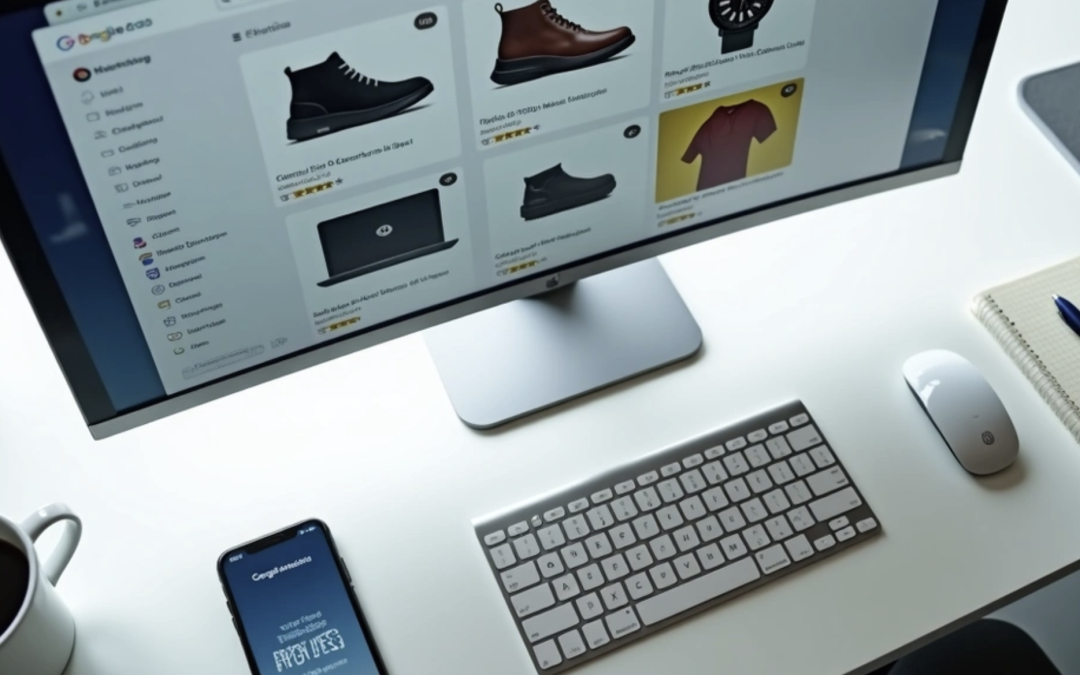
Google product listing ads provide substantially more detailed information than standard text-based ads. These ads have become crucial for e-commerce success. Your online store needs these visual ad formats that appear prominently above standard text ads and organic listings.
A product listing ad showcases your products through visually engaging advertisements with images, pricing, and other key details. These details help potential customers make informed decisions. Google shopping product listing ads outperform traditional text ads with higher click-through rates and better conversion rates. Shoppers see your product image and price before clicking, which leads to more informed decisions. The ad implementation makes campaign tracking easier compared to offline advertising efforts.
You will find the exact steps to set up and optimize Google product listing ads that convert in this piece. The process starts from creating your Merchant Center account and covers the best practices to stay competitive in 2025 and beyond.
What is a Product Listing Ad and How Does It Work?
Product Listing Ads (PLAs) have changed how online retailers show their products on search engines. These visual ads give shoppers a detailed shopping experience right in their search results.
Definition and purpose of PLAs
Product Listing Ads are rich visual ads that show your products with detailed information instead of just text. You’ll see product images, titles, prices, store names, and sometimes customer reviews or special deals in these ads.
PLAs help customers find what they want quickly and see all the important details needed to make a purchase. Shoppers who click through to your site already know what your product looks like and costs. They’re more likely to buy because they’ve seen this information upfront.
Google shopping product listing ads work just like store window displays, but in digital form. Your products appear in front of millions of online shoppers looking for items like yours. These ads work really well because they bring in better leads – people who’ve already checked out your product’s appearance and price before clicking.
PLAs also make your products pop on search results pages. The numbers prove it – shopping ads get 30-40% more clicks than text ads. This makes them great tools to catch customer attention and boost sales.
Where PLAs appear on Google
You’ll find Google product listing ads all over Google’s platforms, which creates lots of chances to reach potential customers:
- At the top of Google search results pages in a carousel format
- On the right-hand side of search results pages (sometimes in the Knowledge Panel)
- Within the dedicated Google Shopping tab
- In Google Image search results
- On Google Search Partner websites
- Within the Google Display Network
- On YouTube alongside relevant videos
- In Gmail (within Promotions or Social tabs)
- In Google Discover feed on mobile devices
PLAs take up prime spots on search results pages. People who search for products like “brown shoes” or “blender” see shopping ads right at the top. This gives them quick access to product pictures and details.
Google has also started showing both paid and free product listings in some places. Paid listings usually get better spots, but this two-way approach gives retailers more chances to be seen.
How PLAs differ from text ads
PLAs and traditional text ads are quite different in how they work and target customers. Text ads just show headlines, descriptions, and links without pictures. PLAs grab shoppers’ attention right away with product images and buying details.
The biggest difference lies in how these ads target customers. Text ads need you to pick specific keywords, write ad copy, and set your bids. PLAs work differently – you bid on products, not keywords.
Google uses your product data feed to decide when to show your PLAs in search results. This feed has all your product details (titles, descriptions, prices, availability, image URLs, etc.) that Google matches with what people search for.
You can’t pick target keywords directly with PLAs – you can only add negative keywords to stop your ads from showing up in unwanted searches. Google picks relevant searches based on your product data. This makes your product feed’s quality and accuracy really important.
PLAs also perform better than text ads. They convert at about 1.91% compared to text ads at 1.60%. This happens because shoppers can see exactly what you’re selling and its price right away. No more wasted clicks from people who might feel let down after clicking a text ad.
Step-by-Step Setup for Google Product Listing Ads
Google product listing ads need a step-by-step approach to display your products correctly on Google’s network. Let’s guide you through everything you need to get your PLAs working well.
1. Create a Google Merchant Center account
Your journey starts with setting up a Google Merchant Center account. Head to the Google Merchant Center sign-in page and register with your Google Account credentials. Each Google Account links to just one Merchant Center account, so you’ll need a different email if you already use yours for another account.
The setup process needs you to:
- Add your business name, operating hours, and services
- Choose your checkout options (online, physical store, or both)
- Tell Google how you’ll provide product information
- Link any third-party platforms you use (like Shopify)
After creating your account, claim and verify your website URL unless you use an approved third-party CSS. US businesses should set up their tax settings to show accurate prices in their ads.
2. Upload your product feed
Your product feed builds the foundation of successful PLAs with details about your merchandise. Google Merchant Center lets you upload your feed in several ways:
- URL upload (HTTP): Perfect for merchants who handle feeds through Google Sheets or third-party tools
- Manual file upload: Great for small businesses with few products or occasional updates
- FTP upload: Best suited for businesses needing multiple daily feed updates
Your product feed must include key details like product ID, name, description, category, image URL, price, and availability. The information works best in a tab-delimited spreadsheet (.tsv or .txt) or XML format. Products need their own rows with attributes arranged in columns.
3. Link Merchant Center to Google Ads
Shopping campaigns need your Google Merchant Center and Google Ads accounts to work together. You can find this option under Settings > Access and services > Apps and services in your Merchant Center account. You have three choices:
- Link to your existing Google Ads account
- Set up and link a new Google Ads account
- Ask to link someone else’s Google Ads account (like an agency)
The Google Ads administrator must approve link requests for accounts you don’t manage through their Tools > Data Manager > Connected products > Google Merchant Center section. This connection allows product data to flow between platforms and enables shopping campaign creation.
4. Create a Shopping campaign
Now that your accounts work together, you can launch your first shopping campaign:
- Click the plus button in Google Ads and select “New campaign”
- Pick a campaign objective (Sales, Leads, Website traffic, etc.)
- Select “Shopping” as your campaign type
- Pick your connected Merchant Center account
- Choose your bidding strategy and daily budget
- Set up campaign settings including target locations
- Build your first ad group and set initial bids
- Look over settings and launch your campaign
Your shopping campaigns pull product data from your Merchant Center feed, so make sure your feed stays accurate and detailed before launch.
5. Choose between Standard and Performance Max
Google gives you two main shopping campaign options, each with unique benefits:
Standard Shopping shines when you need:
- Detailed control over product groups and bids
- Complete access to search term data
- Campaign priority settings for strategic product promotion
- Brand safety controls
- Impression share reporting
Performance Max works best when you want:
- Broader reach across multiple Google platforms
- Automated campaign management
- Single campaigns with specific ROAS targets
- Shopping placements combined with search, display, and video placements
Standard Shopping campaigns give new advertisers and businesses with limited conversion data better transparency and control. As your data grows and you create more creative assets, Performance Max campaigns might deliver better results.
Keep an eye on your campaign status and use Google’s Ad Preview and Diagnosis tool to spot any issues with your product listings.
Google Product Listing Ads Requirements You Must Follow
Google’s strict product listing ad requirements are vital to keep your ads visible in search results and avoid disapproval. These guidelines help shoppers find accurate, quality information to make purchase decisions. Let’s get into the specifications you need for successful Google product listing ads.
Product data specifications
Well-formatted product data forms the foundation of effective listing ads. Your product information must match what’s on your landing page and checkout process. Each product needs these mandatory attributes to show up:
- ID – A unique identifier (preferably your product’s SKU) using valid unicode characters, with a maximum of 50 characters
- Title – Clear product name matching your landing page (maximum 150 characters)
- Description – Accurate product description without promotional text
- Link – Your product’s landing page URL using your verified domain
- Image link – URL of your product’s main image
- Price – Accurate pricing with the correct currency
Adding attributes like brand, GTIN, condition, and availability boosts performance. Note that all attribute values using supported values (like “new,” “refurbished,” or “used” for condition) need English submissions whatever your target country.
Google matches your products with relevant search queries using this structured data. Missing or incorrect information creates problems in Merchant Center and might stop your ads from showing up.
Image and title guidelines
Product images create the first impression and drive conversions. Non-apparel products need images of at least 100×100 pixels, while apparel requires 250×250 pixels minimum. Google suggests using the largest, highest resolution images you can (up to 16MB file size).
Product images must follow these rules:
- Show the product accurately without promotional text or watermarks
- Use accepted formats (JPEG, WebP, PNG, non-animated GIF, BMP, or TIFF)
- Avoid scaled-up thumbnails or generic placeholders
Titles need clarity and accuracy above all. They should contain just enough information to describe the product clearly and stay under 200 characters including spaces. Keeping titles under 80 characters works best since mobile screens cut off longer text.
The most effective titles follow this structure: Brand name → Flavor/style → Product type → Key attribute → Color → Size/pack count → Model number. Skip promotional phrases like “free shipping,” unnecessary synonyms, or keyword stuffing that clutters your title.
Landing page and checkout policies
What happens after someone clicks your ad matters just as much as the ad itself. Your landing page should display all key product elements clearly – title, description, image, price, currency, availability, and a buy button. This information needs to match what’s in your product data.
Your checkout process must meet these requirements:
- Let individuals (not just businesses) buy products
- Keep pricing consistent throughout checkout
- Show the same currency as your product data
- Use your feed’s language throughout checkout
- Provide secure checkout with a valid SSL certificate
Physical goods need door-to-door delivery or collection point shipping options in your targeted countries. Make sure you clearly show any mandatory purchase fees and make refund and return policies available to everyone.
These requirements keep your product listing ads running smoothly and create uninterrupted shopping that boosts conversion rates and makes customers happy.
How to Optimize Google Product Listing Ads for Better Results
The gap between average and top-performing Google product listing ads comes down to smart optimization. Once you meet the simple requirements, you need to focus on several critical elements to maximize conversions. Here are four key areas where targeted improvements can transform your product listing ad performance.
Use high-quality images
Your product images create virtual first impressions that directly affect click-through rates. Google wants you to use the highest resolution images you can find so your products look great on all devices, especially on high-resolution screens. You should:
- Use tightly framed, bright, vibrant photos that show your product clearly
- Add multiple images (up to 10) to show different angles and use cases
- Try lifestyle images that show products in use – they often perform better than simple product shots
- Make sure your main image has a clean, white background as Google recommends
- Skip text overlays, promotional messages, or logos on product images
Quality images make your products more appealing and boost your product listing ad click-through rates. Think of them as your digital storefront window and invest in them accordingly.
Write clear and keyword-rich titles
Your product title plays the biggest role in search relevance. Research shows 52% of brands use different titles in their product feed compared to their product pages’ SEO titles. Here’s how to create optimized titles:
Follow a proven structure: Brand + Product Type + Key Attributes (color, size, material) Put important information first: Google gives more weight to words at the start of your title Use natural language: Add relevant keywords without making it spammy Keep it concise yet detailed: Google allows up to 150 characters, but only the first 70 show on most devices
Note that Google uses your title as a keyword proxy, which makes this optimization crucial for matching relevant search queries. Skip promotional phrases, unnecessary synonyms, or ALL CAPS unless they’re part of a brand name.
Include all relevant product attributes
Complete product data improves ad relevance. Fill out every available product attribute in your feed—not just the required fields. This means adding:
- Color, size, material, and pattern information where it fits
- GTIN, MPN, and brand name to help people find your products
- Product features and detailed attributes that help buying decisions
- Clear definitions of attributes that connect your product to the right customer
Detailed product data helps Google understand your merchandise better, which leads to more accurate matches with user searches. Better relevance typically means higher click-through rates and quality scores.
Update inventory and pricing regularly
Wrong information creates bad user experiences and hurts your account performance. You need to keep your data accurate by:
- Setting up regular feed updates (at least daily) for inventory changes
- Using automated feed delivery for same-day updates when possible
- Using Google Merchant Center’s automatic item updates for prices and availability
- Creating inventory update feeds focused on price and availability
Regular updates build trust with potential customers who will leave if they don’t see the expected price or availability. Fresh product data also helps prevent policy violations that could hurt your campaign performance.
These optimization techniques will help you create Google product listing ads that show up more often in relevant searches and convert better. Keep analyzing your performance data and refining your approach – optimization never stops.
Tracking and Measuring PLA Performance
Tracking helps you adjust your Google product listing ads based on real performance data. You need to know which metrics matter and how to find them to optimize your spending and get better conversion rates.
Using Google Ads reports
The Product Groups page is your first stop to check PLA performance. You can customize columns to see key metrics like impressions, clickthrough rates, conversion metrics, and measurement data. The Products page lets you dive deeper into how individual products perform with details like item ID, price, impressions, and clicks.
You can create detailed reports by going to Predefined reports in Google Ads. These reports let you break down data by category, product type, item ID, or brand while looking at impression share and measurement metrics at the same time. Standard reports might work at first, but as campaigns grow, scheduled email reports can keep your team updated on performance trends automatically.
Google Merchant Center performance dashboard
Your Merchant Center has a powerful performance dashboard with key metrics that complement Google Ads data:
- Impressions: How often your products appear on Google
- Clicks: Total number of clicks leading to your product pages
- Click-through rate (CTR): Percentage of impressions resulting in clicks
- Purchases: Total purchases originating from Google product listings
- Purchase rate: Purchases divided by clicks
The performance graph shows these metrics over time. Short periods highlight specific promotions while longer timeframes show cyclical trends. You can now split performance data between online and local traffic, which helps multi-channel retailers understand how each channel contributes.
Integrating with Google Analytics
Link your Google Ads and Analytics accounts with auto-tagging enabled for complete performance tracking. This connection shows post-click performance metrics that reveal your customer’s path from first click through behavior to conversion.
GA4 lets you segment traffic data to get targeted insights into how customers interact with your ads and what happens after they reach your website. This integration shows where customers leave during the purchase process.
Using UTM parameters for deeper insights
UTM parameters (Urchin Tracking Module) are vital to analyze campaign effectiveness. They help you measure how each traffic source performs and identify which campaigns drive revenue.
ValueTrack parameters in your tracking templates capture important information about click sources. These parameters can show mobile device usage, user location, and other insights. To track free Google Shopping listings separately from paid ads, use these UTM parameters:
- source=google_shopping
- medium=organic
- campaign=shopping
- term=[Product ID]
This well-laid-out approach helps with proper attribution and smart budget allocation across marketing channels.
Google Product Listing Ads Best Practices for 2025
Strategic segmentation is the cornerstone of successful Google product listing ads in 2025. These advanced techniques will improve your campaign performance and return on investment significantly.
Segment campaigns by product type or margin
PLA segmentation based on user search intent makes a huge difference. Companies that separate generic, brand-specific, and product-specific queries see remarkable improvements in profitability. Product-specific queries convert at much higher rates—up to 23% compared to just 3% for generic queries. This segmentation lets you bid more aggressively on high-converting product-specific terms while you optimize spending on less qualified traffic.
Use custom labels for better control
Custom labels offer powerful segmentation options beyond standard attributes. You can create up to five custom labels (0-4) with up to 1,000 unique values each. Here are some popular segmentation approaches:
- Seasonal products (summer/winter items)
- Price ranges (0-50, 51-100, 101+)
- Profit margin (high/medium/low)
- Best-sellers vs. slow-moving inventory
- Promotional status (clearance, sale items)
Retailers who use margin-based custom labels have achieved up to 96% ROAS increases and 602% revenue growth.
Test different bidding strategies
The best way to test bidding approaches is to modify one campaign that’s at least 30 days old rather than creating duplicate campaigns. Pick stable campaigns with enough conversion history and limit other changes to see the true effect of your bidding strategy. You should allow at least 30-44 days for proper evaluation, not counting the initial 14-day learning period.
Avoid disapprovals with clean data feeds
Data feed errors lead to disapproved ads, higher costs, and lost sales. Regular audits, proper formatting, and automated validation tools help maintain accurate product data. Your feed’s prices must match landing page prices to maintain ad performance and customer trust.
Make use of Performance Max campaigns
Google’s AI powers Performance Max campaigns to maximize results across all channels. You should create separate campaigns for different ROAS targets—one for holiday products and another for high-margin items. Each campaign can include multiple asset groups to target different product segments or customer lists. Value-based bidding with ROAS targets based on product margins delivers the best results.
Conclusion
Google Product Listing Ads give e-commerce businesses a better shot at higher conversion rates and ROI. This piece shows how these visually-rich ads beat traditional text ads and bring quality traffic to your store.
Your success with PLAs starts with a well-set Merchant Center account. You need complete product feeds that meet Google’s strict requirements. Product data forms the foundation of all your PLA campaigns.
Better product listings can significantly affect performance. Sharp, high-resolution images grab attention. Strategic titles with relevant keywords help Google match products to the right searches. Full product details and regular inventory updates make your ads work better and help avoid getting pricey disapprovals.
A close look at performance metrics reveals which products sell best. You can use the reporting tools in Google Ads, Merchant Center, and Google Analytics to learn about your campaigns.
Custom labels emerge as the most powerful strategy for 2025. They let you control bidding based on margins, seasons, or bestseller status. Your campaigns run smoothly when you test different bidding approaches and keep clean data feeds.
Performance Max campaigns let you use Google’s AI on multiple platforms at once. Standard shopping campaigns still offer good control and transparency, especially for beginners.
Becoming skilled at Google Product Listing Ads needs time and testing. The results speak for themselves – better click-through rates, qualified traffic, and more conversions make this channel vital for serious e-commerce businesses. Put these strategies to work now to be proactive, and watch your sales grow through 2025 and beyond.
FAQs
Q1. How do I set up Google Shopping ads in 2025? To set up Google Shopping ads, first create a Google Merchant Center account to manage your product data feed. Then, set up a Google Ads account to create and manage your Shopping campaigns. Link these accounts, upload your product feed, and create a Shopping campaign in Google Ads, choosing between Standard Shopping and Performance Max campaign types.
Q2. What are the key components of effective Product Listing Ads? Effective Product Listing Ads (PLAs) require high-quality product images, clear and keyword-rich titles, comprehensive product attributes, and regularly updated inventory and pricing information. These elements help your ads match relevant searches and attract qualified traffic, leading to better conversion rates.
Q3. How can I track the performance of my Product Listing Ads? You can track PLA performance using Google Ads reports, the Google Merchant Center performance dashboard, and by integrating with Google Analytics. Additionally, using UTM parameters allows for deeper insights into campaign effectiveness and helps with proper attribution across marketing channels.
Q4. What are some best practices for optimizing Google Product Listing Ads in 2025? Key best practices include segmenting campaigns by product type or margin, using custom labels for better control, testing different bidding strategies, maintaining clean data feeds to avoid disapprovals, and leveraging Performance Max campaigns for AI-driven optimization across multiple platforms.
Q5. How do Product Listing Ads differ from traditional text ads? Product Listing Ads are visually-rich advertisements that showcase products with images, pricing, and other key details, while text ads consist only of headlines and descriptions. PLAs are product-targeted rather than keyword-targeted, typically achieve higher click-through and conversion rates, and appear in prominent positions on search results pages and across Google’s network.







